
재미있는 Modal hook BUG — contextHolder 위치에 따른 팝업 버그
Modal.useModal의 contextHolder를 어디에 두느냐에 따라 modal.confirm 팝업 위치가 달라지는 이슈가 있었어요. 이 글에서는 이 버그가 왜 발생했는지, 내부 @rc-component/dialog와 rc-portal의 노드 생성 타이밍 문제를 추적하고 해결한 과정을 설명해 드릴게요.
출처: 문서
본문
최근에 Modal.useModal의 contextHolder를 다른 위치에 두면 modal.confirm 팝업 위치가 달라진다는 이슈를 만났어요:
import React from 'react';
import { Button, Modal } from 'antd';

export default () => {
  const [modal, contextHolder] = Modal.useModal();

  return (
    <div>
      <Modal open>
        <Button
          onClick={() => {
            modal.confirm({ title: 'Hello World' });
          }}
        >
          Confirm
        </Button>

        {/* 🚨 BUG when put here */}
        {contextHolder}
      </Modal>

      {/* ✅ Work as expect when put here */}
      {/* {contextHolder} */}
    </div>
  );
};
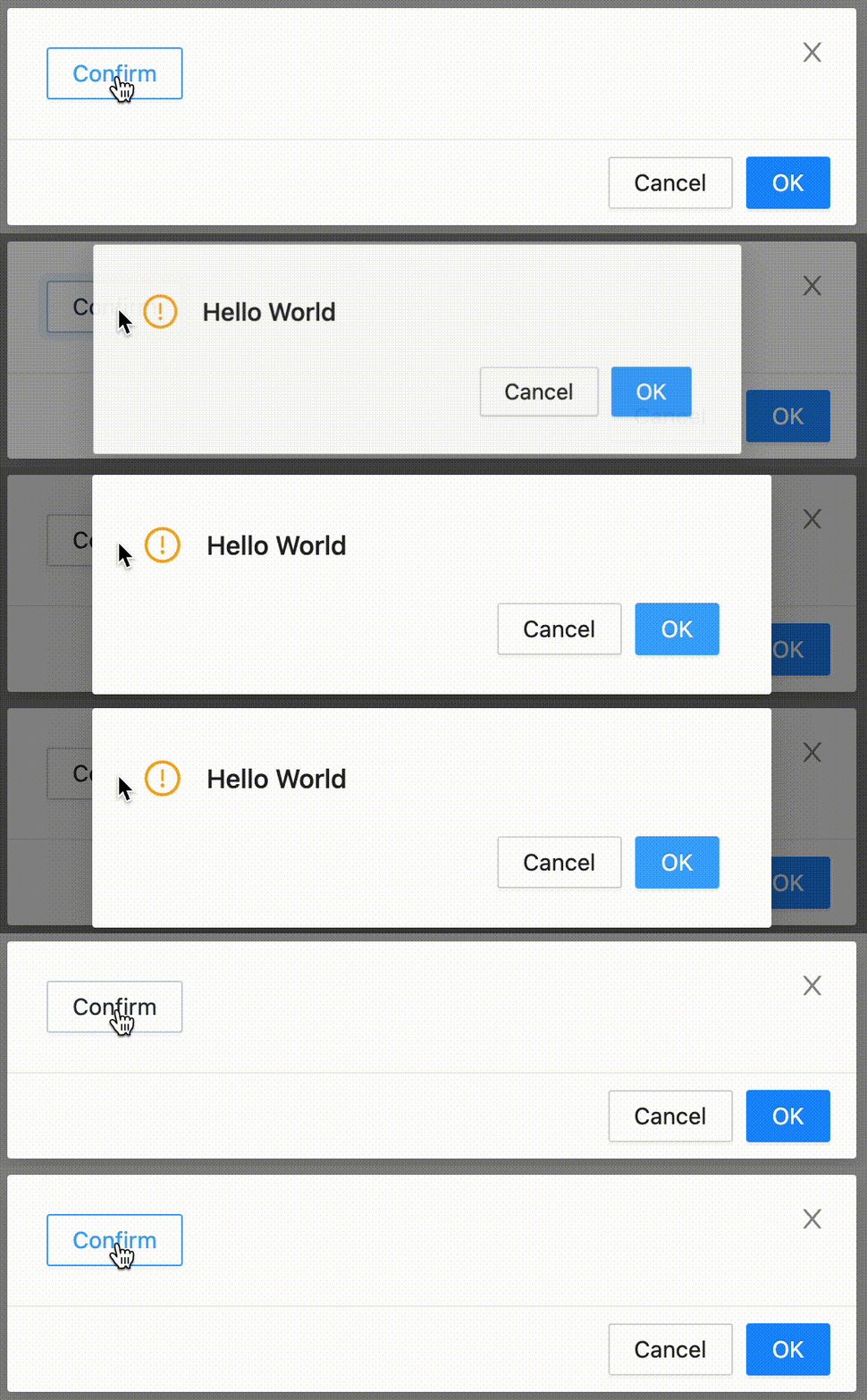
정상 동작 버전:
버그 버전:
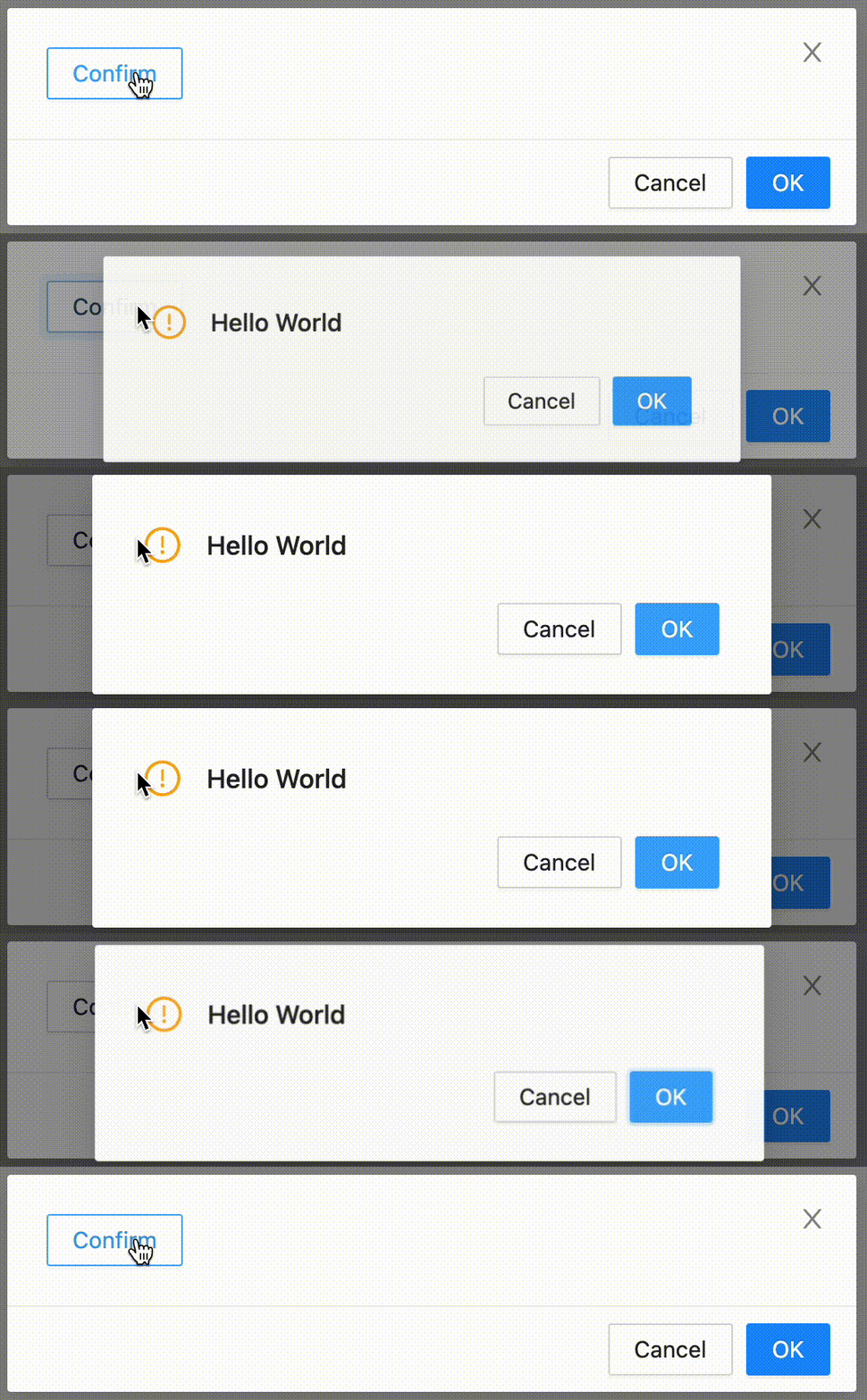
위 그림에서 알 수 있듯이, contextHolder를 Modal 안에 두면 hooks 호출의 팝업 위치가 올바르지 않아요.
왜?
antd의 Modal 내부는 @rc-component/dialog 컴포넌트 라이브러리를 호출하는데, 이 라이브러리는 팝업 위치를 제어하는 mousePosition 속성을 받아요(Dialog/Content/index.tsx):
// pseudocode
const elementOffset = offset(dialogElement);
const transformOrigin = `${mousePosition.x - elementOffset.left}px ${
  mousePosition.y - elementOffset.top
}px`;
offset 메서드는 폼 자체의 좌표 위치를 얻는 데 사용돼요(util.ts):
// pseudocode
function offset(el: Element) {
  const { left, top } = el.getBoundingClientRect();
  return { left, top };
}
브레이크포인트 디버깅을 통해 mousePosition의 값은 올바른데, offset에서 얻은 rect 값이 틀렸다는 걸 발견할 수 있어요:
{
  "left": 0,
  "top": 0,
  "width": 0,
  "height": 0
}
이 값은 분명히 애니메이션이 시작되는 시점에 폼 컴포넌트가 아직 DOM 트리에 추가되지 않았다는 뜻이에요. 그래서 Dialog가 추가하는 로직을 확인해야 해요.
createPortal
@rc-component/dialog는 rc-portal을 통해 document에 노드를 만들고, ReactDOM.createPortal로 컴포넌트를 이 노드에 렌더링해요. contextHolder의 위치가 다르고 인터랙션이 다르기 때문에, document에 노드를 만드는 타이밍에 문제가 있을 것이라 추측할 수 있어요. 그래서 rc-portal에서 노드를 추가하는 기본 부분을 자세히 볼게요(useDom.tsx):
// pseudocode
function append() {
  // This is not real world code, just for explain
  document.body.appendChild(document.createElement('div'));
}

useLayoutEffect(() => {
  if (queueCreate) {
    queueCreate(append);
  } else {
    append();
  }
}, []);
여기서 queueCreate는 context를 통해 얻어요. 목적은 중첩 레벨에서 자식 엘리먼트가 부모 엘리먼트보다 먼저 생성되는 상황을 막는 거예요:
<Modal title="Hello 1" open>
  <Modal title="Hello 2" open>
  <Modal>
<Modal>
<!-- Child `useLayoutEffect` is run before parent. Which makes inject DOM before parent -->
<div data-title="Hello 2"></div>
<div data-title="Hello 1"></div>
queueCreate로 자식 엘리먼트의 append를 큐에 추가하고, useLayoutEffect로 실행해요:
// pseudocode
const [queue, setQueue] = useState<VoidFunction[]>([]);

function queueCreate(appendFn: VoidFunction) {
  setQueue((origin) => {
    const newQueue = [appendFn, ...origin];
    return newQueue;
  });
}

useLayoutEffect(() => {
  if (queue.length) {
    queue.forEach((appendFn) => appendFn());
    setQueue([]);
  }
}, [queue]);
해결
위의 큐 동작 때문에 중첩 아래에서 portal의 DOM이 다음 useLayoutEffect에서 트리거돼요. 이로 인해 @rc-component/dialog에서 애니메이션 시작의 useLayoutEffect 타이밍이 노드 추가 동작 이후에 발생하고, 결과적으로 엘리먼트가 document에 없어 올바른 좌표 정보를 얻지 못해요.
Modal은 이미 켜져 있으므로 queue를 통해 비동기로 실행할 필요가 없어요. 그래서 켜져 있으면 append를 직접 실행하라는 판단만 추가하면 돼요:
// pseudocode
const appendedRef = useRef(false);

const queueCreate = !appendedRef.current
  ? (appendFn: VoidFunction) => {
      // same code
    }
  : undefined;

function append() {
  // This is not real world code, just for explain
  document.body.appendChild(document.createElement('div'));
  appendedRef.current = true;
}

// ...

return <PortalContext value={queueCreate}>{children}</PortalContext>;
이것으로 끝이에요.