
알림
알림 (Alerting)
Flagger는 다양한 채팅 플랫폼으로 알림을 보내도록 구성할 수 있습니다. 설치 시점에 전역 알림 프로바이더를 정의하거나 canary별로 알림을 구성할 수 있습니다. 이 문서에서는 Slack, MS Teams, Discord 등과 연동하는 방법을 설명해 드릴게요.
출처: 문서
본문
Flagger는 다양한 채팅 플랫폼으로 알림을 보내도록 구성할 수 있습니다. 설치 시점에 전역 알림 프로바이더를 정의하거나 canary별로 알림을 구성할 수 있습니다.
전역 구성 (Global configuration)
Slack
Slack 구성
Flagger는 새 Slack 앱 시스템 대신 Slack의 커스텀 웹훅 통합을 요구합니다.
웹훅은 레거시 Slack 문서를 따라 생성할 수 있습니다.
Flagger 구성
웹훅이 생성되면 Flagger가 Slack 알림을 보내도록 구성할 수 있습니다:
helm upgrade -i flagger flagger/flagger \
--set slack.url=https://hooks.slack.com/services/YOUR/SLACK/WEBHOOK \
--set slack.proxy=my-http-proxy.com \ # optional http/s proxy
--set slack.channel=general \
--set slack.user=flagger \
--set clusterName=my-cluster
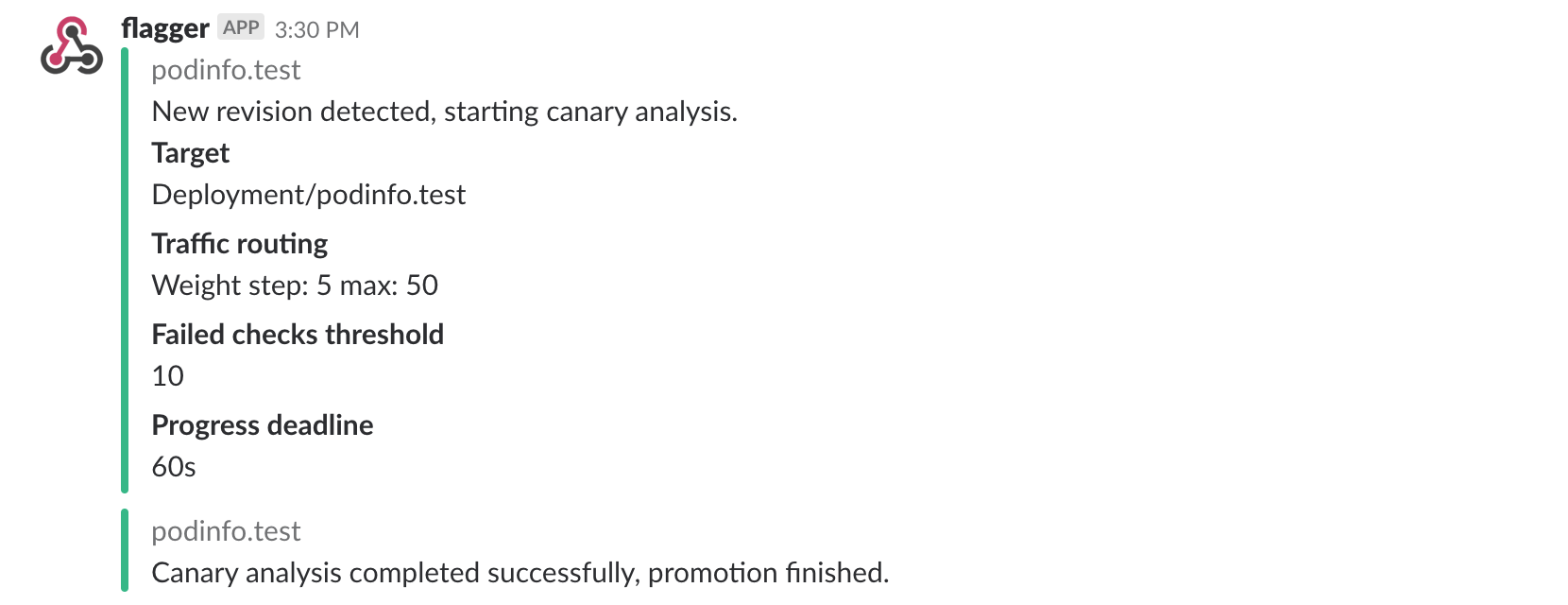
Slack 인커밍 webhook으로 구성하면, canary 배포가 초기화되었을 때, 새 리비전이 감지되었을 때, 그리고 카나리아 분석이 실패하거나 성공했을 때 Flagger가 메시지를 게시합니다.
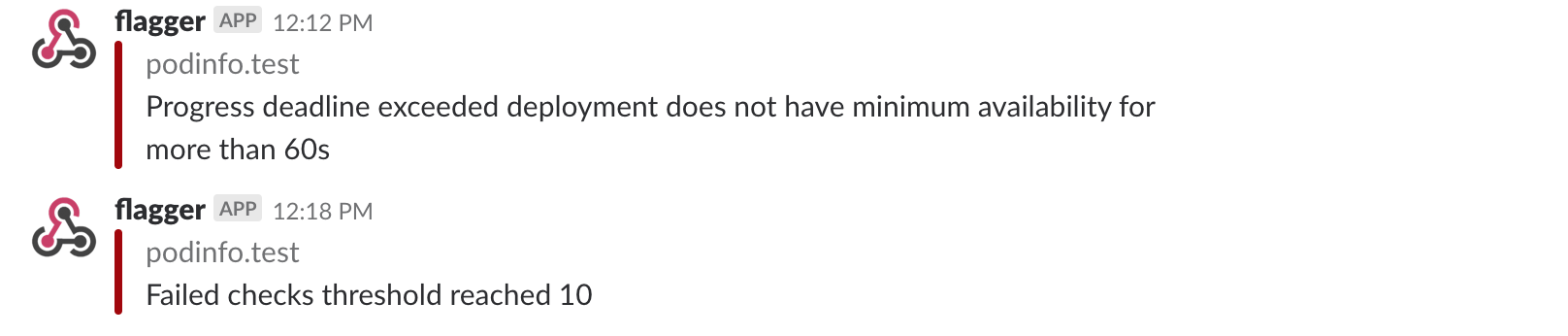
canary 배포는 progress deadline을 초과하거나 분석이 최대 실패 검사 횟수에 도달하면 롤백됩니다:
Slack 봇 토큰을 사용하려면 시크릿에 token을 추가하고 secretRef를 사용해야 합니다.
Microsoft Teams
Flagger가 Microsoft Teams로 알림을 보내도록 구성할 수 있습니다:
helm upgrade -i flagger flagger/flagger \
--set msteams.url=https://outlook.office.com/webhook/YOUR/TEAMS/WEBHOOK \
--set msteams.proxy-url=my-http-proxy.com # optional http/s proxy
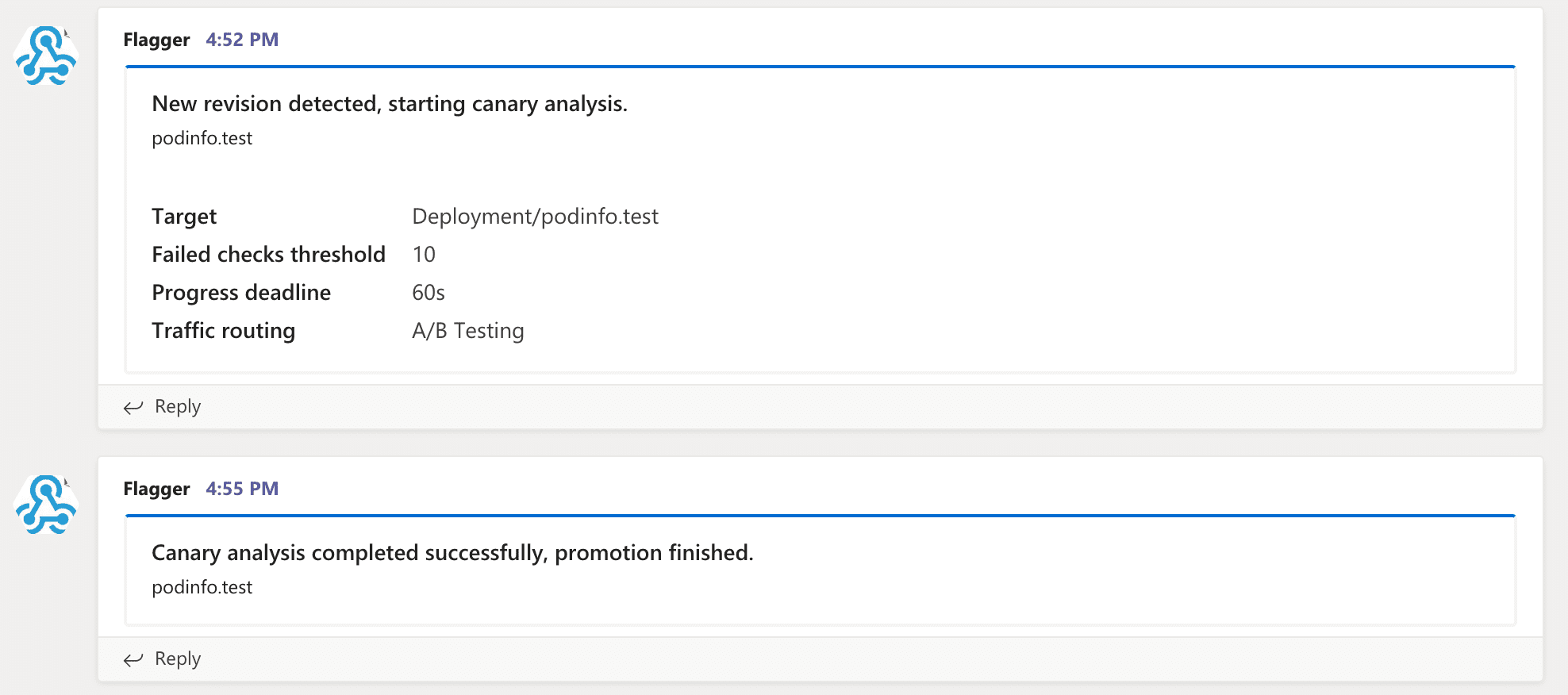
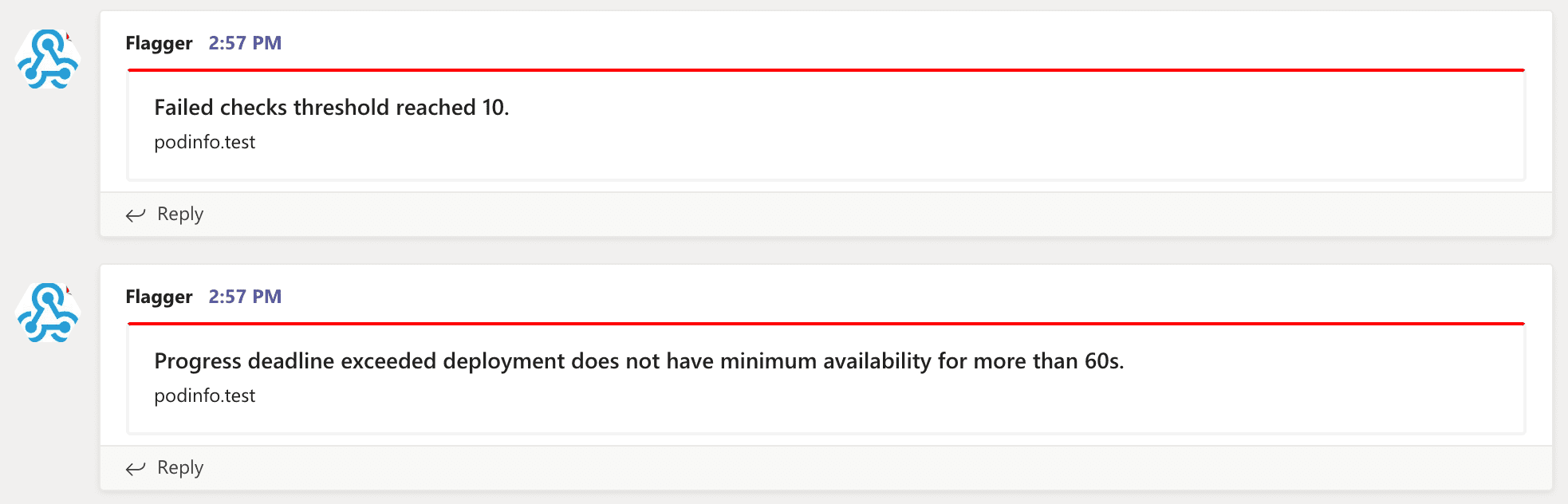
Slack과 유사하게 Flagger는 카나리아 분석 이벤트에 대해 알림을 보냅니다:
Canary 구성 (Canary configuration)
알림을 전역으로 구성하면 canary별로 다른 채널을 지정하거나 상세 수준(verbosity)을 구성할 수 없다는 몇 가지 제한이 있습니다. 알림을 더 유연하게 만들기 위해, canary 분석은 알림 프로바이더를 참조하는 알림 목록으로 확장할 수 있습니다. 각 알림에 대해 사용자는 심각도(severity) 수준을 구성할 수 있습니다. alerts 섹션은 전역 설정을 재정의합니다.
Slack 예시:
apiVersion: flagger.app/v1beta1
kind: AlertProvider
metadata:
  name: on-call
  namespace: flagger
spec:
  type: slack
  channel: on-call-alerts
  username: flagger
  # webhook address (ignored if secretRef is specified)
  # or https://slack.com/api/chat.postMessage if you use token in the secret
  address: https://hooks.slack.com/services/YOUR/SLACK/WEBHOOK
  # optional http/s proxy
  proxy: http://my-http-proxy.com
  # secret containing the webhook address (optional)
  secretRef:
    name: on-call-url
---
apiVersion: v1
kind: Secret
metadata:
  name: on-call-url
  namespace: flagger
data:
  address: <encoded-url>
  token: <encoded-token>
알림 프로바이더 type은 slack, msteams, rocket 또는 discord가 될 수 있습니다. discord로 설정하면 Flagger는 Slack 포맷을 사용하고 Discord 주소에 /slack을 추가합니다.
지정하지 않으면 channel은 기본값 general, username은 기본값 flagger가 됩니다.
secretRef가 지정되면 Kubernetes 시크릿은 address라는 이름의 데이터 필드를 담아야 하며, 시크릿의 주소가 프로바이더 스펙의 address 필드보다 우선합니다.
canary 분석은 알림 목록을 가질 수 있으며, 각 알림은 알림 프로바이더를 참조합니다:
  analysis:
    alerts:
      - name: "on-call Slack"
        severity: error
        providerRef:
          name: on-call
          namespace: flagger
      - name: "qa Discord"
        severity: warn
        providerRef:
          name: qa-discord
      - name: "dev MS Teams"
        severity: info
        providerRef:
          name: dev-msteams
알림 필드:
- name (필수)
- severity 수준:
info,warn,error(기본값 info) - providerRef.name 알림 프로바이더 이름 (필수)
- providerRef.namespace 알림 프로바이더 네임스페이스 (기본값은 canary 네임스페이스)
severity가 warn으로 설정되면 Flagger는 수동 확인을 기다리거나 분석이 실패할 때 알림을 보냅니다. severity가 error로 설정되면 Flagger는 카나리아 분석이 실패할 때만 알림을 보냅니다.
클러스터 이름에 따라 알림을 구분하려면 -cluster-name=my-cluster 명령 플래그 또는 Helm의 --set clusterName=my-cluster로 Flagger를 구성할 수 있습니다.
Prometheus Alert Manager
Alertmanager를 사용해 canary 배포가 실패했을 때 알림을 트리거할 수 있습니다:
  - alert: canary_rollback
    expr: flagger_canary_status > 1
    for: 1m
    labels:
      severity: warning
    annotations:
      summary: "Canary failed"
      description: "Workload {{ $labels.name }} namespace {{ $labels.namespace }}"