
이미지 프롬프팅
이미지 프롬프팅
출처: 문서
본문
GPT Image 2.5 프롬프팅 가이드
모델을 선택하고, 효과적인 프롬프트를 작성하며, 편집 전반에 걸쳐 디테일을 보존하세요.
개요
필요한 이미지로 시작한 다음 주제, 구도, 스타일, 제약을 설명하세요. 편집의 경우 무엇이 바뀌어야 하고 무엇이 그대로 유지되어야 하는지 식별하세요. 한 번에 한 가지만 다듬고 결과를 검사하세요.
GPT Image 2.5에는 두 가지 모델 선택이 있습니다. GPT Image 2.5 Flare는 속도에 최적화된 소형 모델로, 이미지 품질이 GPT Image 2와 비슷합니다. GPT Image 2.5 Sunburst는 품질에 최적화된 기본 모델로, GPT Image 2보다 높은 이미지 품질을 제공합니다. 두 모델 모두 정밀한 편집과 주제 보존에서 개선점을 제공합니다.
API 설정과 요청 예시는 이미지 생성 가이드를 참조하세요.
모델 선택
새 워크플로에서는 속도가 우선일 때 GPT Image 2.5 Flare로 시작하고, 까다로운 품질 요구사항이 우선일 때 GPT Image 2.5 Sunburst로 시작하세요. 출력이 요구사항을 충족하면 지연 시간을 줄일 기회를 찾으세요.
현재 이미지 모델에서 마이그레이션하려면 현재 이미지 품질을 출발점으로 사용하세요. 두 모델 모두 이미지 생성, 편집, 투명 배경을 지원합니다.
| 현재 워크플로 | 시작할 테스트 |
|---|---|
| 검증된 기존 GPT Image 2 워크플로가 이미 품질 요구사항을 충족함 | GPT Image 2.5 Flare. 지연 시간을 줄이면서 허용 가능한 품질을 유지할 수 있는지 확인하세요. |
| GPT Image 2가 품질 요구사항을 충족하지 못하는 복잡한 사용 사례 | GPT Image 2.5 Sunburst. 먼저 필요한 품질을 제공하는지 확인하세요. |
GPT Image 2.5 Sunburst가 품질 요구사항을 충족한다면 같은 프롬프트와 입력으로 GPT Image 2.5 Flare도 테스트하세요. Flare도 요구사항을 충족하고 지연 시간을 개선한다면 Flare로 전환하세요. Sunburst의 품질 이점이 워크플로에 필요할 때는 Sunburst를 유지하세요.
자체 워크로드에서 응답 시간과 품질을 측정하세요. 결과는 프롬프트, 참조 이미지, 출력 크기, 품질 설정에 따라 달라집니다. 한 워크로드에서의 속도 개선이 다른 워크로드에서 고정된 개선을 확립하지는 않습니다.
모델 매개변수
API 매개변수를 프롬프트와 별도로 설정하세요.
| 매개변수 | GPT Image 2.5 설정 |
|---|---|
model |
gpt-image-2.5-flare (소형 모델) 또는 gpt-image-2.5-sunburst (기본 모델) |
quality |
auto (기본값), low, medium, high, xhigh, 또는 max |
size |
auto 또는 커스텀 해상도. 일반적인 크기: 1024x1024 (정사각형), 1536x1024 (가로), 1024x1536 (세로), 2048x2048 (2K 정사각형), 2048x1152 (2K 가로), 3840x2160 (4K 가로), 2160x3840 (4K 세로). |
background |
auto, opaque, 또는 transparent |
커스텀 해상도에는 WIDTHxHEIGHT를 사용하고 다음 제약을 따르세요:
- 각 변은 3,840픽셀을 넘지 않아야 합니다.
- 양 변 모두 16픽셀의 배수여야 합니다.
- 긴 변 대 짧은 변의 비율은 3:1을 넘지 않아야 합니다.
- 총 픽셀 수는 655,360에서 8,294,400 사이여야 합니다.
총 픽셀 수가 3,686,400(2560x1440)을 초과하는 출력은 실험적입니다.
quality를 조정하기 전에 위 워크플로를 사용해 모델을 선택하세요. 첫 비교에서는 두 모델이 모두 지원할 때 명시적으로 선택한 품질 설정을 프롬프트, 참조 이미지, 출력 크기와 함께 동일하게 유지하세요. 같은 품질 라벨이 모델 간에 같은 이미지 품질이나 응답 시간을 의미하지는 않습니다.
출력이 부족하면 더 높은 품질 설정을 테스트하세요. 요구사항을 충족하면 더 낮은 설정을 테스트해 지연 시간을 줄이면서 허용 가능한 품질을 유지하는지 확인하세요. xhigh나 max는 지연 시간 예산 안에서 충족되지 않은 품질 요구사항을 개선할 때만 사용하세요. 더 높은 설정이 모든 프롬프트에 더 나은 결과를 보장하지는 않습니다.
투명 자산은 background="transparent"를 명시적으로 요청하고 PNG 또는 WebP를 사용하세요. 머리카락, 유리, 그림자, 객체 가장자리를 포함해 디코딩된 이미지의 알파 채널을 확인하세요. output_compression은 PNG가 아닌 JPEG 또는 WebP 출력에만 사용하세요.
기존 워크플로 마이그레이션
- 기준선 저장. 대표적인 프로덕션 프롬프트와 참조 이미지를 수집하세요. 어려운 편집, 정확한 텍스트, 얼굴, 제품 형상, 투명 자산을 포함하세요. 현재 모델, 요청 설정, 결과를 기록하세요.
- 첫 후보 선택. GPT Image 2가 이미 품질 요구사항을 충족한다면 GPT Image 2.5 Flare로 시작해 지연 시간 개선을 테스트하세요. GPT Image 2가 복잡한 사용 사례에서 부족하다면 GPT Image 2.5 Sunburst로 시작해 먼저 품질 요구사항을 충족하는지 확인하세요. 첫 비교에서는 프롬프트, 참조, 크기, 출력 형식을 동일하게 유지하세요.
- 전체 결과 확인. 지시 따르기, 정체성과 제품 보존, 텍스트 정확도, 원치 않는 변경, 투명도를 비교하세요. 요청을 반복해 일관성을 측정하세요. 편집 워크플로에서는 개별 단계뿐 아니라 편집 전체 시퀀스도 테스트하세요.
- 품질 통과 후 지연 시간 이득 테스트. GPT Image 2.5 Sunburst로 시작했고 품질 요구사항을 충족한다면, 같은 요구사항에 대해 GPT Image 2.5 Flare를 평가하세요. 품질이 허용 가능하고 지연 시간이 개선될 때만 전환하고, 그렇지 않으면 Sunburst를 유지하세요.
- 한 번에 하나의 설정만 튜닝. 프롬프트를 다시 쓰기 전에 품질 수준을 비교하세요. 일반 및 느린 응답, 실패, 재시도, 허용된 이미지당 비용을 측정하세요. 더 빠른 모델이 더 저렴하다고 가정하지 말고 현재 가격을 확인하세요.
- 워크플로별로 출시. 출시된 모델이 수용 기준을 통과하면 트래픽의 작은 비율을 옮기고 같은 측정치를 모니터링하며 점진적으로 확장하세요. 이전 모델이 지원되는 동안 롤백을 위해 유지하세요.
GPT Image 1이나 1.5에서 마이그레이션할 때는 참조 탭을 사용해 매개변수 차이와 종료 날짜를 확인하세요. 이전 설정을 그대로 복사하지 말고 후보 모델이 지원하는 요청 설정을 테스트하세요. GPT Image 2의 경우 기존 해상도와 투명도 요구사항을 비교에 유지하세요.
반복 편집은 보존하려는 디테일을 여전히 바꿀 수 있습니다. 그 제약을 다시 명시하고 각 결과를 검사하세요. 영역이 픽셀 단위로 동일해야 한다면 프롬프팅만에 의존하지 말고 승인된 편집을 원본 이미지에 합성하세요.
프롬프팅 기초
- 결과 정의. 주제와 의도된 용도(예: 제품 사진, 광고, 다이어그램)를 이름 붙이세요. 구도, 종횡비, 중요한 배치 제약을 지정하세요. 복잡한 요청은 라벨이 있는 섹션으로 장면, 주제, 디테일, 제약으로 프롬프트를 구성하세요.
- 유지 가능한 형식 선택. 짧은 프롬프트, 설명형 문단, JSON 유사 구조, 지침, 태그는 모두 같은 의도를 표현할 수 있습니다. 특수 구문에 의존하기보다 요구사항을 읽고 업데이트하기 가장 쉬운 형식을 선택하세요.
- 보이는 디테일 설명. 재질, 조명, 색상, 시각적 매체를 이름 붙이세요. 목표가 그런 경우 "photorealistic" 또는 "real photograph"을 명시적으로 요청하고, 프레이밍과 텍스처를 설명하세요. 카메라 사양은 물리적 시뮬레이션의 보장이 아니라 외관에 대한 단서로 취급하세요. 넓고 시네마틱하며 저조도, 비, 네온 장면에서는 분위기 단어만에 의존하지 말고 스케일, 분위기, 색상을 지정하세요.
- 사람과 동작 지정. 신체 프레이밍, 상대적 스케일, 시선, 객체와의 상호작용을 설명하세요. "full body visible, feet included", "looking down at the open book", "hands naturally gripping the handlebars" 같은 지침이 의도된 포즈와 동작을 더 명확하게 합니다.
- 정확한 텍스트 지정. 필요한 문구를 따옴표로 묶고 위치와 타이포그래피를 설명하세요. 필요하면 특이한 단어나 브랜드 이름을 글자별로 철자하세요. 추가 텍스트를 넣지 말라고 요청한 다음 출력에서 철자와 가독성을 확인하세요. 작은 텍스트, 밀집된 정보, 여러 글꼴에는 medium 또는 high 품질을 비교하세요.
- 변경과 제약 분리. 편집에서는 "change only X"라고 말하고 정체성, 형상, 레이아웃, 조명, 라벨 같은 보존할 디테일을 나열하세요. 원치 않는 텍스트, 로고, 워터마크 같은 제외 항목을 명시하세요. 정밀한 로컬 편집에서는 채도, 대비, 화살표, 카메라 각도, 변하지 않아야 할 주변 객체도 식별하세요.
- 참조에 역할 할당. 각 입력을 번호와 용도(주제, 스타일, 의상, 배경)로 식별하세요. 입력이 어떻게 결합되어야 하고 어떤 요소가 어디로 이동해야 하는지 설명하세요.
- 의도적으로 반복. 이전 출력을 다음 편집 입력으로 전달하고, 한 가지 변경을 요청하며, 보존할 디테일을 반복하세요. "same style as before" 같은 참조는 컨텍스트를 전달할 수 있지만, 결과가 흘러내리면 핵심 제약을 다시 명시하세요. 더 많은 지침을 추가하기 전에 결과를 비교하세요.
아래 예시는 각각 다른 기법을 보여줍니다. 프롬프트를 출발점으로 유지하고 자신의 이미지와 요구사항에 맞게 조정하세요.
이미지 생성
스타일과 조명 제어
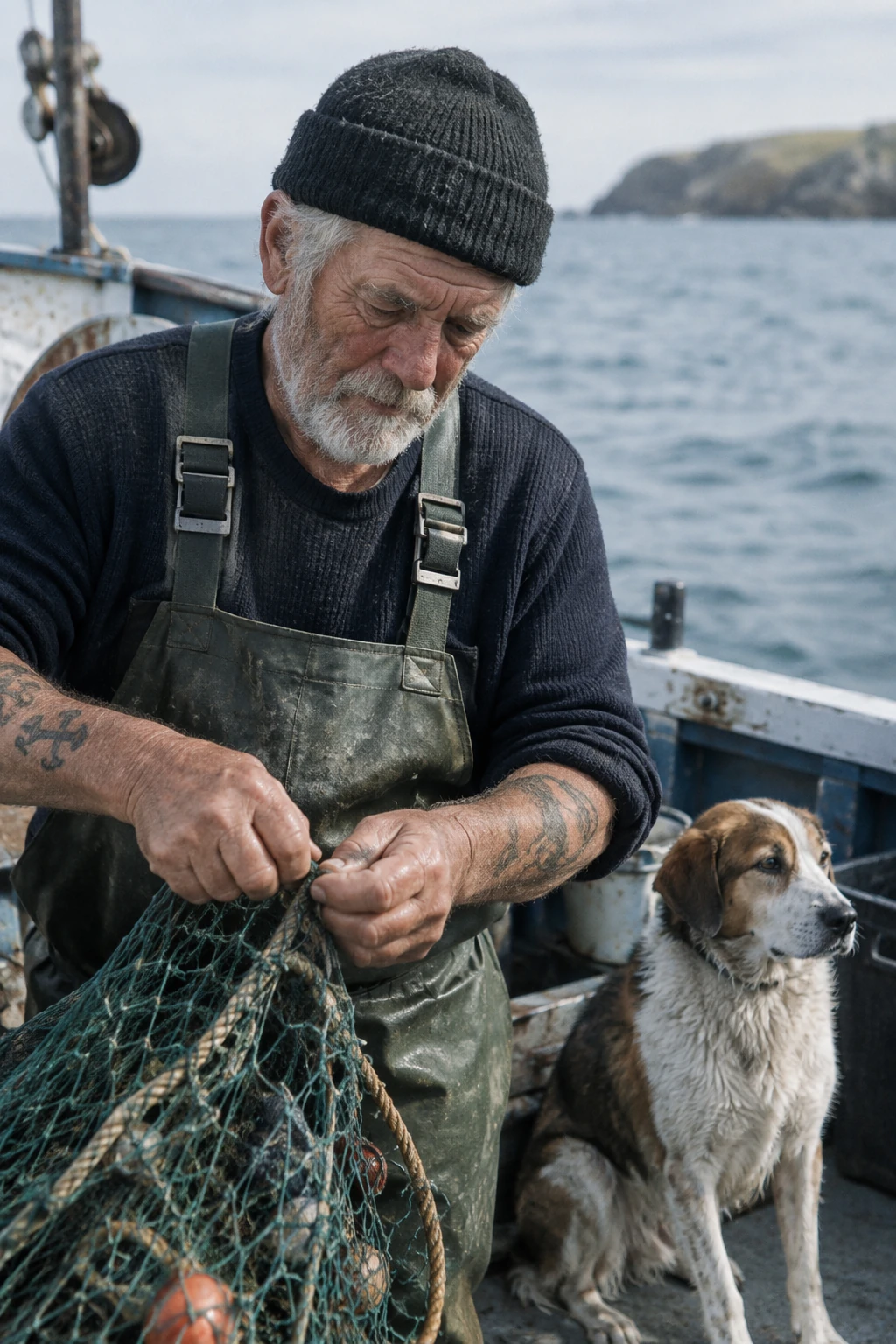
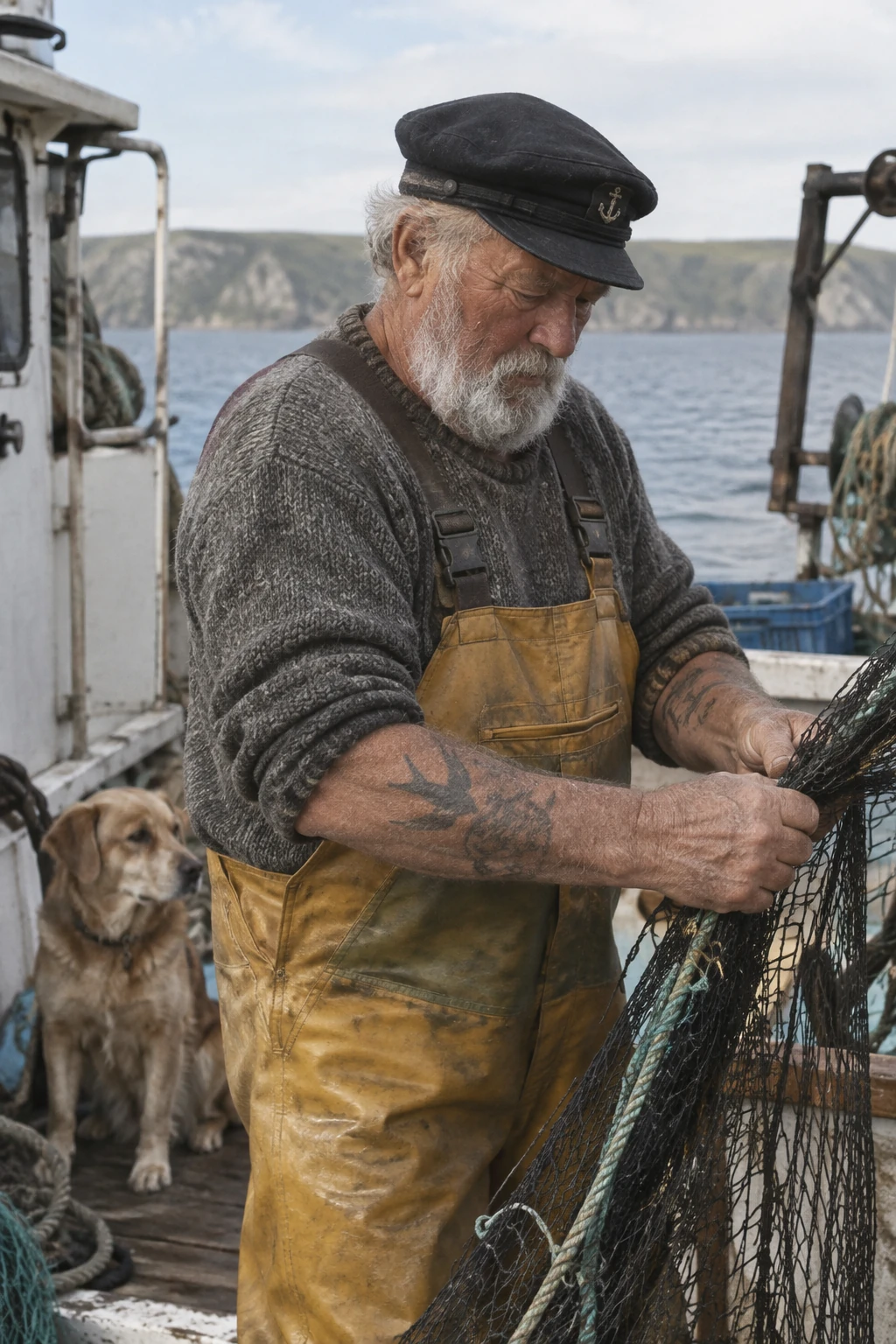
사진을 주제, 프레이밍, 빛, 텍스처로 설명하세요. 이 예시는 캔디드 구도를 지정하고 무거운 리터칭을 명시적으로 배제합니다.
생성 설정: size="1024x1536", quality="medium".
Create a photorealistic candid photograph of an elderly sailor standing on a small fishing boat.
He has weathered skin with visible wrinkles, pores, and sun texture, and a few faded traditional sailor tattoos on his arms.
He is calmly adjusting a net while his dog sits nearby on the deck. Shot like a 35mm film photograph, medium close-up at eye level, using a 50mm lens.
Soft coastal daylight, shallow depth of field, subtle film grain, natural color balance.
The image should feel honest and unposed, with real skin texture, worn materials, and everyday detail. No glamorization, no heavy retouching.
GPT Image 2.5 Flare
GPT Image 2.5 Sunburst
과정을 시각적으로 설명
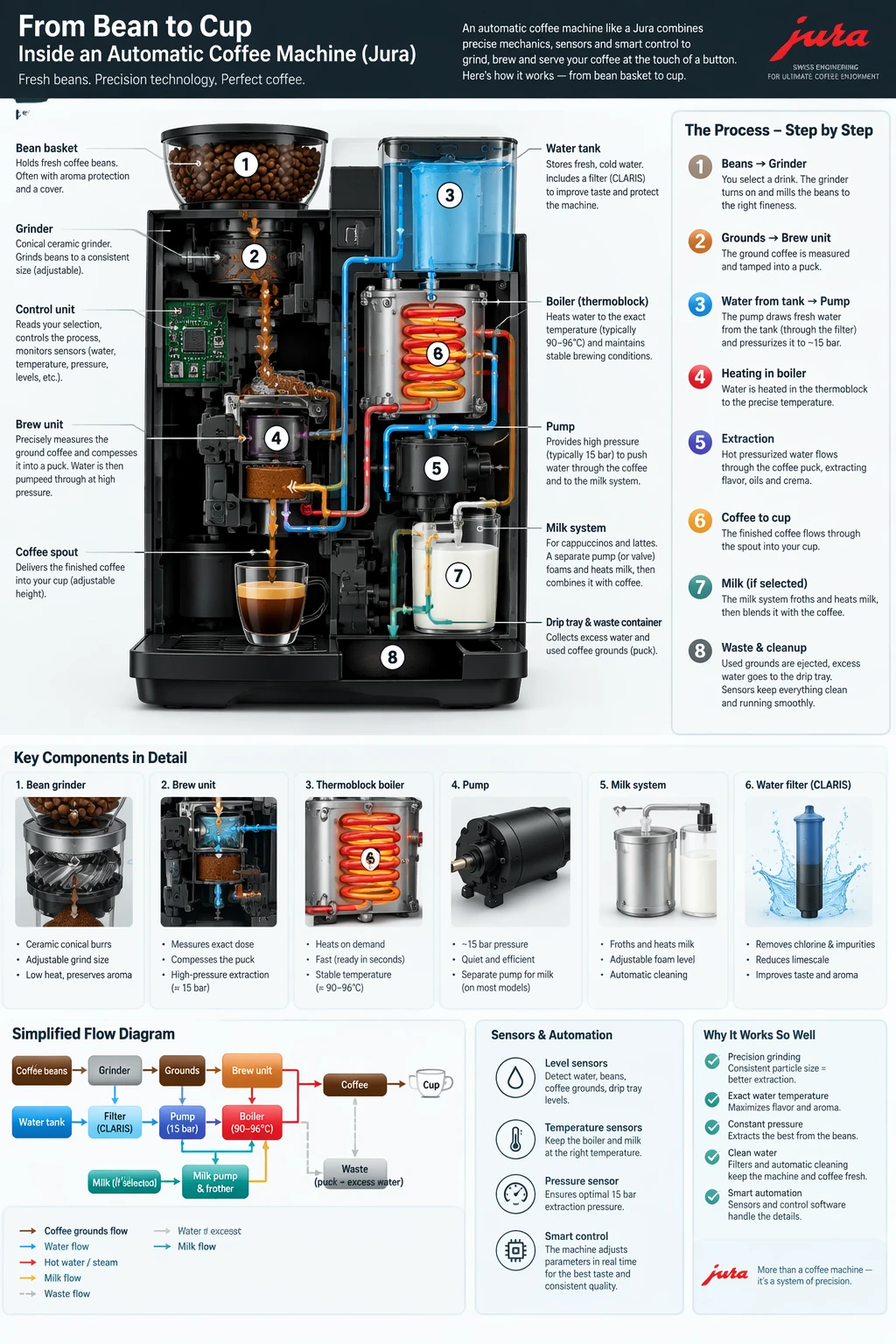
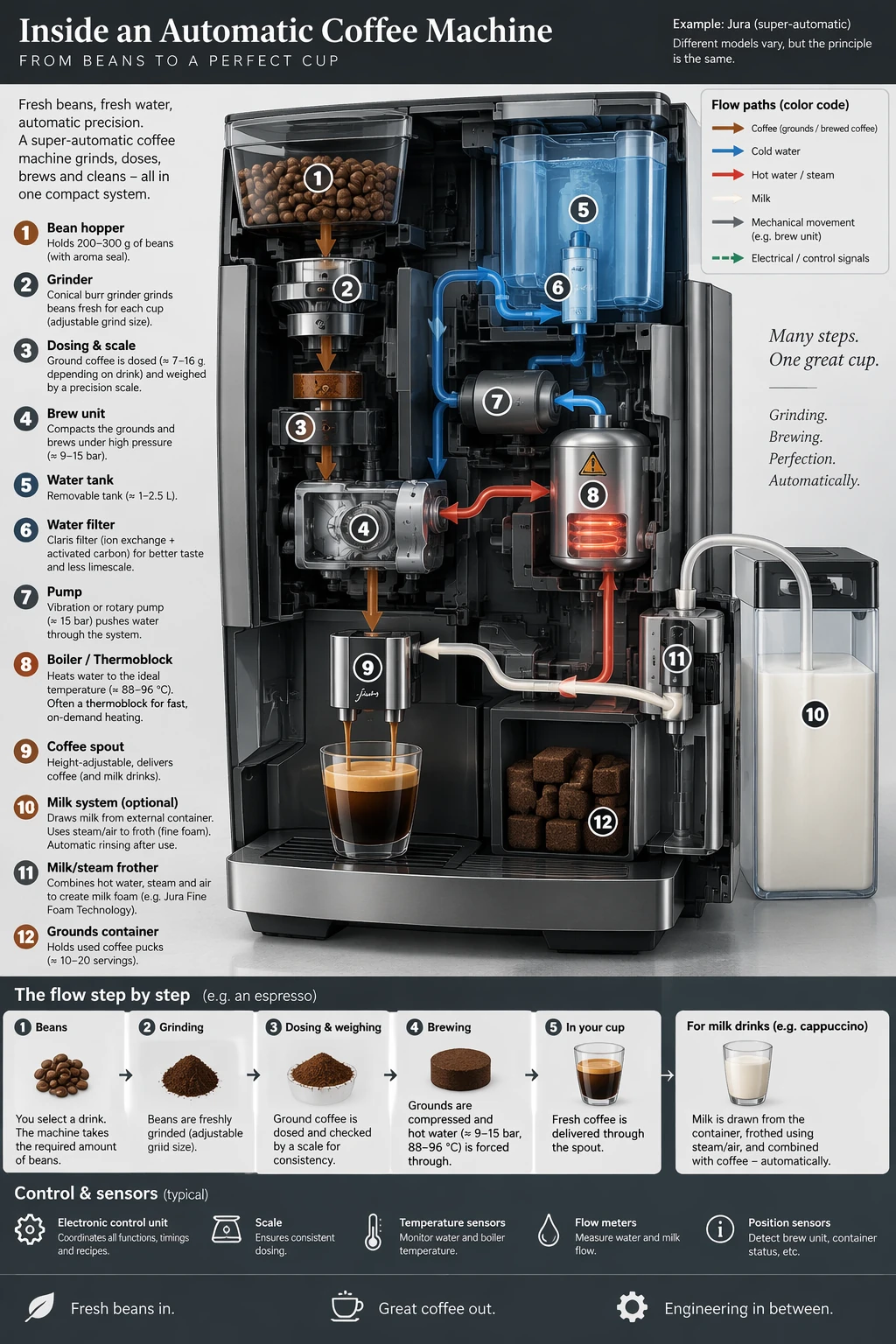
이미지가 전달해야 할 과정, 대상, 정보를 이름 붙이세요. 다이어그램과 인포그래픽의 경우 라벨과 사실적 관계를 외관과 함께 검증하세요.
생성 설정: size="1024x1536", quality="medium".
Create a detailed Infographic of the functioning and flow of an automatic coffee machine like a Jura.
From bean basket, to grinding, to scale, water tank, boiler, etc.
I'd like to understand technically and visually the flow.
GPT Image 2.5 Flare
GPT Image 2.5 Sunburst
정확한 텍스트 렌더링
필요한 카피를 따옴표로 묶고 몇 번 나타나야 하는지 알려주세요. 관련 없는 지침을 추가하지 않고 대상과 시각적 처리 방식을 지정하세요.
생성 설정: size="1024x1536", quality="medium".
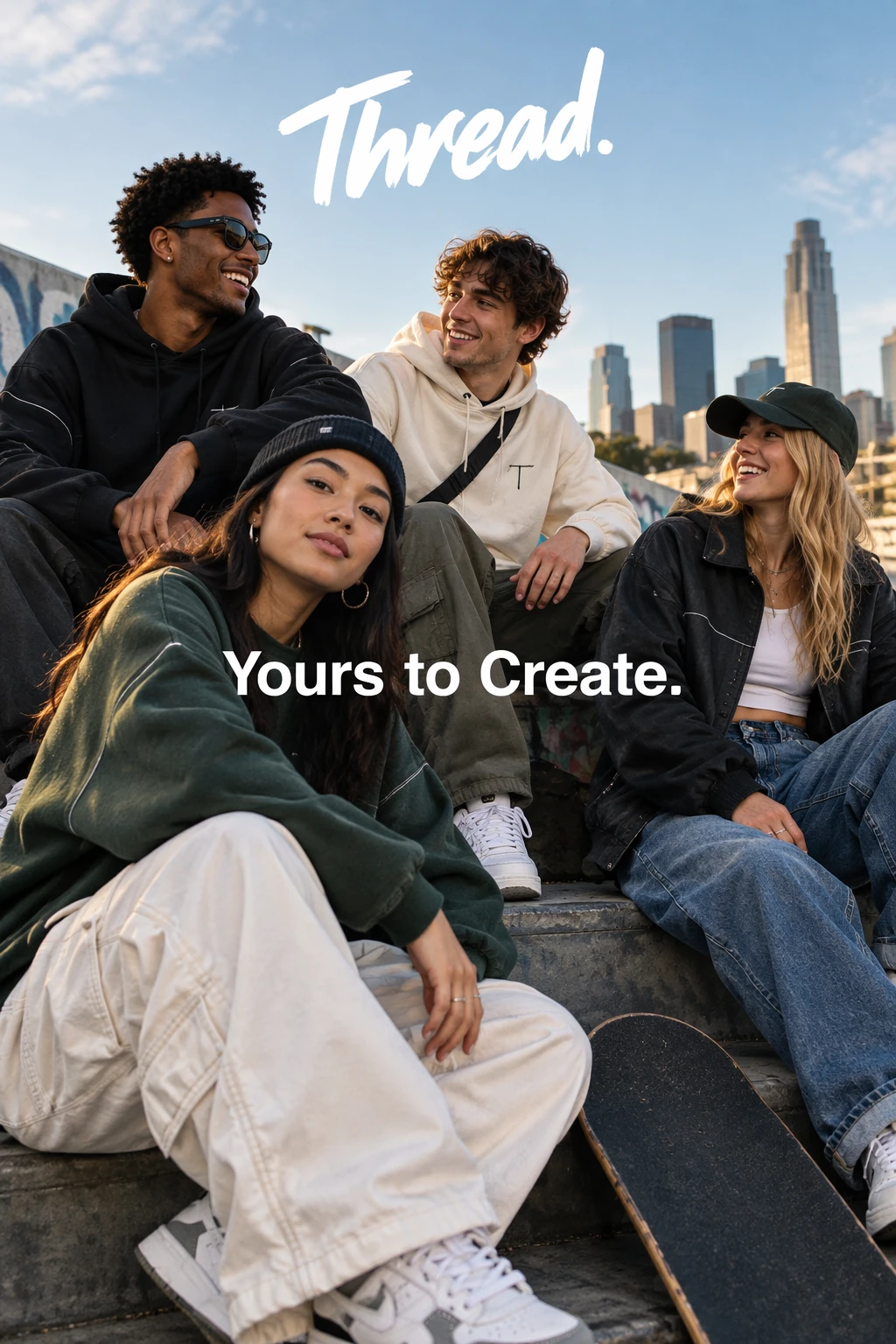
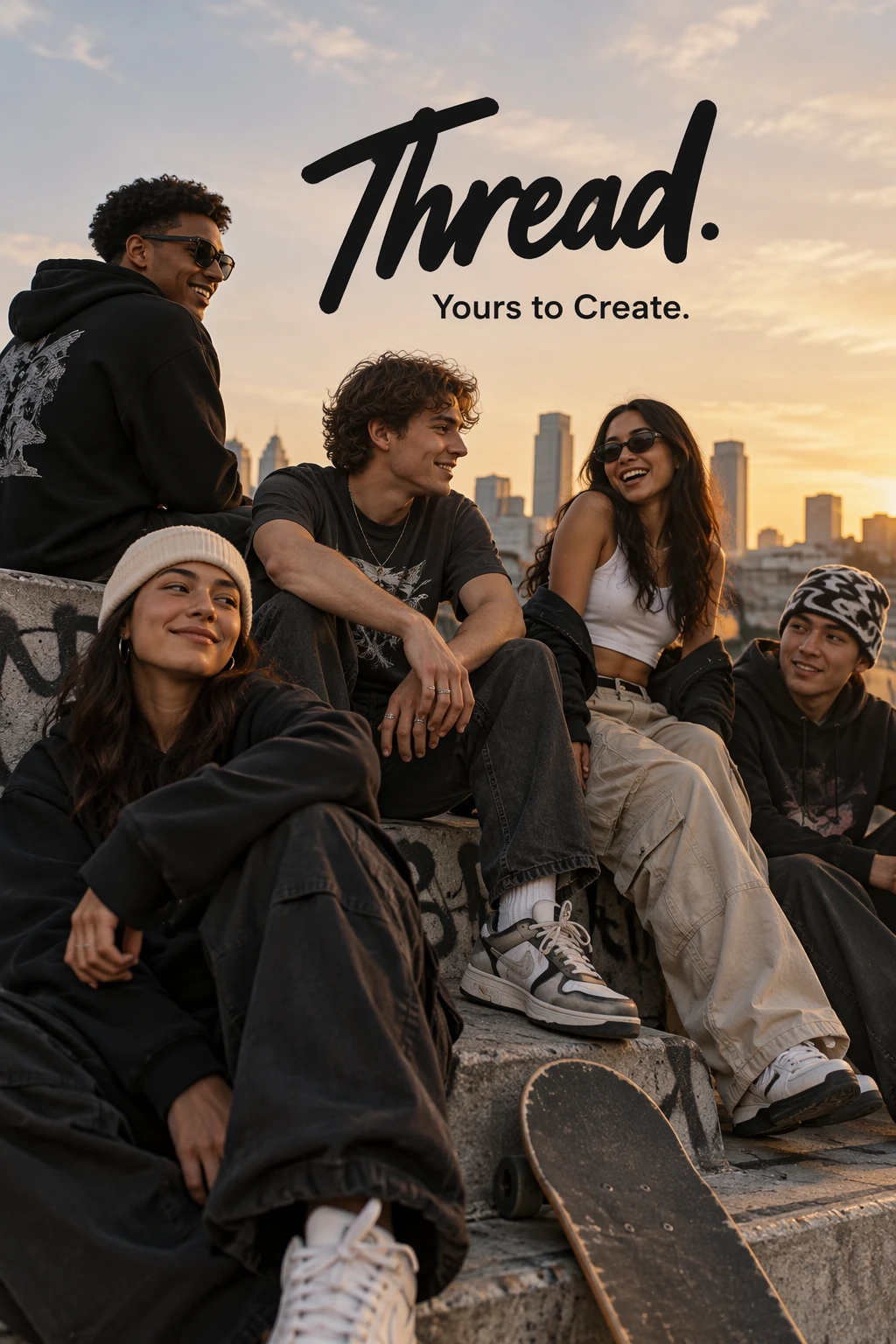
Give me a cool in culture ad / fashion shot for a brand called Thread.
It's a hip young street brand. The ad shows a group of friends hanging out together with the tagline "Yours to Create."
Make it feel like a polished campaign image for a youth streetwear audience: stylish, contemporary, energetic, and tasteful.
Use clean composition, strong color direction, natural poses, and premium fashion photography cues.
Render the tagline exactly once, clearly and legibly, integrated into the ad layout.
No extra text, no watermarks, no unrelated logos.
GPT Image 2.5 Flare
GPT Image 2.5 Sunburst
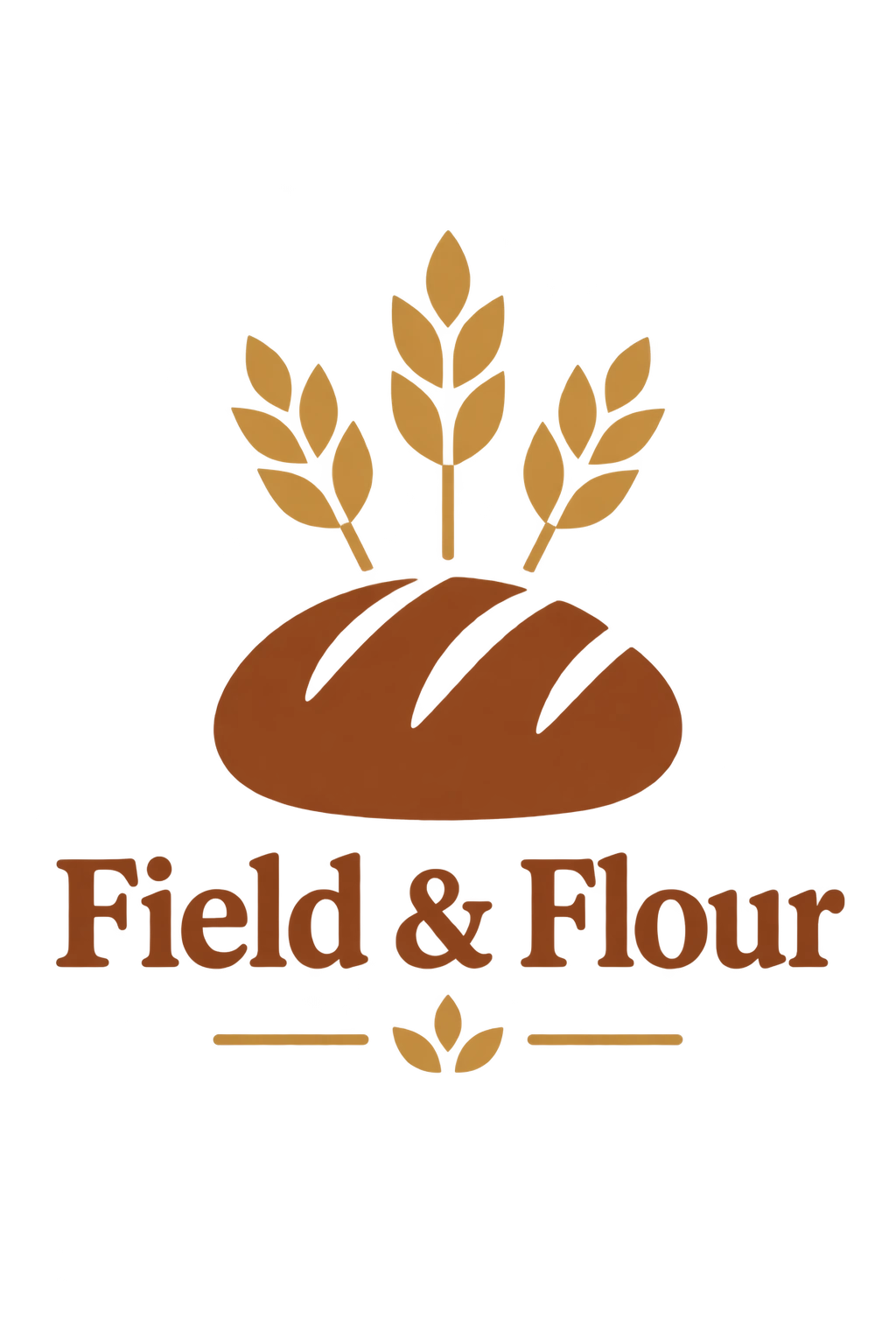
재사용 가능한 로고 디자인
브랜드와 마크를 정의해야 할 형태를 설명하세요. 다양한 크기에서도 가독성을 유지하는 명확한 구도를 지정하세요. 여러 변형을 요청하려면 n을 사용하세요.
생성 설정: size="1024x1536", quality="medium", background="transparent", output_format="png", n=1.
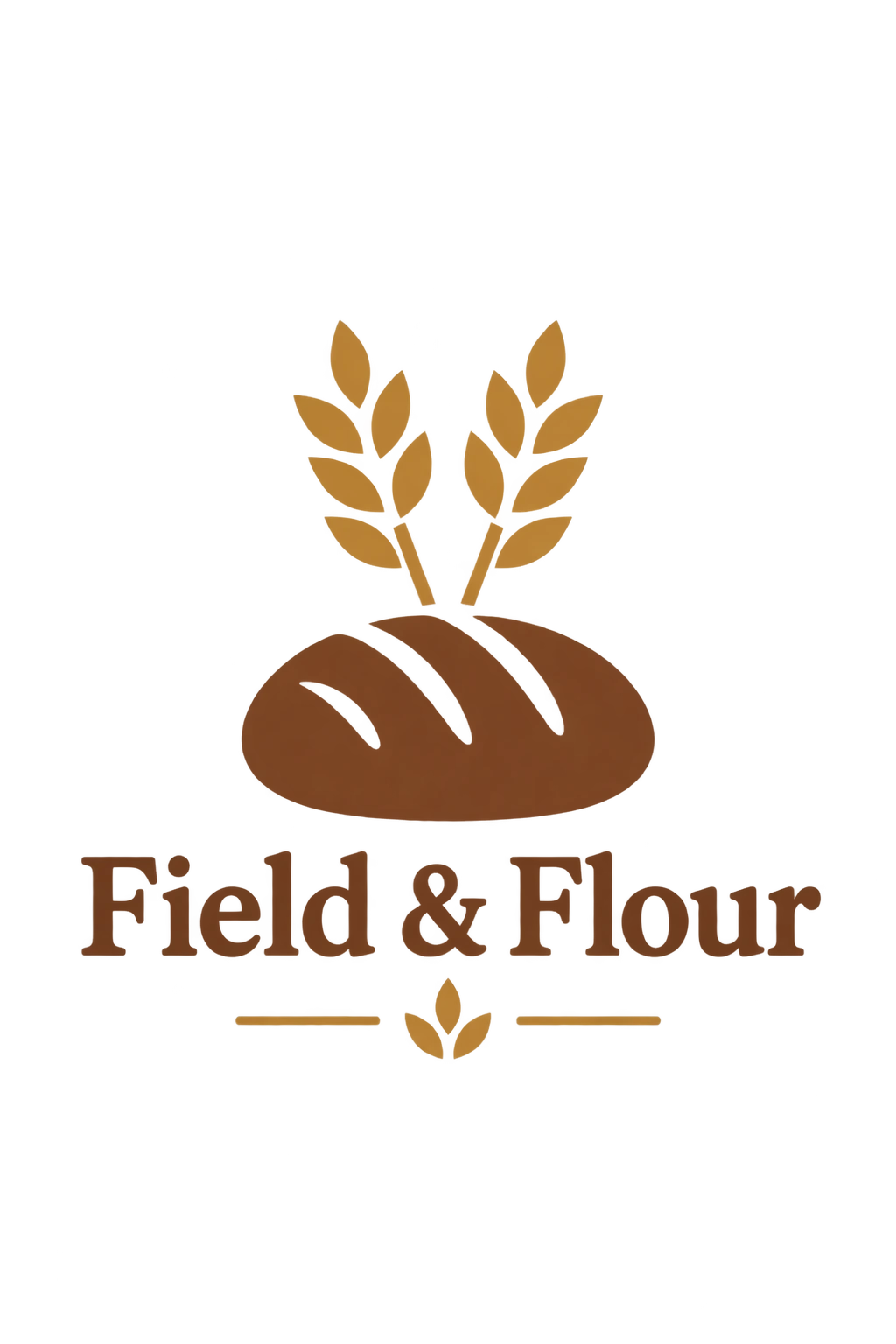
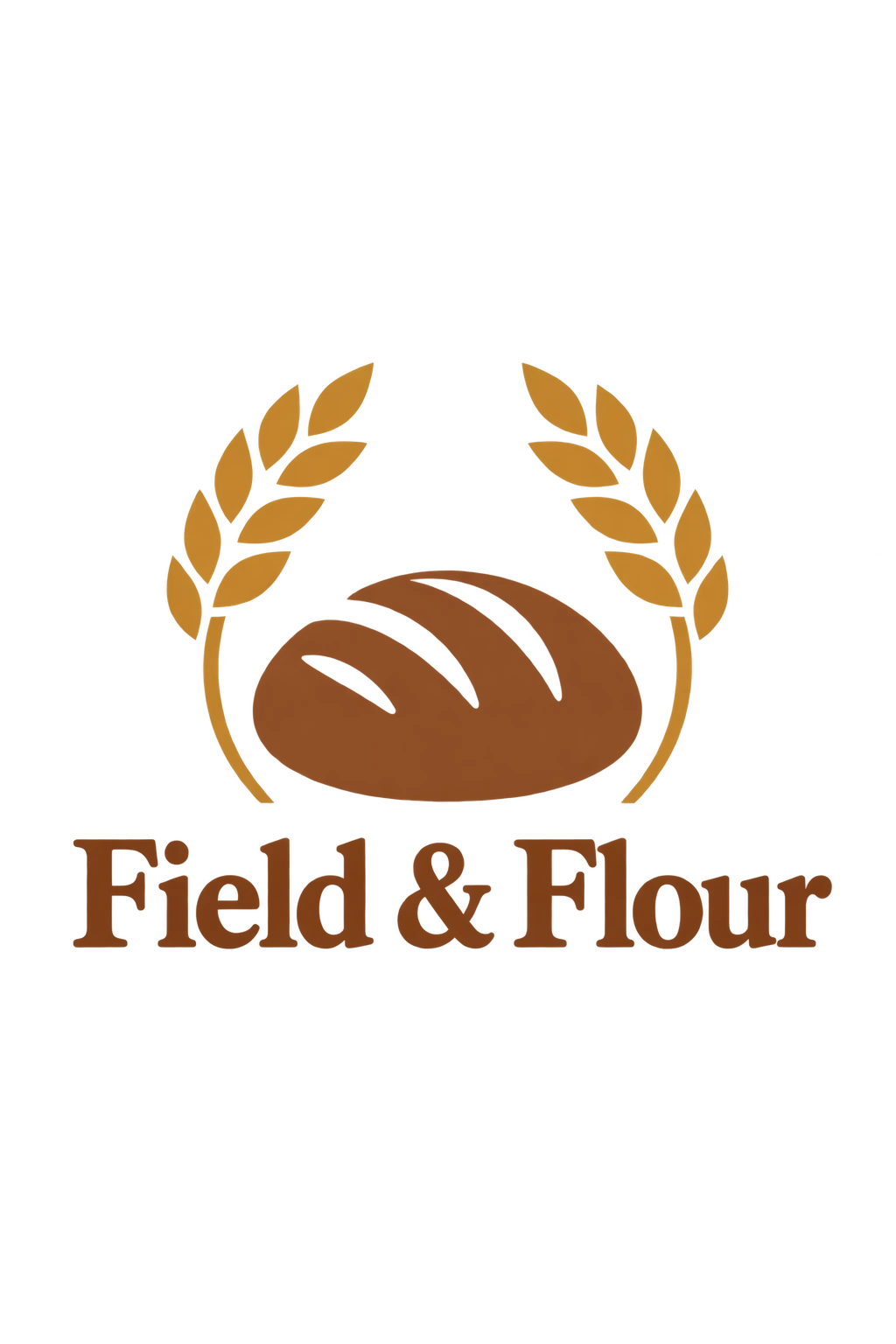
Create an original, non-infringing logo for a company called Field & Flour, a local bakery.
The logo should feel warm, simple, and timeless. Use clean, vector-like shapes, a strong silhouette, and balanced negative space.
Favor simplicity over detail so it reads clearly at small and large sizes. Flat design, minimal strokes, no gradients unless essential.
Fully transparent background. Deliver a single centered logo with generous padding, clean alpha edges, and no solid backdrop, scenery, checkerboard, or watermark.
각 행은 각 모델의 한 변형을 비교합니다.
GPT Image 2.5 Flare — 변형 1
GPT Image 2.5 Sunburst — 변형 1

GPT Image 2.5 Flare — 변형 2

GPT Image 2.5 Sunburst — 변형 2

GPT Image 2.5 Flare — 변형 3
GPT Image 2.5 Sunburst — 변형 3

GPT Image 2.5 Flare — 변형 4
GPT Image 2.5 Sunburst — 변형 4

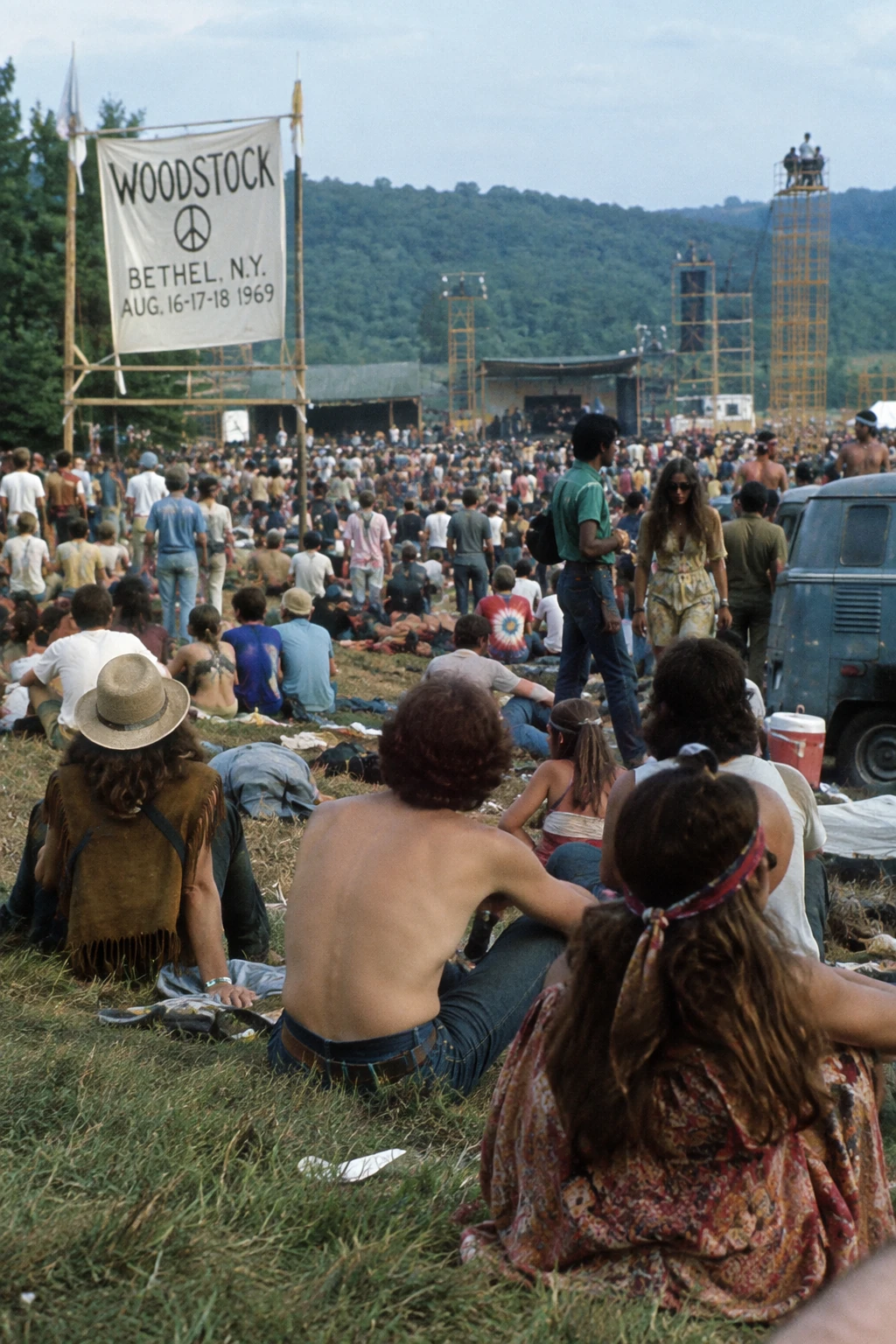
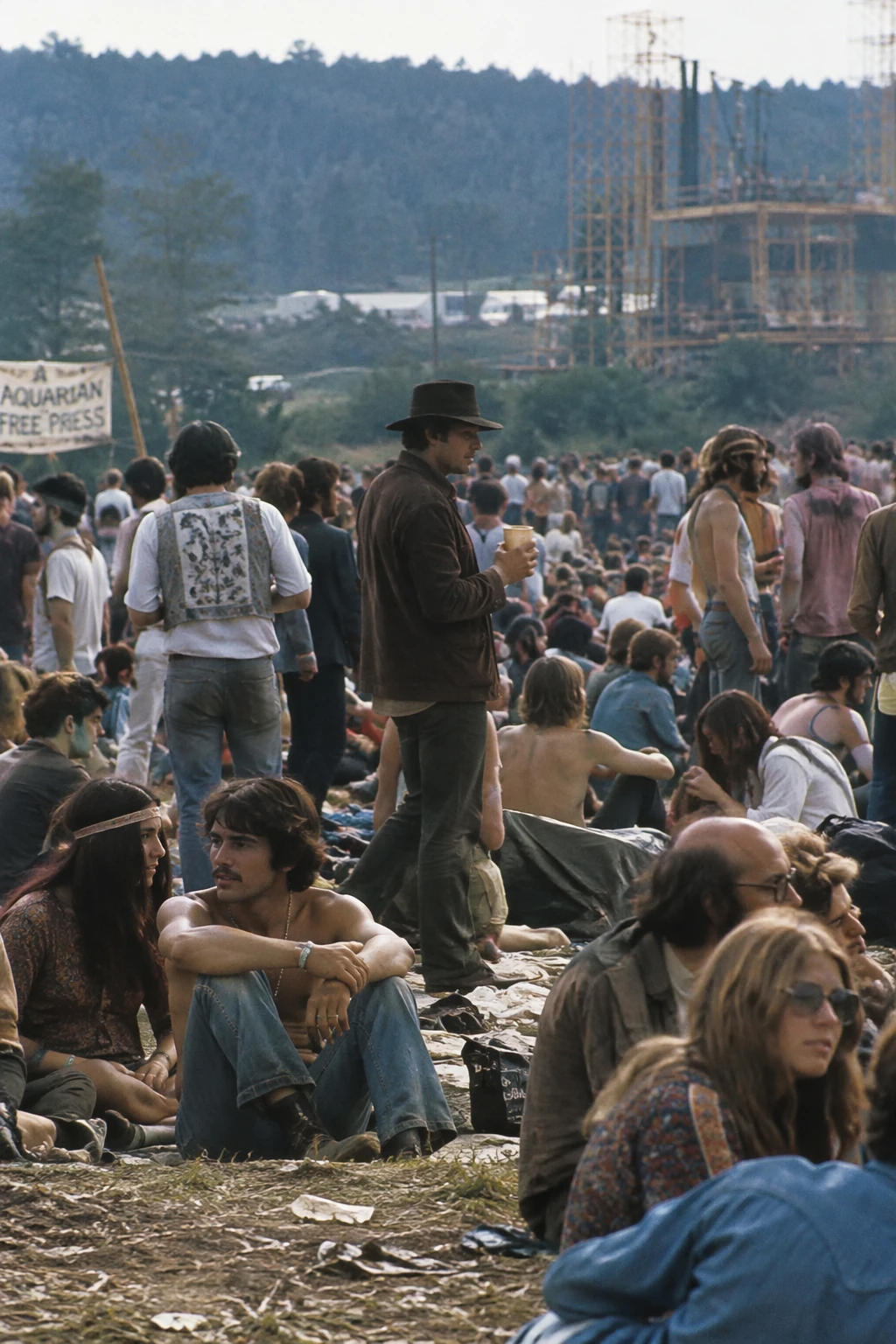
역사적·실세계 맥락 사용
역사적 배경을 설정하기 위해 장소와 날짜를 이름 붙이세요. 모델은 맥락적 디테일을 추론할 수 있지만, 의복, 스태징, 주변을 역사적 정확성에 대해 검사하세요.
생성 설정: size="1024x1536", quality="medium".
Create a realistic outdoor crowd scene in Bethel, New York on August 16, 1969.
Photorealistic, period-accurate clothing, staging, and environment.
GPT Image 2.5 Flare
GPT Image 2.5 Sunburst
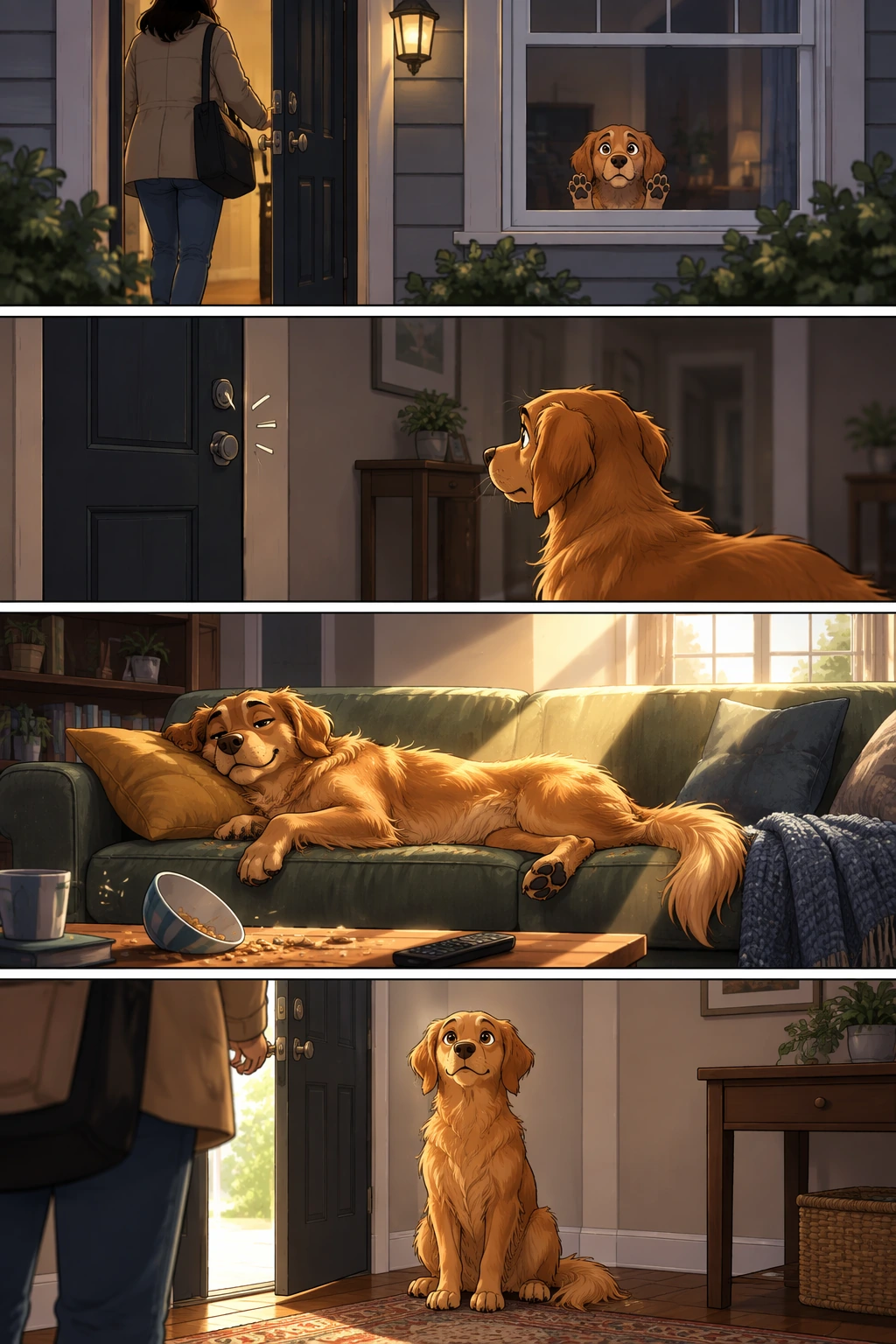
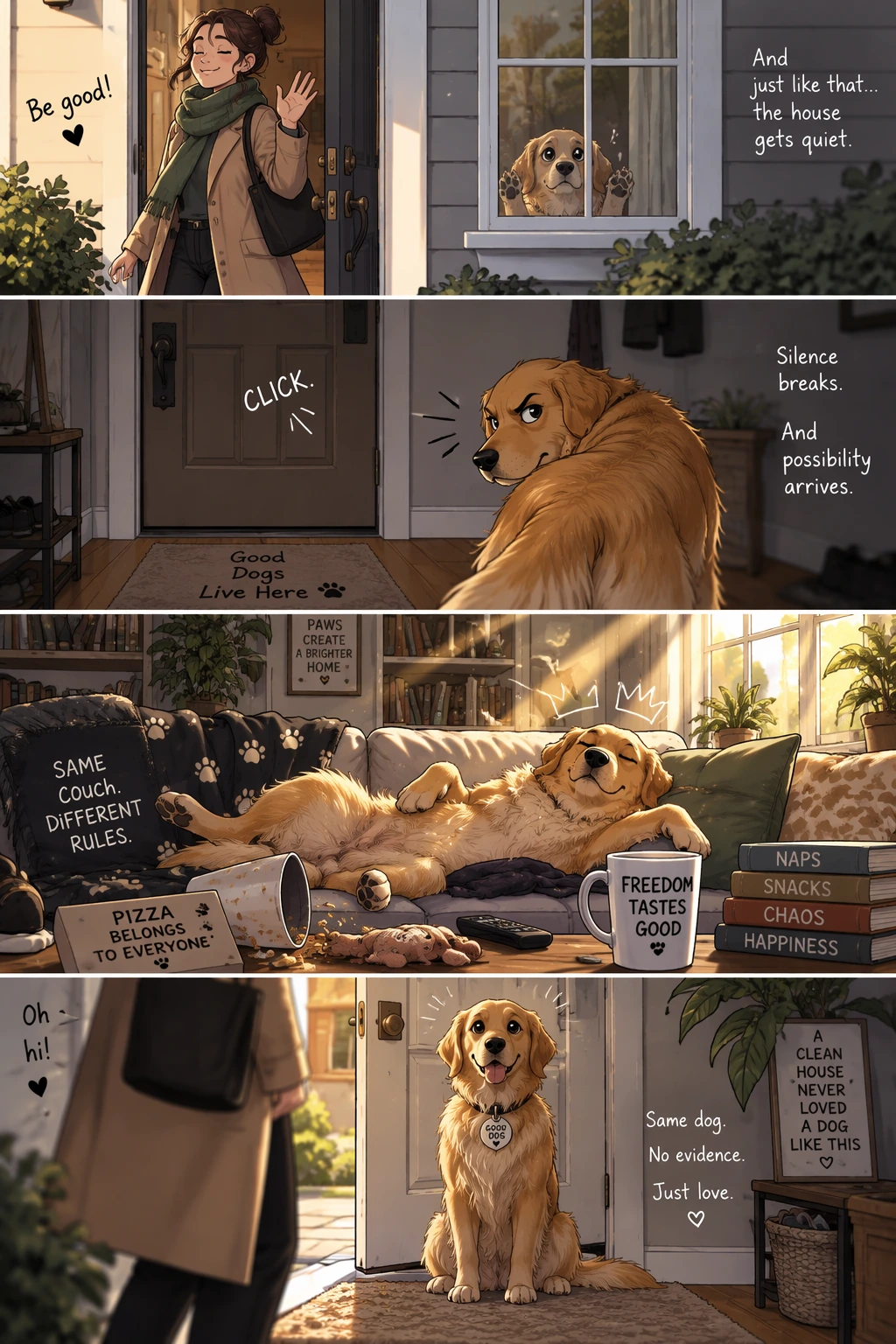
이야기를 만화 스트립으로 변환
이야기에서 만화로 생성할 때는 내러티브를 패널 하나당 하나씩, 명확한 시각적 비트의 시퀀스로 정의하세요. 구체적이고 행동 중심적인 설명을 유지해 모델이 이야기를 읽기 쉽고 리듬이 좋은 패널로 번역할 수 있게 하세요.
생성 설정: size="1024x1536", quality="medium".
Create a short vertical comic-style reel with 4 panels.
Panel 1: The owner leaves through the front door. The pet is framed in the window behind them, small against the glass, eyes wide, paws pressed high, the house suddenly quiet.
Panel 2: The door clicks shut. Silence breaks. The pet slowly turns toward the empty house, posture shifting, eyes sharp with possibility.
Panel 3: The house transformed. The pet sprawls across the couch like it owns the place, crumbs nearby, sunlight cutting across the room like a spotlight.
Panel 4: The door opens. The pet is seated perfectly by the entrance, alert and composed, as if nothing happened.
GPT Image 2.5 Flare
GPT Image 2.5 Sunburst
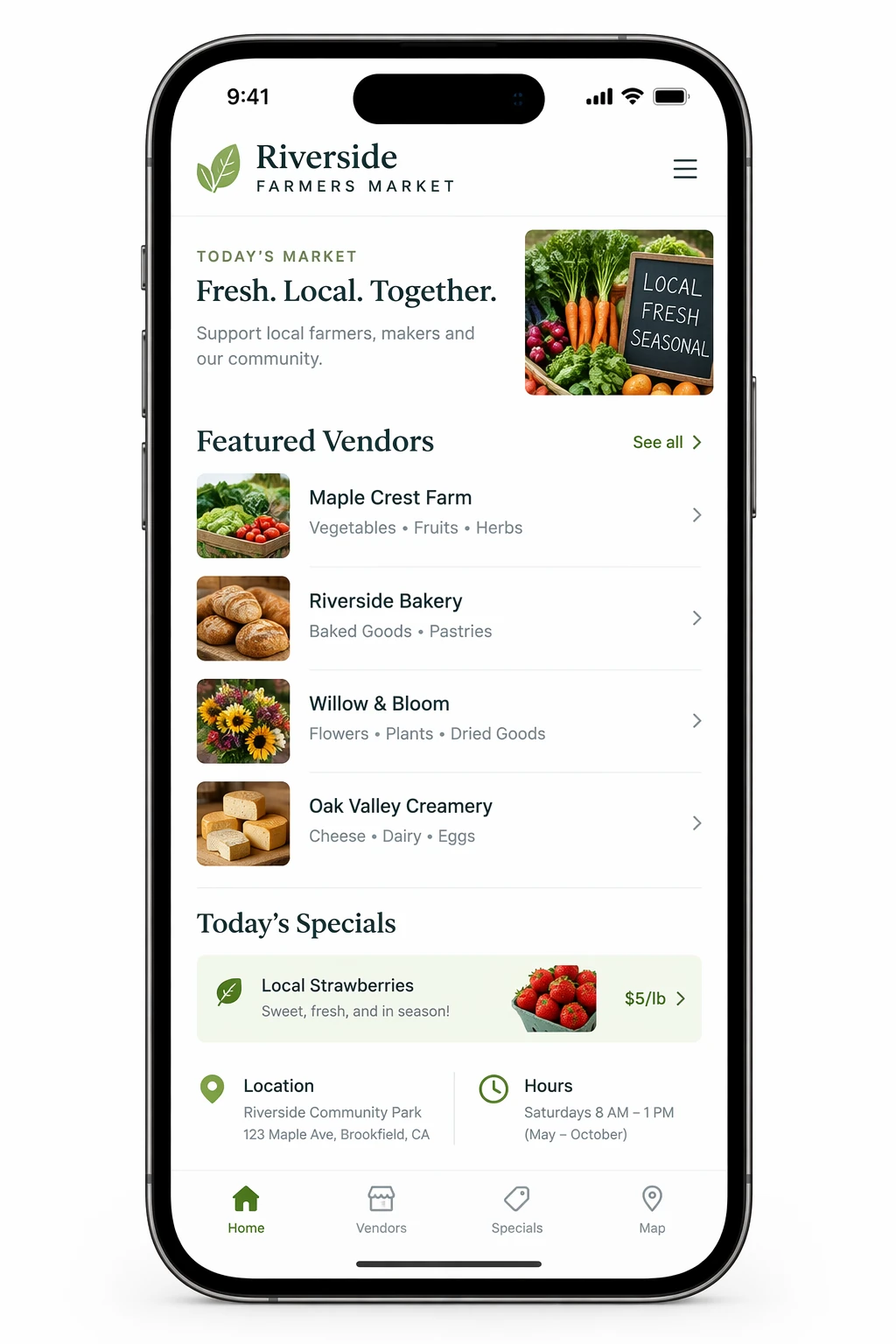
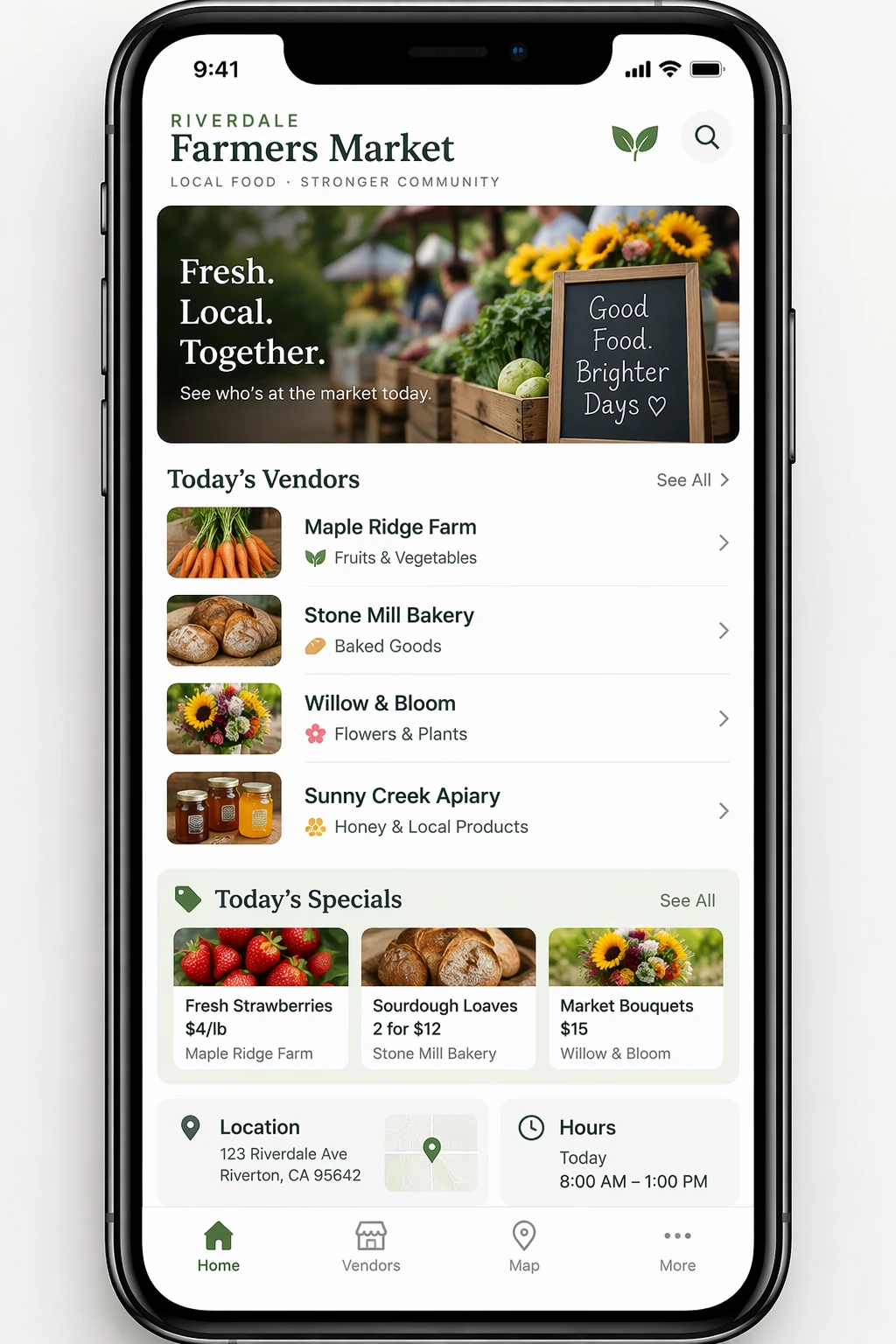
인터페이스 미리보기 만들기
인터페이스 미리보기는 제품이 이미 존재하는 것처럼 설명할 때 가장 잘 작동합니다. 레이아웃, 계층, 간격, 실제 인터페이스 요소에 집중하고, 컨셉 아트 언어를 피해 결과가 설계 스케치가 아니라 사용 가능하고 배포된 인터페이스처럼 보이게 하세요.
생성 설정: size="1024x1536", quality="medium".
Create a realistic mobile app UI mockup for a local farmers market.
Show today's market with a simple header, a short list of vendors with small photos and categories, a small "Today's specials" section, and basic information for location and hours.
Design it to be practical, and easy to use. White background, subtle natural accent colors, clear typography, and minimal decoration.
It should look like a real, well-designed, beautiful app for a small local market.
Place the UI mockup in an iPhone frame.
GPT Image 2.5 Flare
GPT Image 2.5 Sunburst
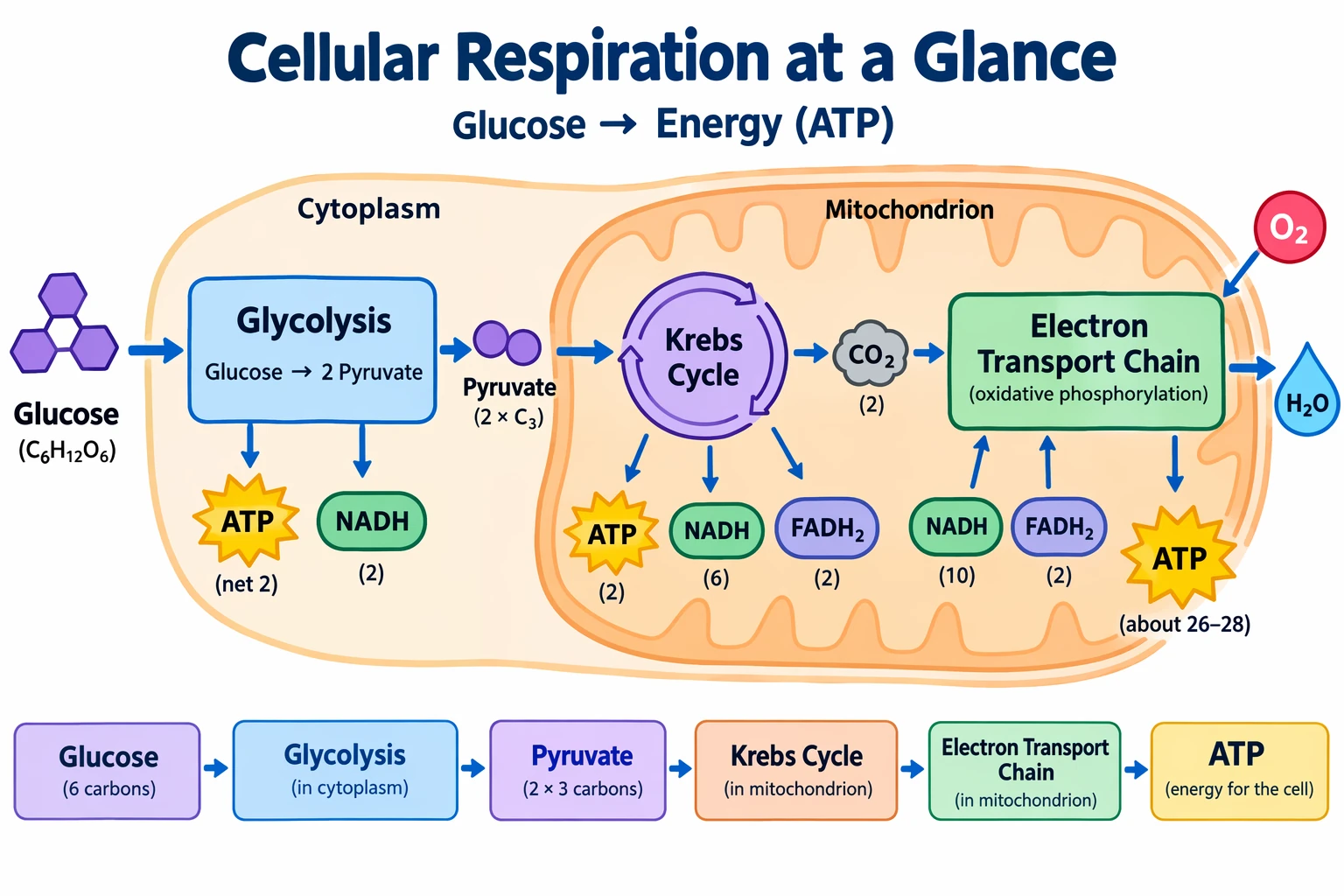
과학·교육 시각 자료 만들기
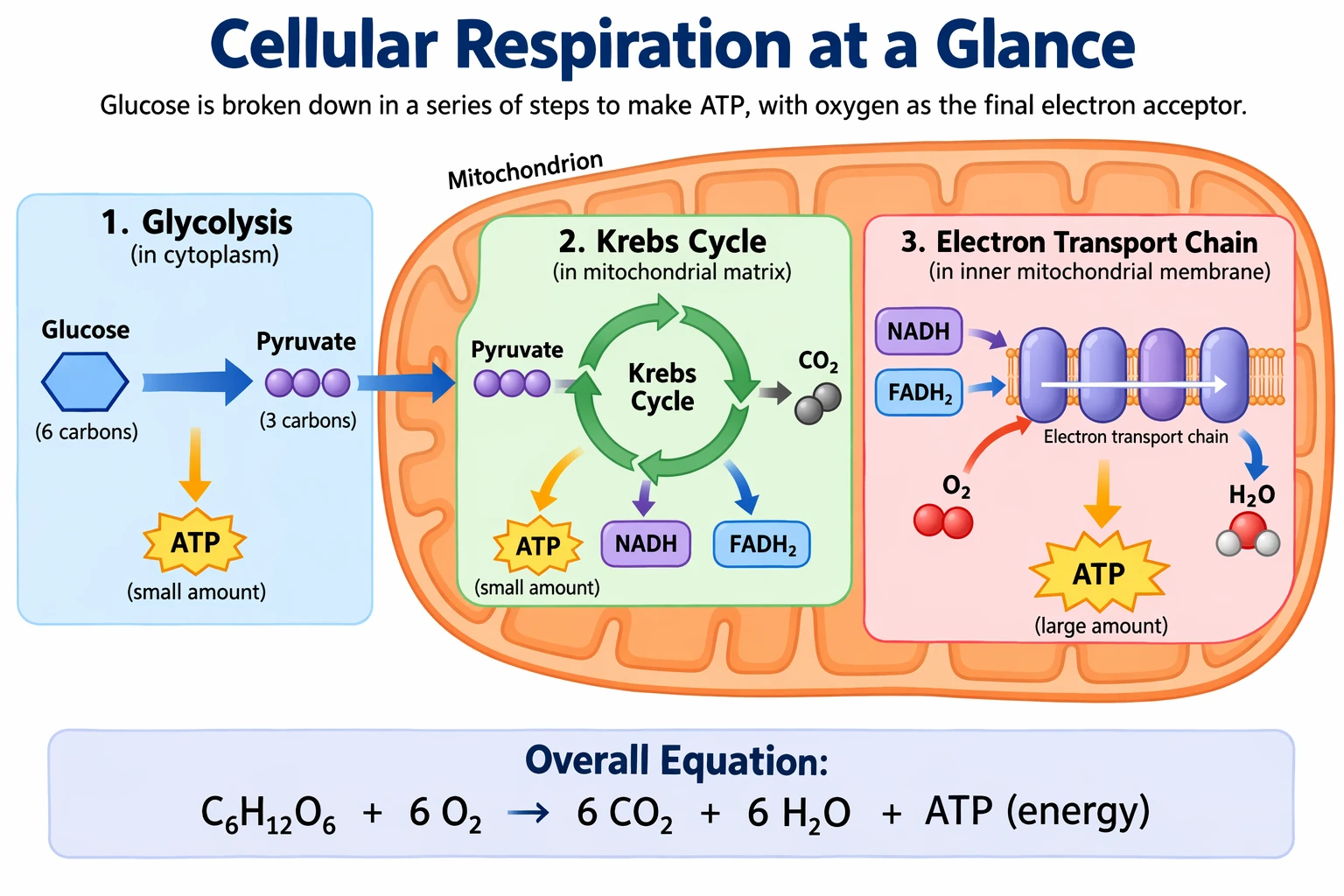
과학·교육 시각 자료는 생물학, 화학, 교실 설명, 평면 과학 아이콘 시스템, 다이어그램, 학습 자산에 강하게 어울립니다. 수업 설계 브리프처럼 프롬프트하세요: 대상, 수업 목표, 시각 형식, 필요한 라벨, 과학적 제약을 정의하세요. 최상의 결과를 위해 일관된 아이콘 스타일, 명확한 화살표, 읽기 쉬운 라벨, 학생이 개념을 빠르게 훑을 수 있는 충분한 여백을 가진 깔끔한 평면 시각 시스템을 요청하세요.
정확성이 중요할 때는 필수 구성 요소를 명시적으로 나열하고 포함하지 말아야 할 것을 말하세요. 밀집된 라벨, 다이어그램, 또는 슬라이드나 교재에 사용될 자산에는 quality="high"를 사용하세요.
생성 설정: size="1536x1024", quality="high".
Create a simple biology diagram titled "Cellular Respiration at a Glance" for high school students.

Show how glucose turns into energy inside a cell. Include glycolysis, the Krebs cycle, and the electron transport chain.
Use arrows to connect the steps, and label the main molecules: glucose, pyruvate, ATP, NADH, FADH2, CO2, O2, and H2O.
Make it look like a clean classroom handout or slide, with a white background, simple icons, clear labels, and easy-to-read text.

Avoid tiny text, extra decoration, or anything that makes the diagram hard to understand.
GPT Image 2.5 Flare
GPT Image 2.5 Sunburst
슬라이드, 다이어그램, 차트 만들기
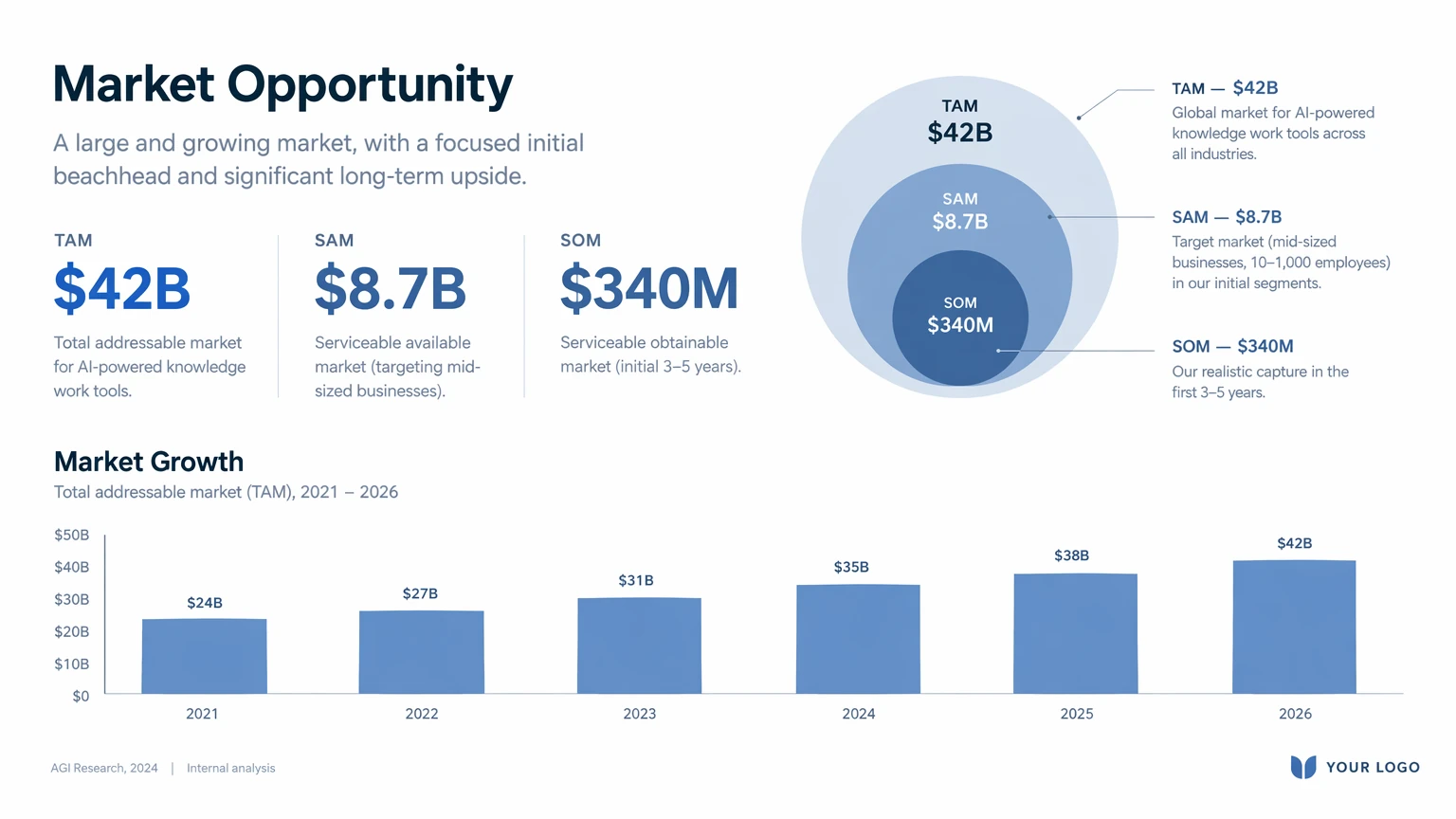
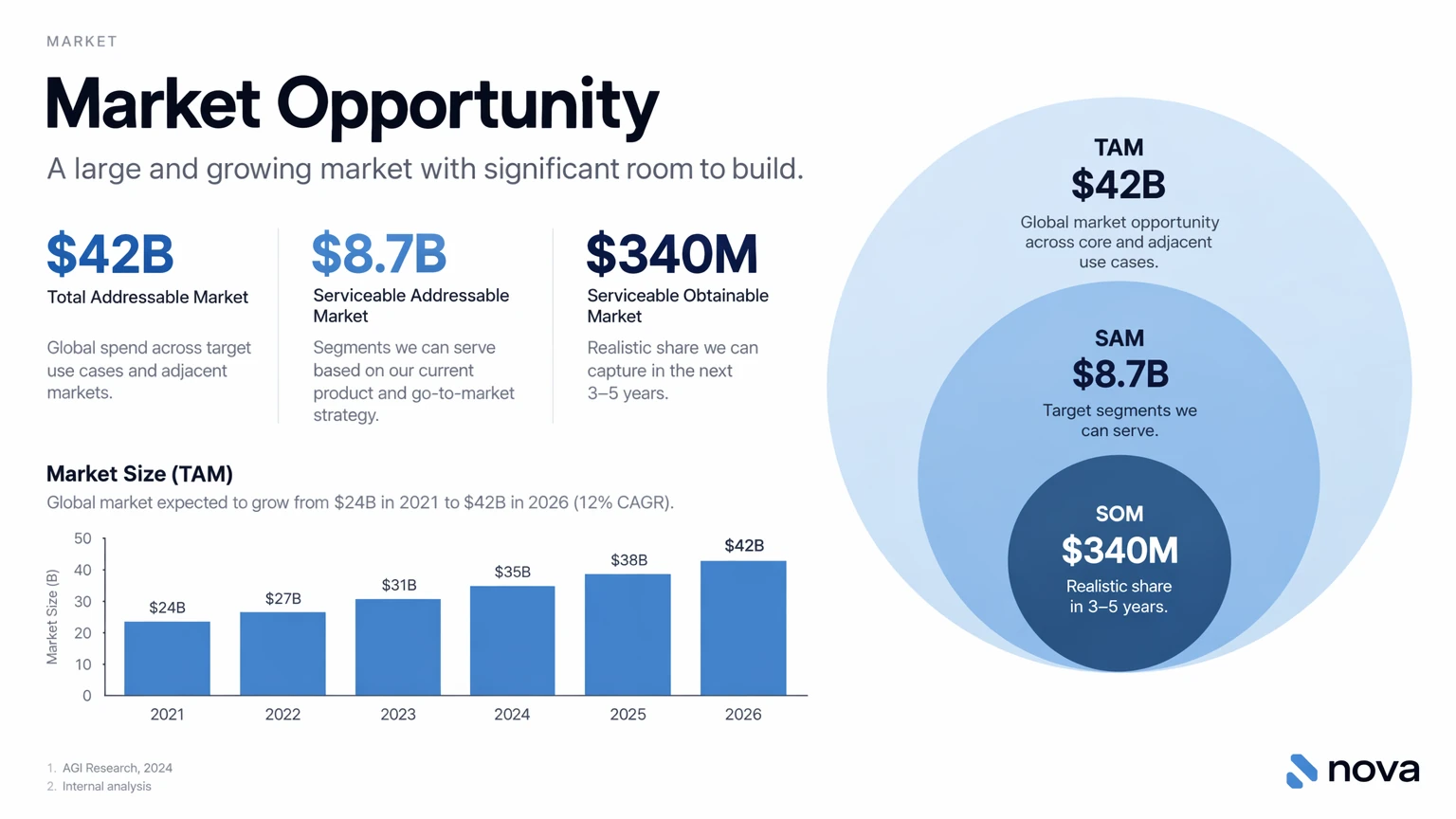
생산성 시각 자료는 프롬프트가 일러스트레이션 요청이 아니라 아티팩트 사양처럼 작성될 때 가장 잘 작동합니다. 정확한 산출물(슬라이드, 워크플로 다이어그램, 차트, 페이지 이미지)을 이름 붙이고, 캔버스와 계층을 정의하고, 실제 텍스트나 데이터를 제공하며, 시각 언어를 설명하세요. 이 프롬프트는 읽기 쉬운 타이포그래피, 세련된 간격, 장식적 어수선함 없음, 일반적인 스톡 사진 처리 없음 같은 실용적 제약을 포함해야 합니다.
슬라이드, 차트, 다이어그램이 많은 자산에는 숫자와 라벨을 프롬프트에 직접 포함하세요. 덱 스타일 출력에는 가로 크기를 사용하고, 이미지에 작은 텍스트, 범례, 축, 각주가 포함될 때는 quality="high"를 사용하세요.
아래 샘플 시장 수치와 인용은 가상의 설계 입력입니다. 슬라이드를 사용하기 전에 검증된 데이터로 교체하세요.
생성 설정: size="1536x864", quality="high".
Create one pitch-deck slide titled **"Market Opportunity"** that feels like a real Series A fundraising slide from a YC-backed startup.

Use a clean white background, modern sans-serif typography like Inter, and a crisp, minimal layout. The slide should include:

* A TAM/SAM/SOM concentric-circle diagram in muted blues and grays
* Specific, believable market sizing numbers:

  * **TAM:** $42B
  * **SAM:** $8.7B
  * **SOM:** $340M
* A clean bar chart below showing market growth from **2021 to 2026**, with a subtle upward trend
* Small footnotes: **"AGI Research, 2024"** and **"Internal analysis"**
* A company logo placeholder in the bottom-right corner

The design should look like it belongs in a deck that actually raised money: highly readable text, clear data hierarchy, polished spacing, and professional startup-style visual language.

Avoid clip art, stock photography, gradients, shadows, decorative elements, or anything that feels generic or overdesigned.
GPT Image 2.5 Flare
GPT Image 2.5 Sunburst
이미지 편집
참조된 입력 이미지와 함께 client.images.edit을 사용하세요. 마스크가 필요한 로컬 편집은 마스크로 편집을 참조하세요.
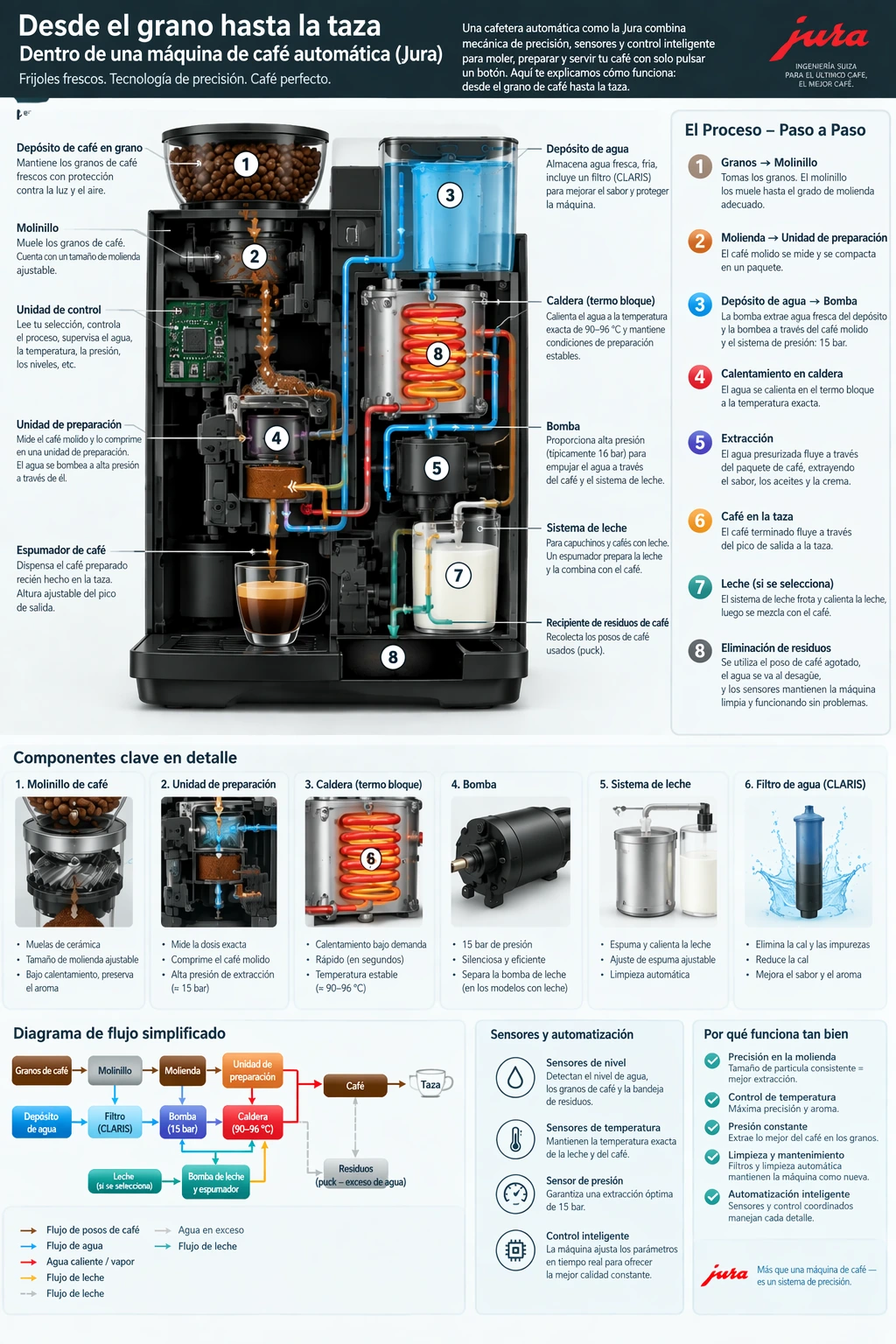
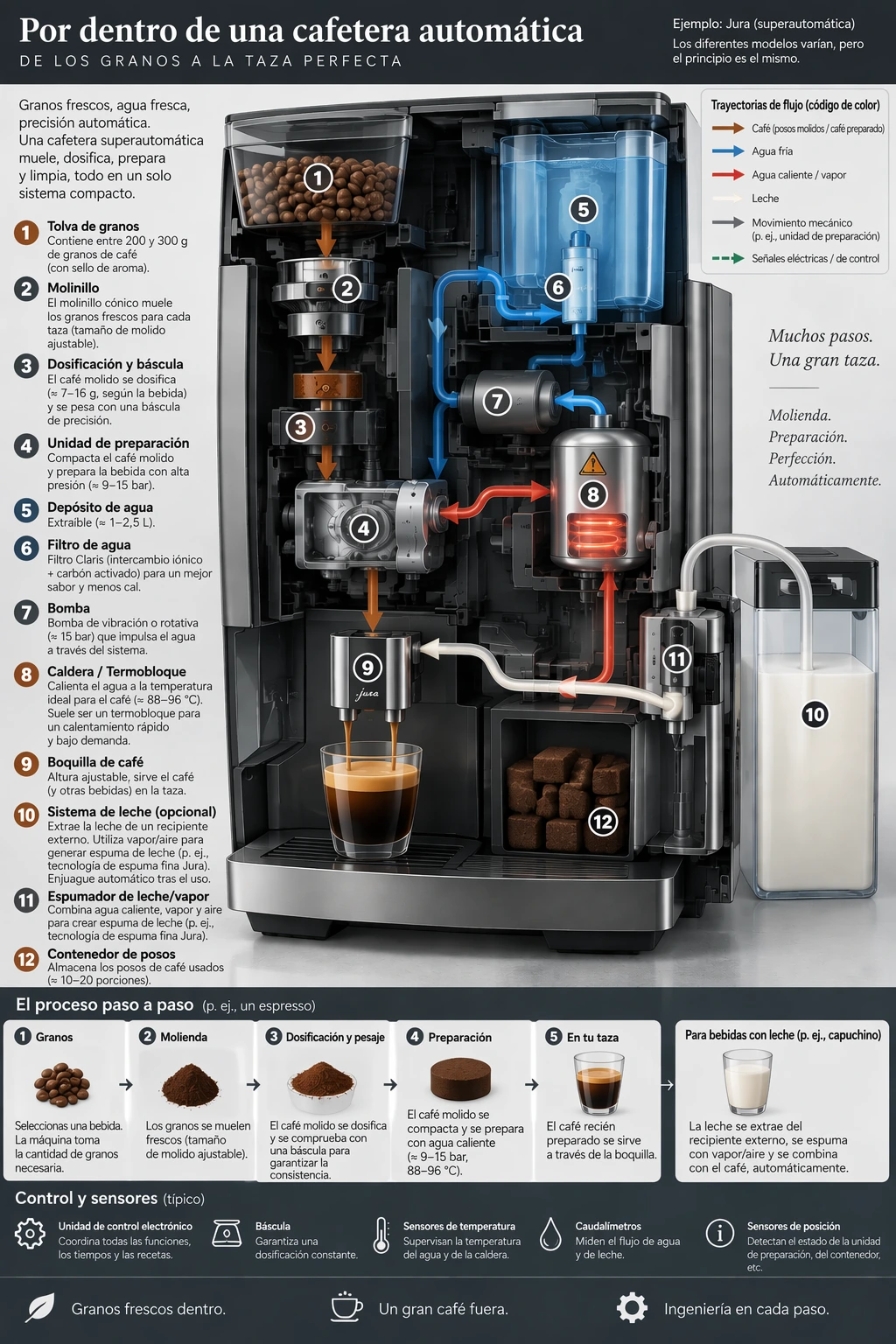
레이아웃 보존하며 번역
과정을 시각적으로 설명의 각 모델 커피 머신 다이어그램을 입력으로 사용하세요. 디자인을 그대로 유지한 채 텍스트를 교체하도록 요청한 다음, 번역과 원래 언어로 남은 단어를 확인하세요.
편집 설정: size="1024x1536", quality="high".
Translate the text in the infographic to Spanish. Do not change any other aspect of the image.
GPT Image 2.5 Flare
GPT Image 2.5 Sunburst
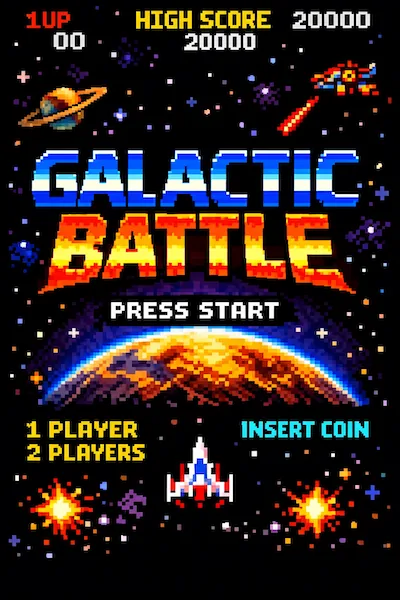
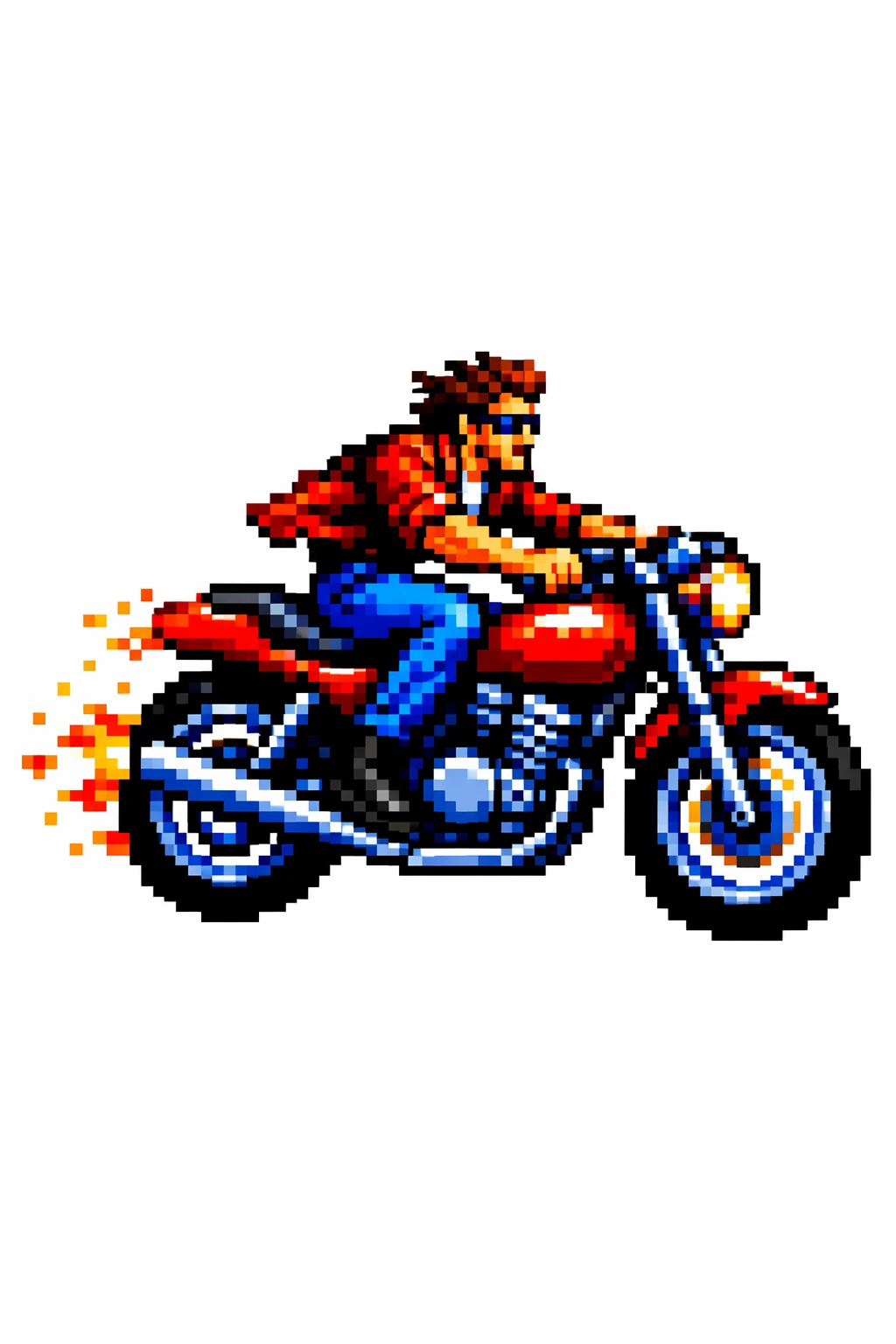
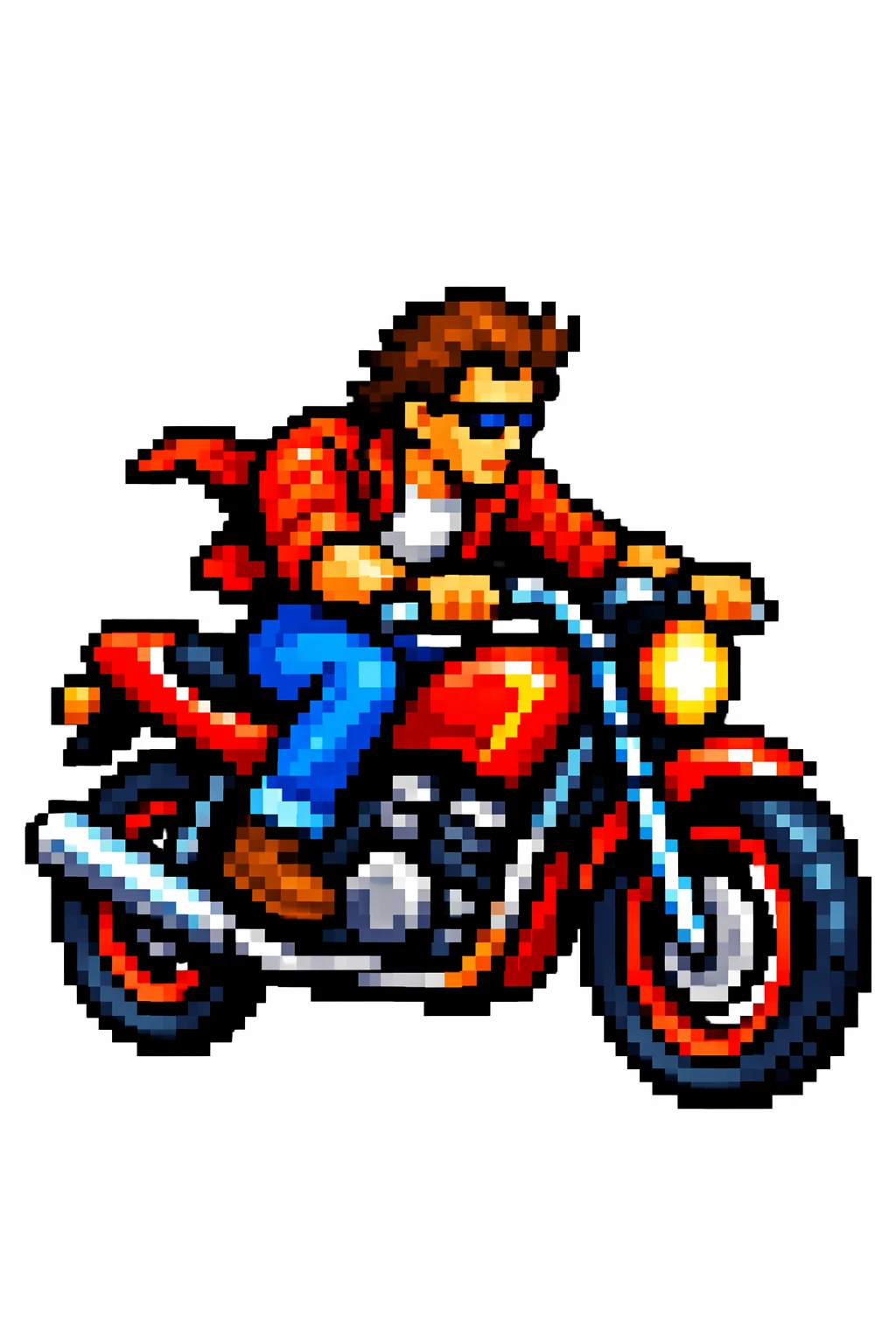
시각 스타일 전환
참조 이미지에 특정 역할을 할당하세요: 팔레트, 텍스처, 또는 시각 매체. 새 주제는 별도로 설명하세요. 아래 픽셀 아트 이미지를 입력으로 사용하세요.
편집 설정: size="1024x1536", quality="medium".
Use the same style from the input image and generate a man riding a motorcycle on a white background.
입력 이미지:
GPT Image 2.5 Flare
GPT Image 2.5 Sunburst
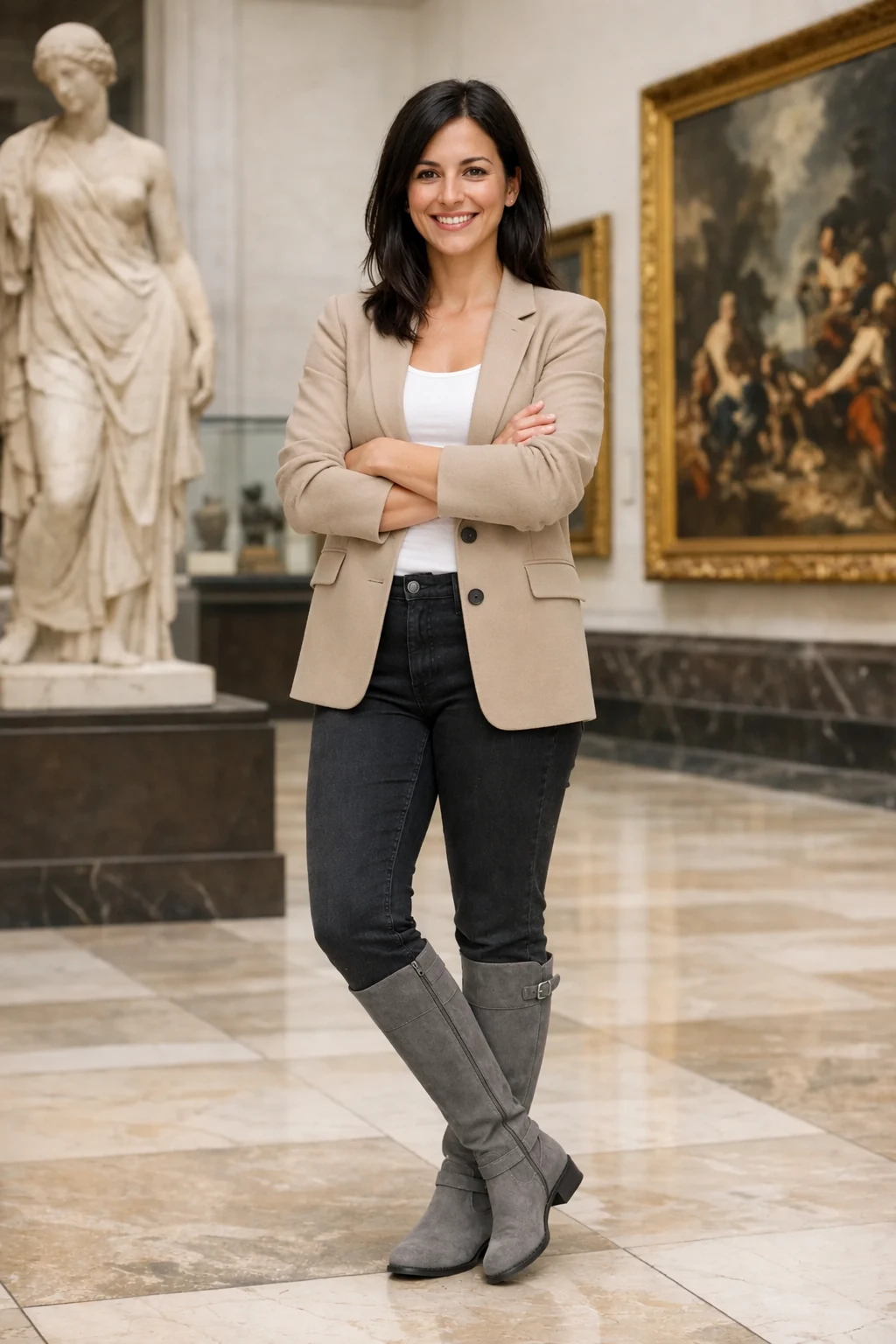
정체성 보존하고 의상 변경
사람 사진과 아래 세 개의 의상 참조를 입력으로 사용하세요. 사람의 어떤 측면이 고정되어야 하는지 명시하고 의상만 바뀌도록 허용하세요. 이 패턴은 제품이나 객체가 인식 가능한 상태로 유지되어야 하는 편집에도 적용됩니다.
편집 설정: size="1024x1536", quality="medium".
Edit the image to dress the woman using the provided clothing images. Do not change her face, facial features, skin tone, body shape, pose, or identity in any way. Preserve her exact likeness, expression, hairstyle, and proportions. Replace only the clothing, fitting the garments naturally to her existing pose and body geometry with realistic fabric behavior. Match lighting, shadows, and color temperature to the original photo so the outfit integrates photorealistically, without looking pasted on. Do not change the background, camera angle, framing, or image quality, and do not add accessories, text, logos, or watermarks.
입력 이미지:
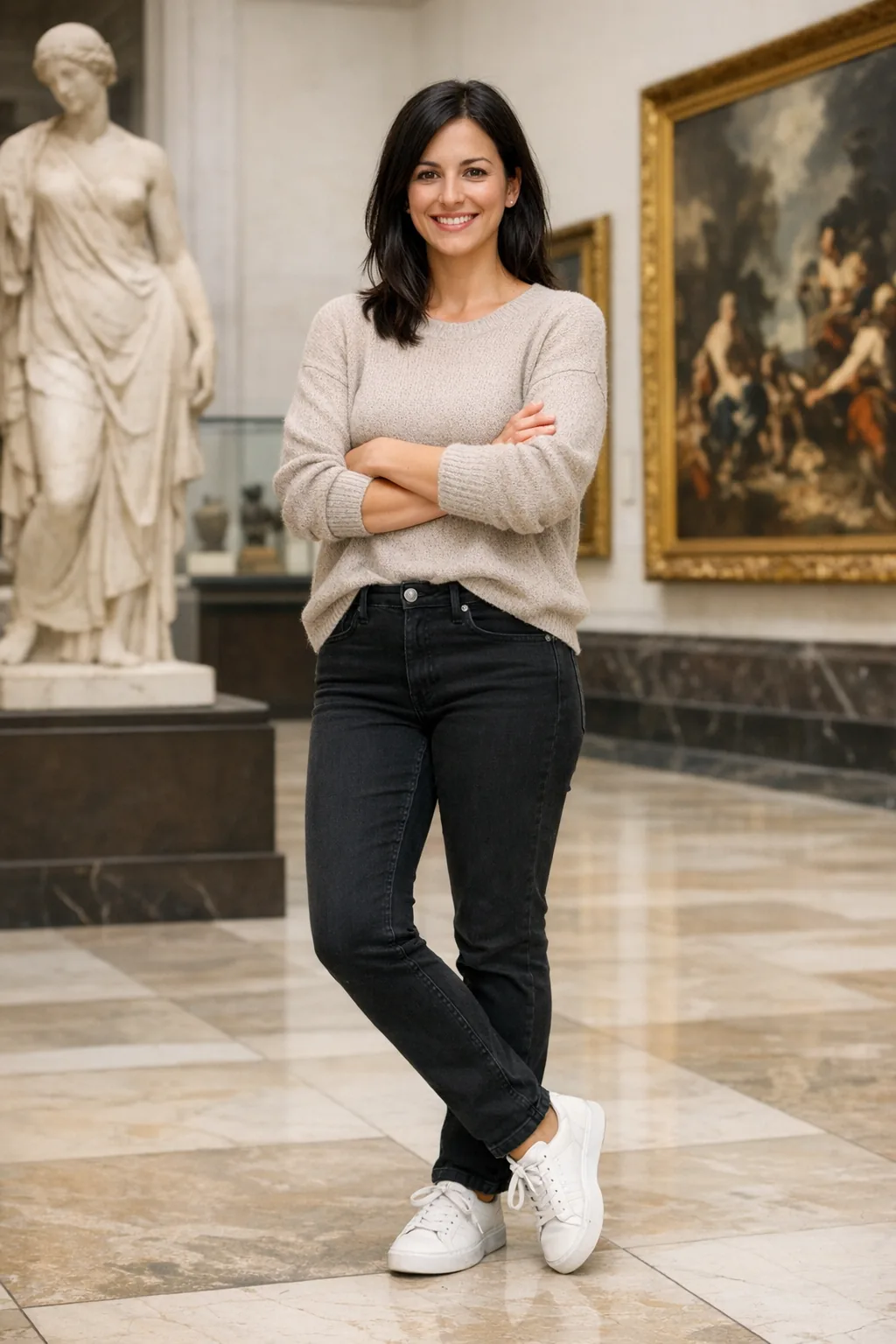
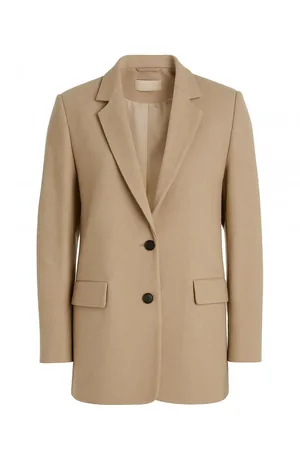
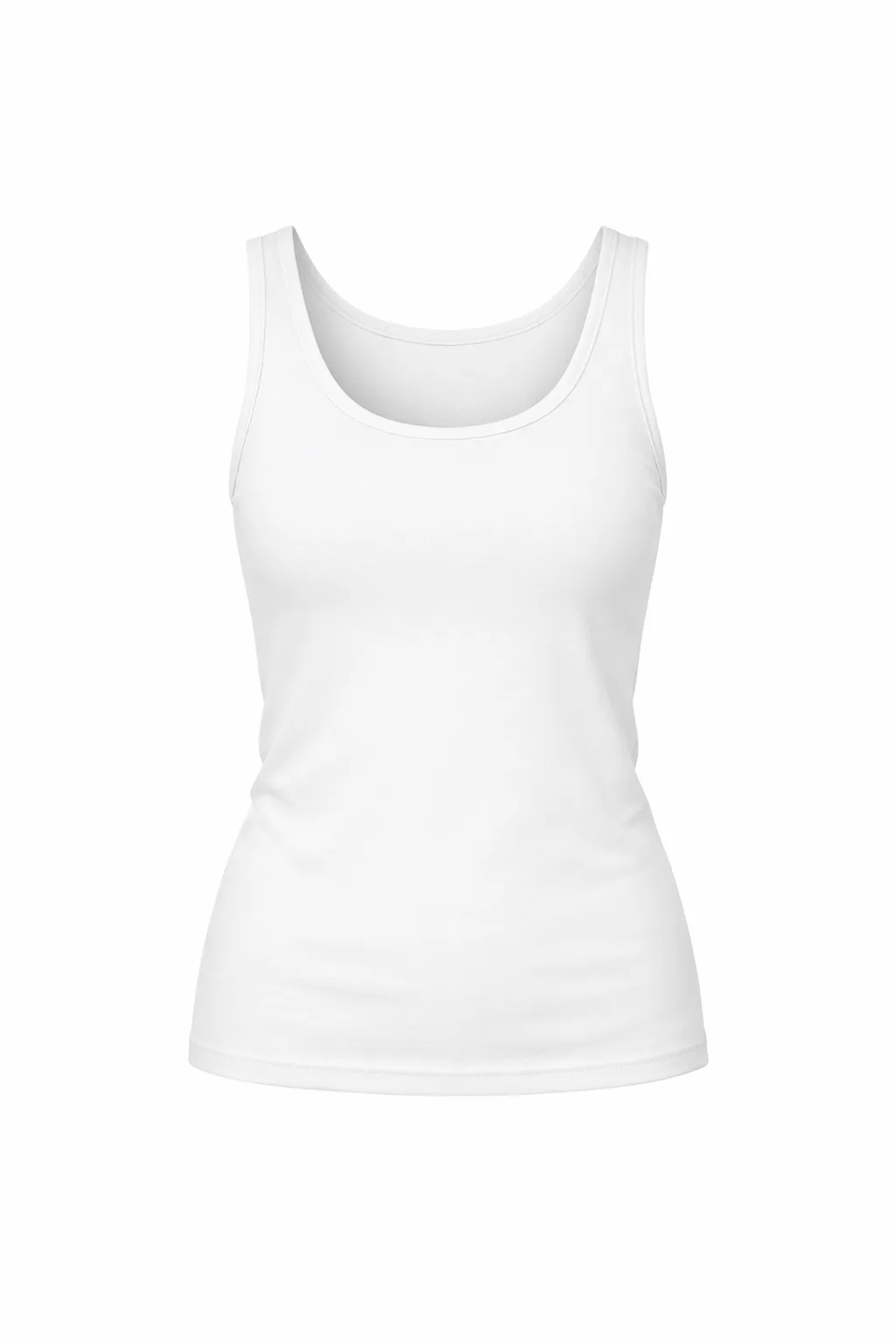
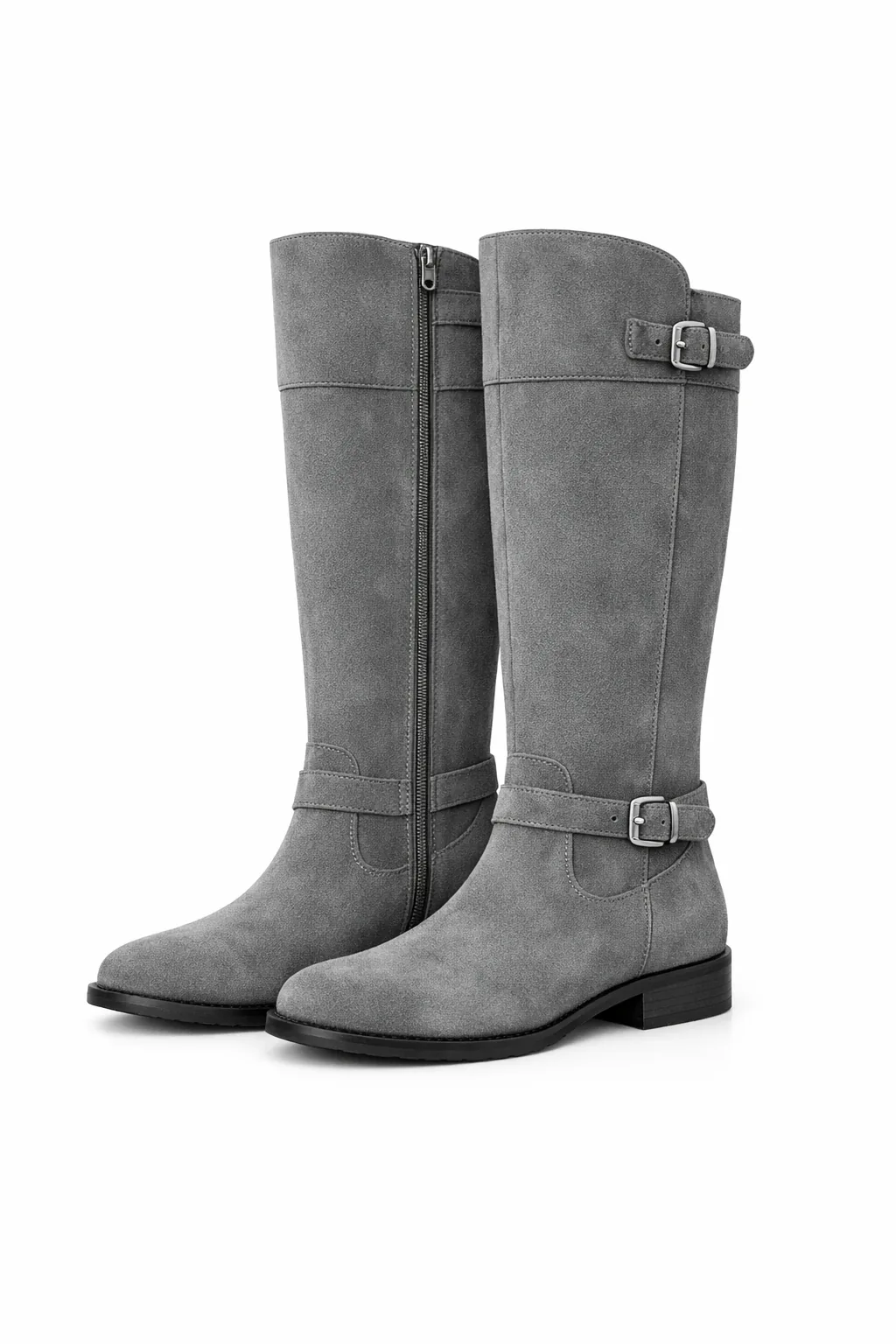
GPT Image 2.5 Flare
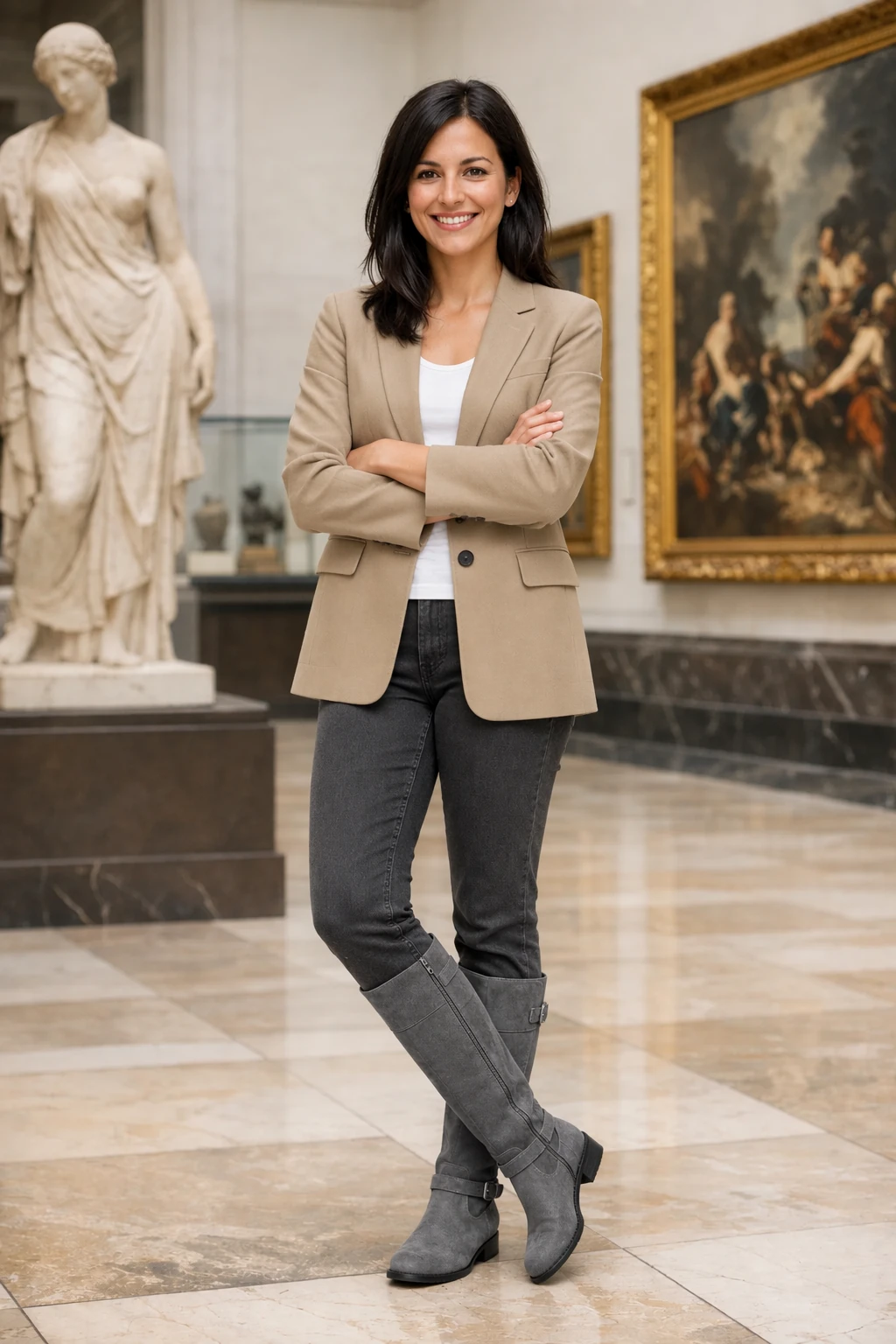
GPT Image 2.5 Sunburst
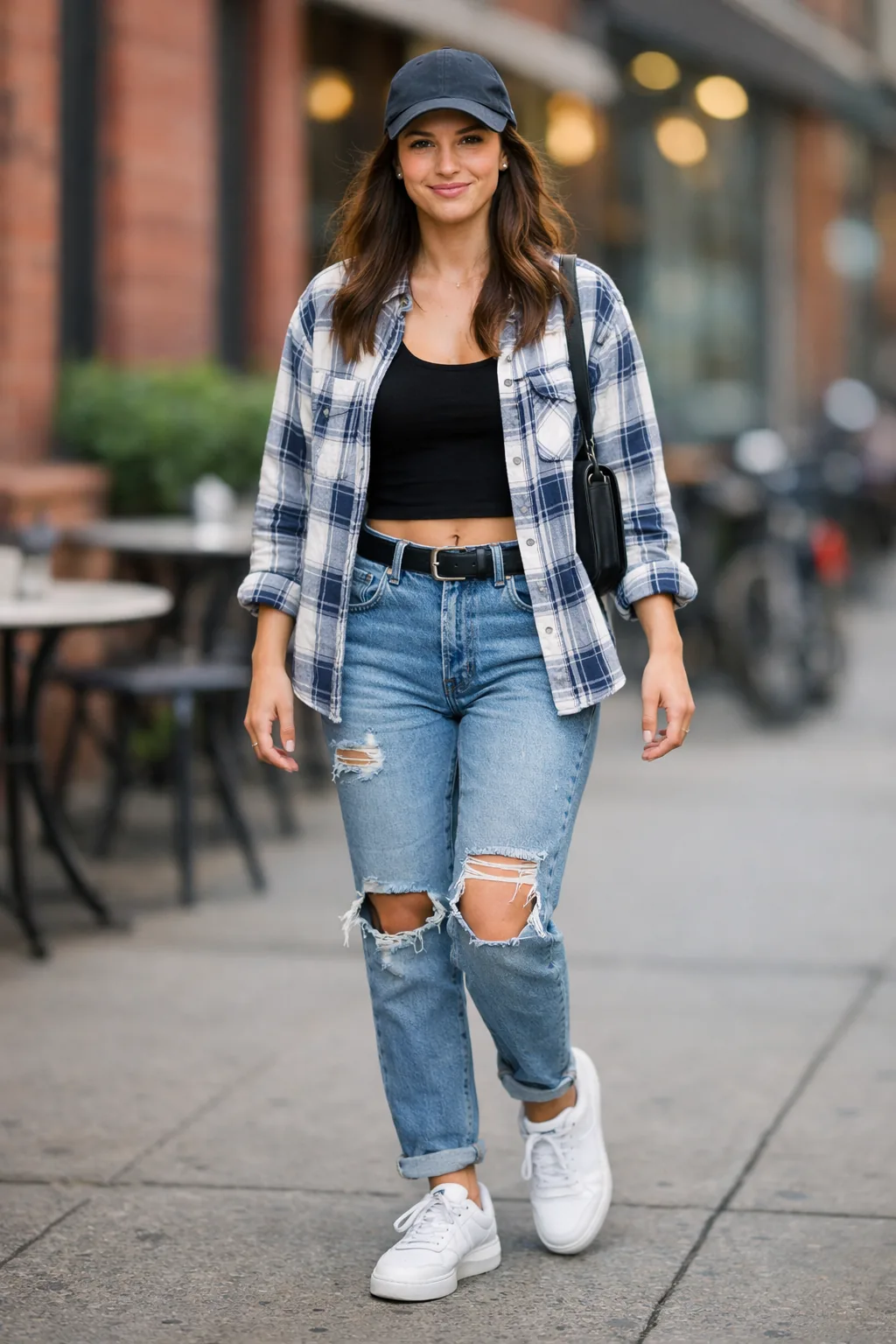
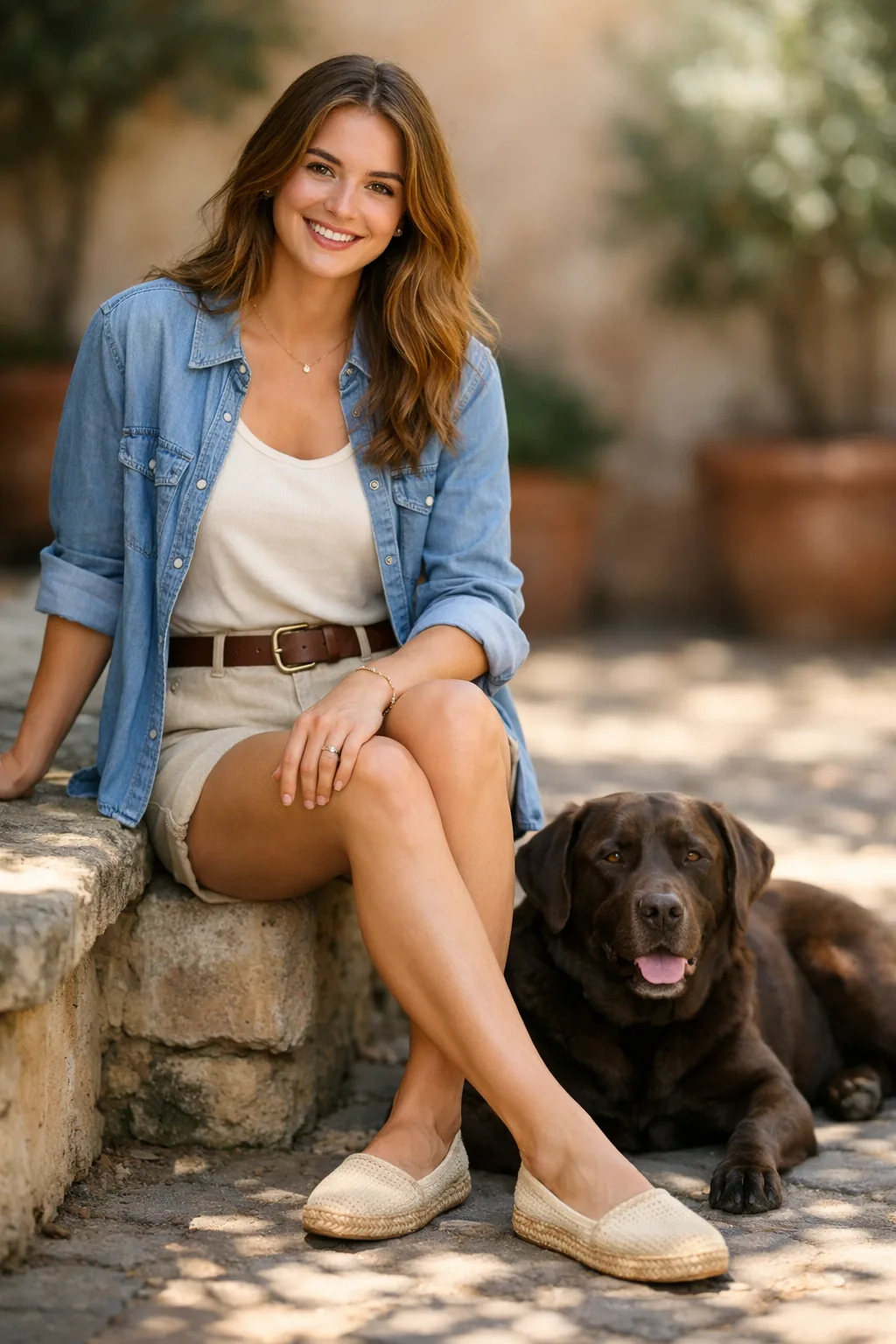
참조 결합
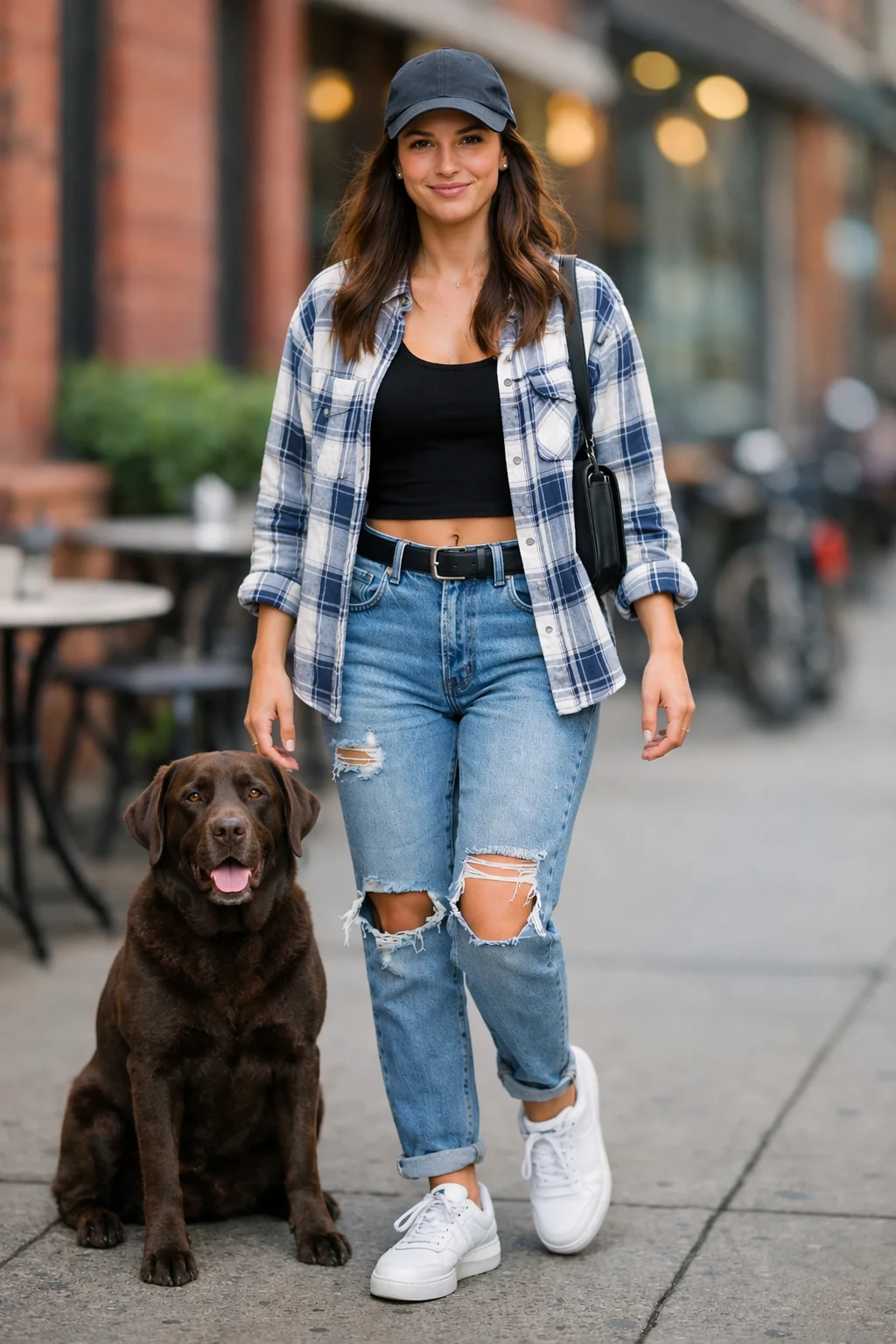
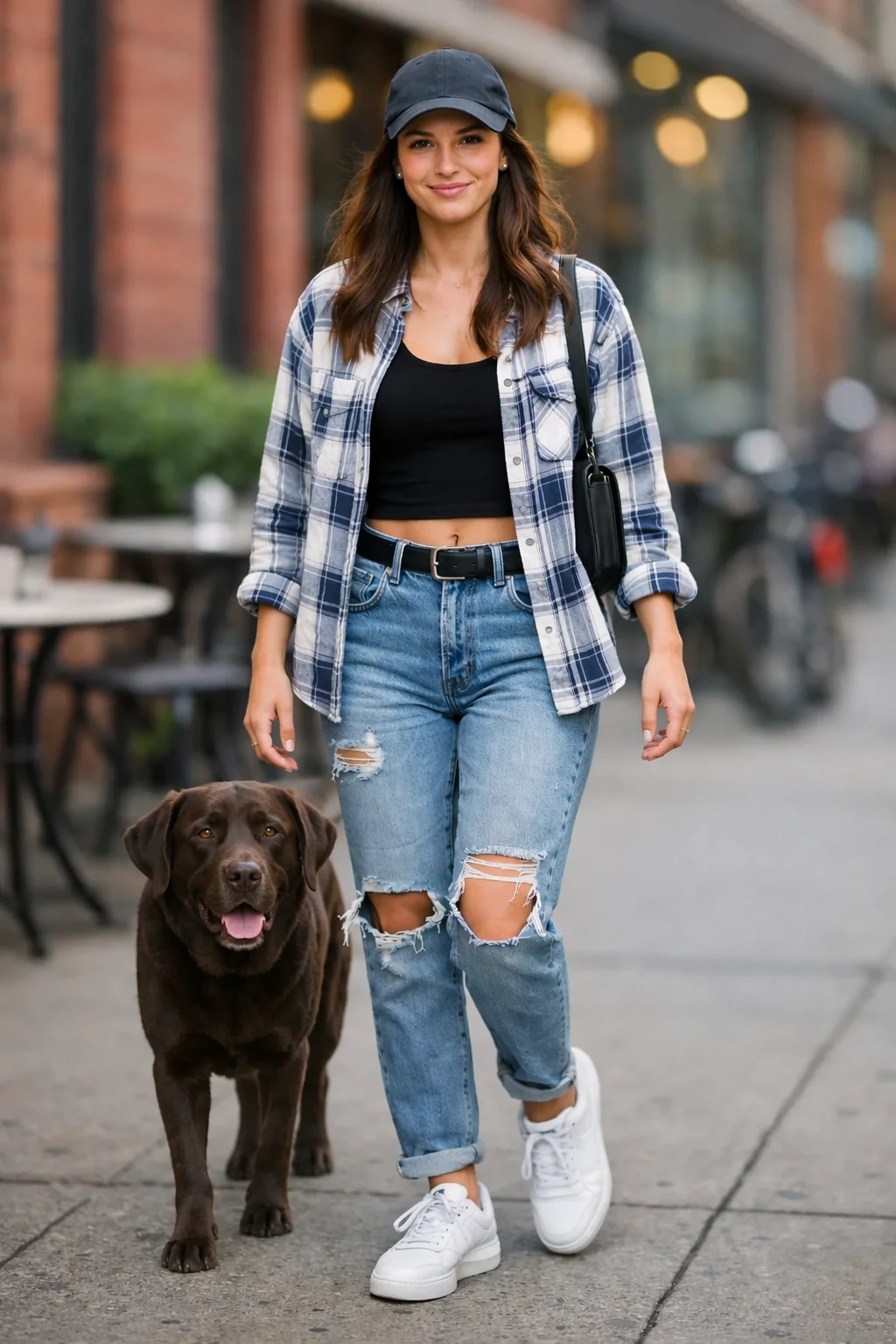
장면 사진을 이미지 1으로, 개 사진을 이미지 2로 전달하세요. 이동할 요소, 도착 지점, 변하지 않아야 할 것을 지정하세요.
편집 설정: size="1024x1536", quality="medium".
Place the dog from the second image into the setting of image 1, right next to the woman, use the same style of lighting, composition and background. Do not change anything else.
입력 이미지:
GPT Image 2.5 Flare
GPT Image 2.5 Sunburst
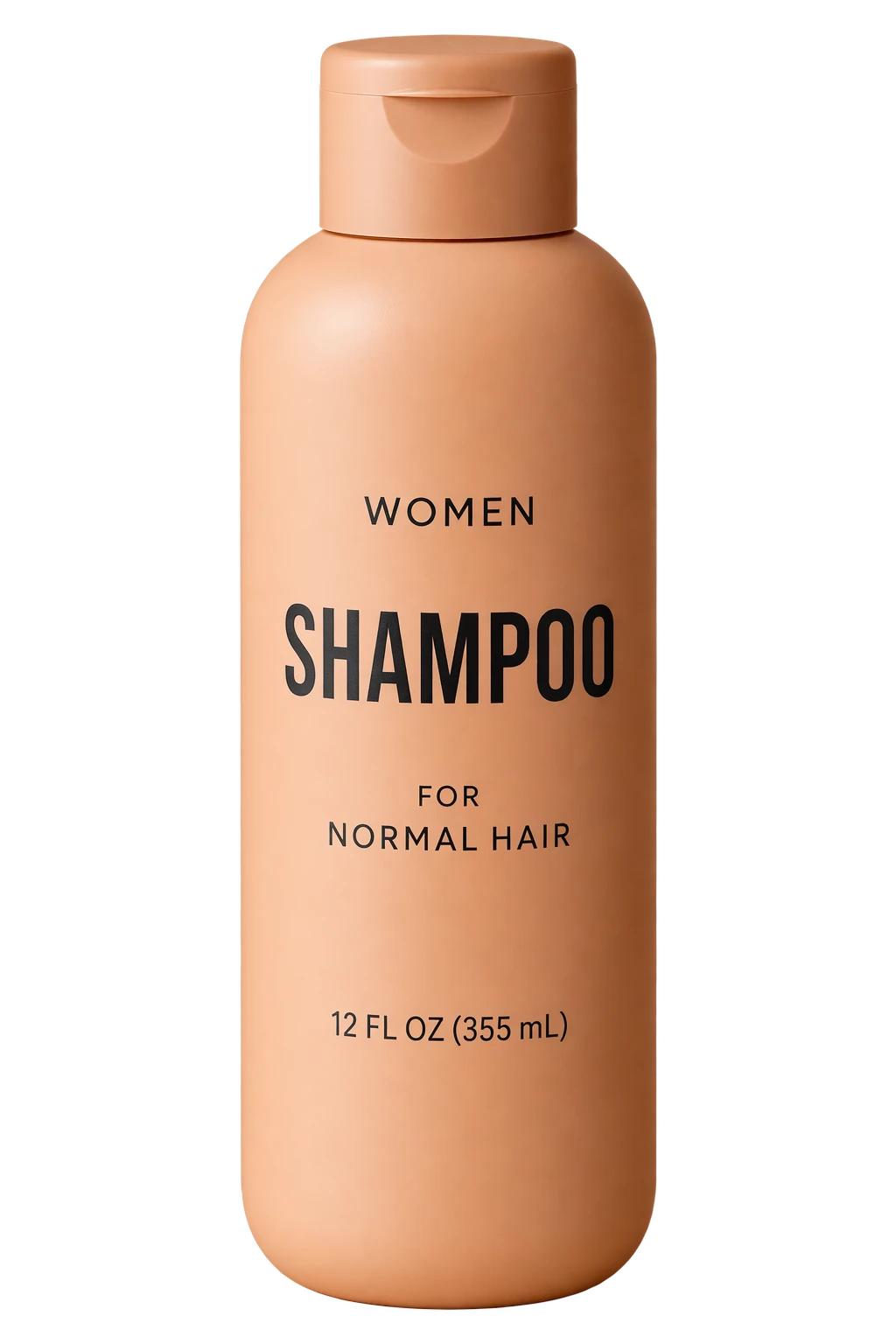
투명 제품 컷아웃 만들기
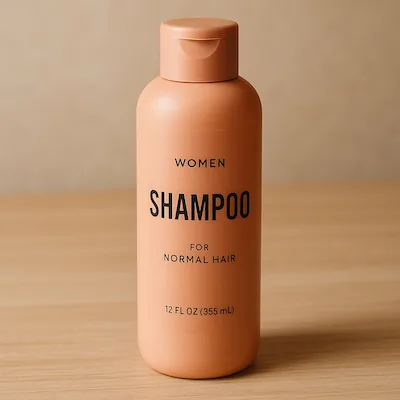
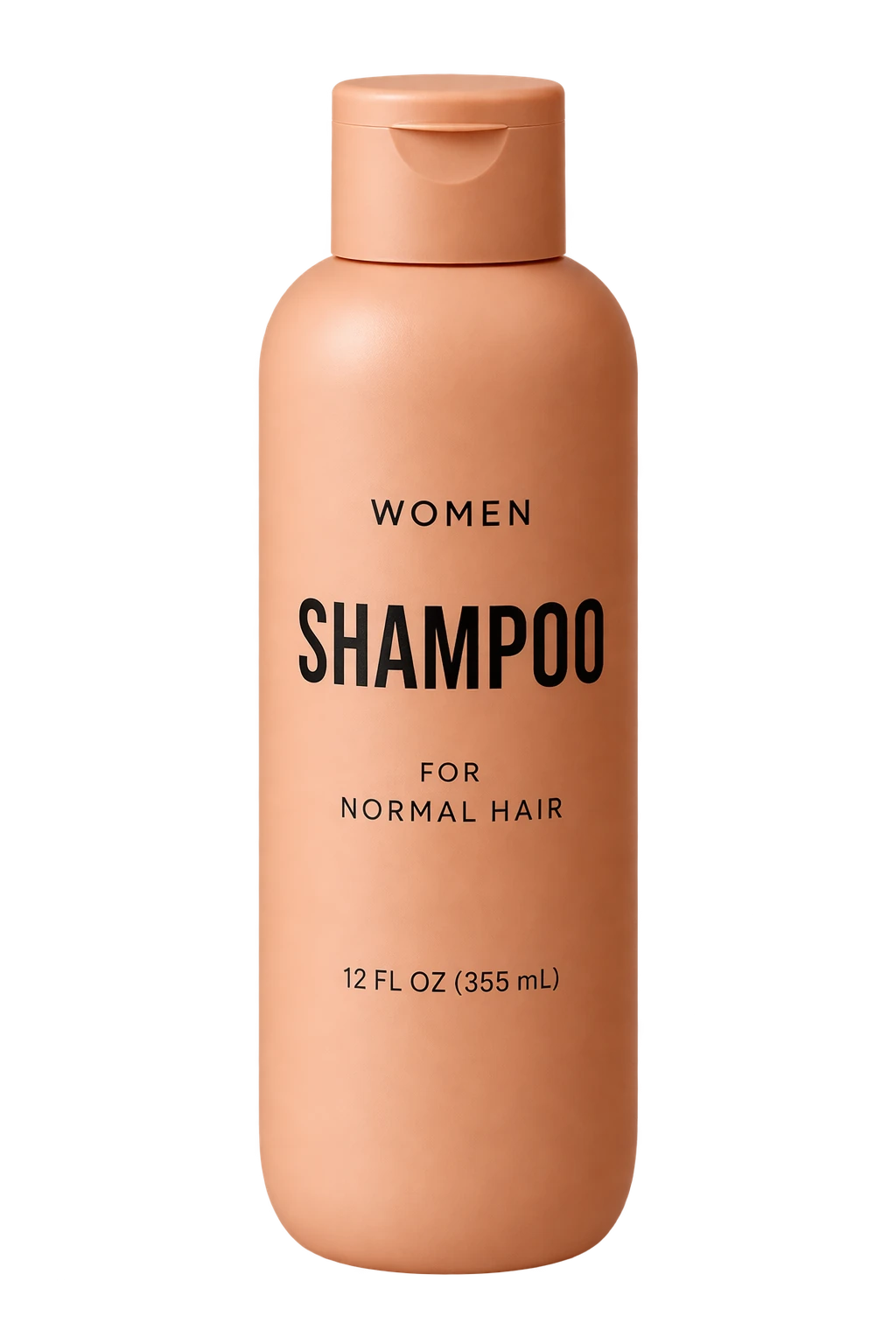
프롬프트에서 고립된 주제와 API의 background="transparent"를 둘 다 요청하세요. PNG 또는 WebP를 사용하고 반환된 알파 채널을 보존하며 PNG에는 output_compression을 생략하세요. 그려진 체커보드는 투명도가 아닙니다. 후속 편집에서는 투명 배경 보존 요구사항을 반복하세요. 아래 제품 사진을 입력으로 사용하세요.
편집 설정: size="1024x1536", quality="medium", background="transparent", output_format="png".
Extract the product from the input image and isolate it on a fully transparent background.
Output: centered product, crisp silhouette, no halos/fringing.
Preserve product geometry and label legibility exactly.
Add only light polishing. Do not add a solid backdrop, checkerboard, scenery, or shadow.
Do not restyle the product; remove the background and preserve clean alpha transparency.
입력 이미지:
GPT Image 2.5 Flare
GPT Image 2.5 Sunburst
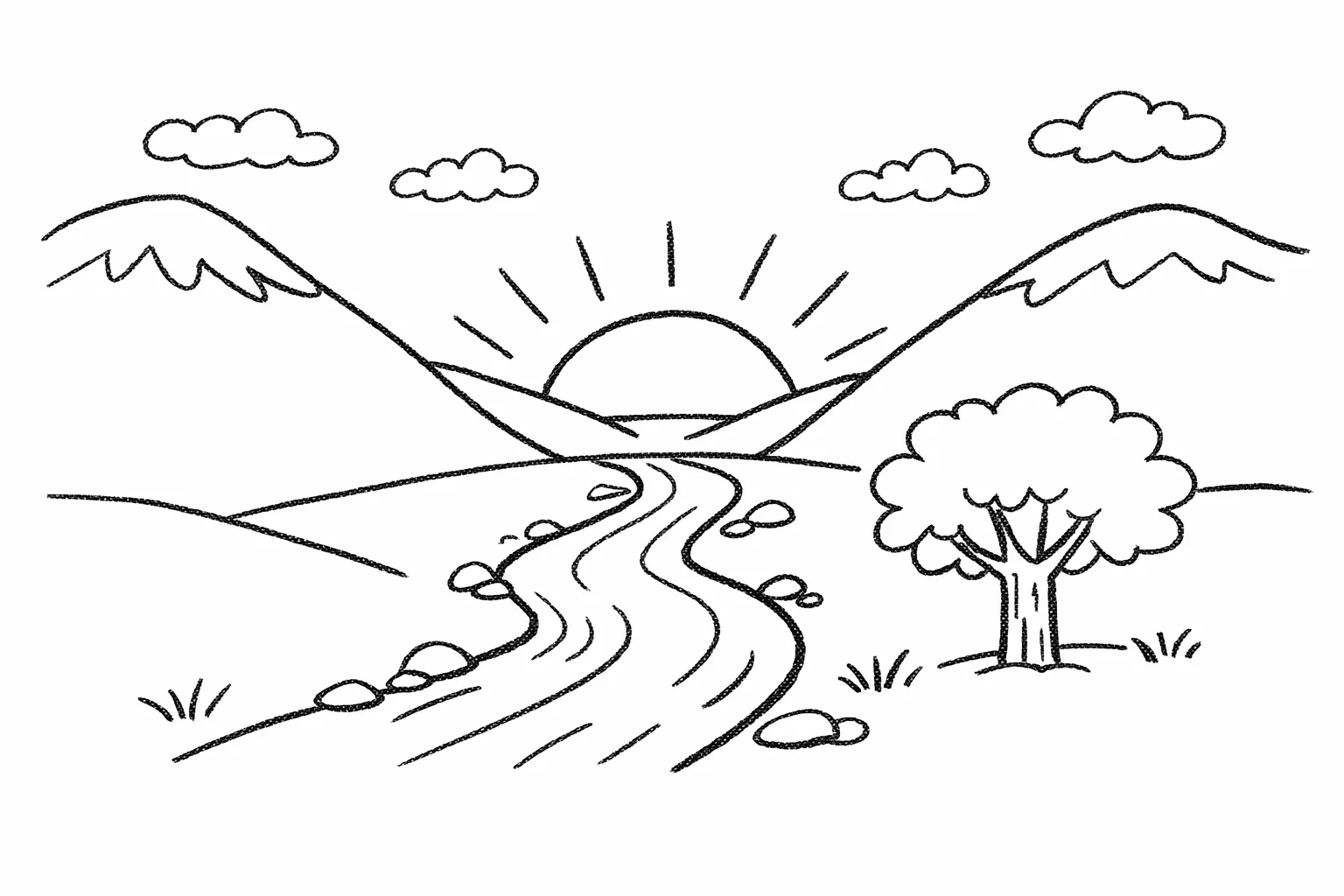
그림을 사실적 이미지로 변환
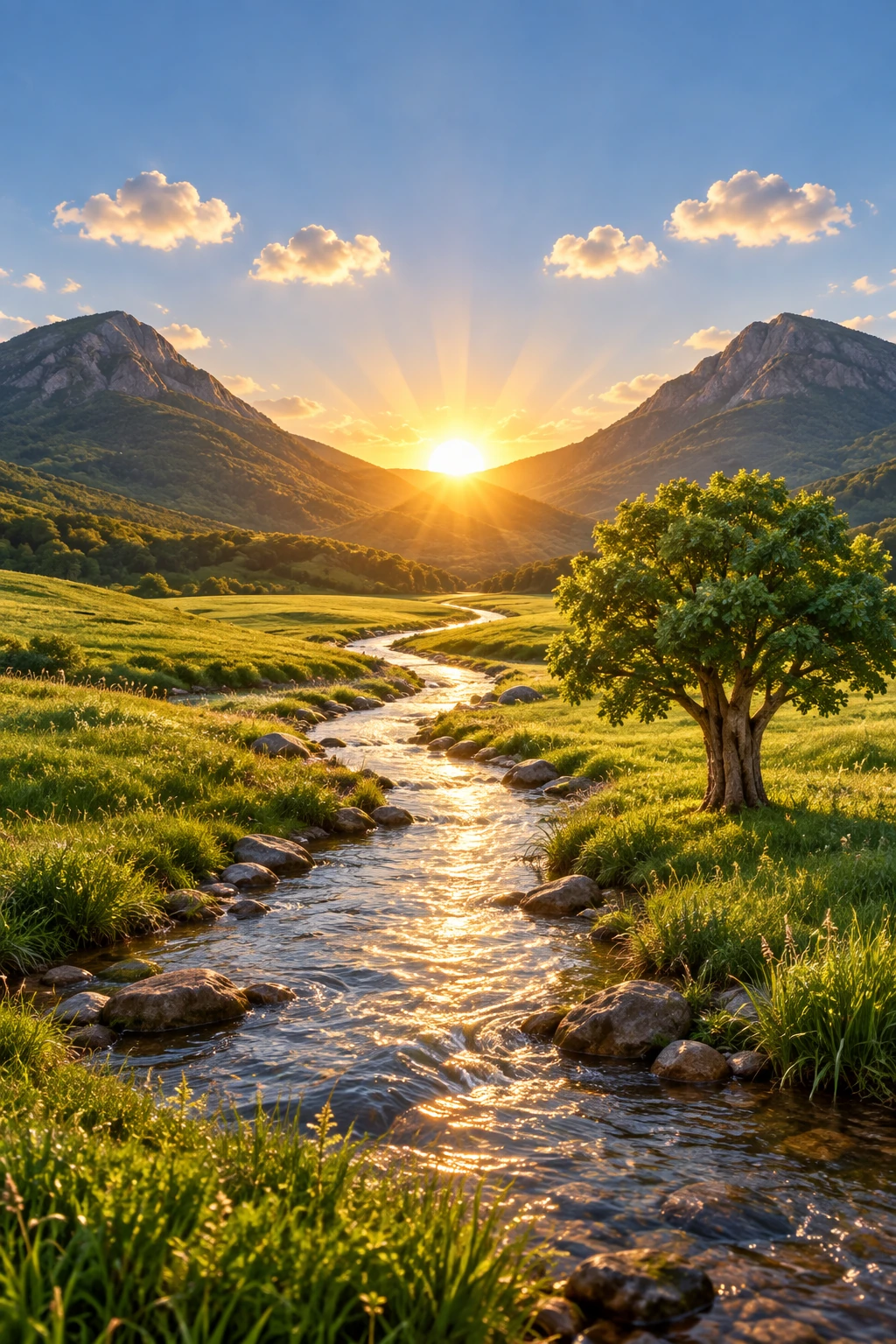
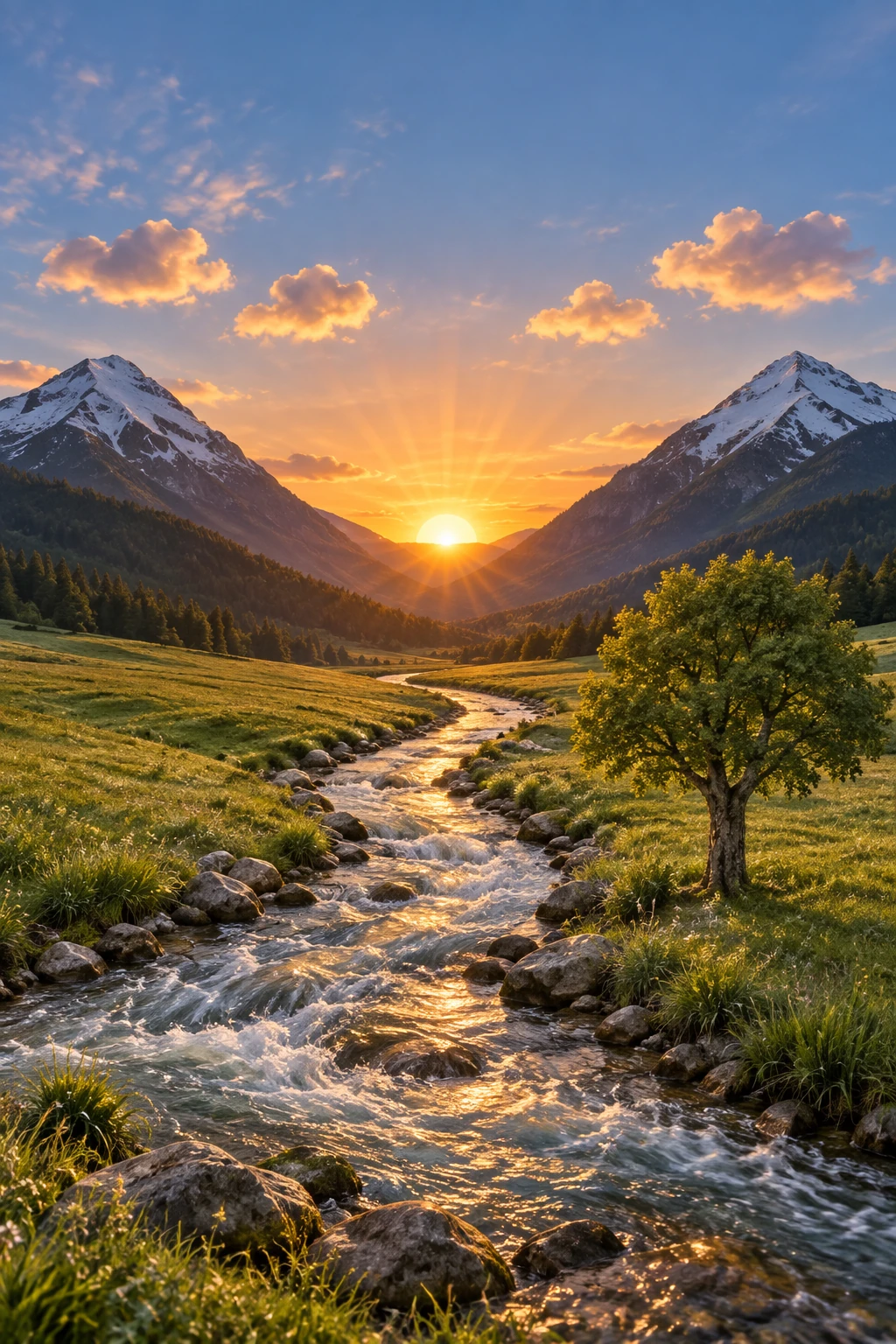
스케치에서 렌더링 워크플로는 대략적인 그림을 원래 의도를 유지하면서 사실적 컨셉으로 바꾸는 데 좋습니다. 프롬프트를 사양처럼 취급하세요: 레이아웃과 원근을 보존한 다음, 현실적인 재질, 조명, 환경을 지정해 _현실감을 추가_하세요. 창의적 재해석을 피하기 위해 "새 요소/텍스트를 추가하지 마세요"를 포함하세요.
편집 설정: size="1024x1536", quality="medium".
Turn this drawing into a photorealistic image.
Preserve the exact layout, proportions, and perspective.
Choose realistic materials and lighting consistent with the sketch intent.
Do not add new elements or text.
입력 이미지:
GPT Image 2.5 Flare
GPT Image 2.5 Sunburst
객체 제거
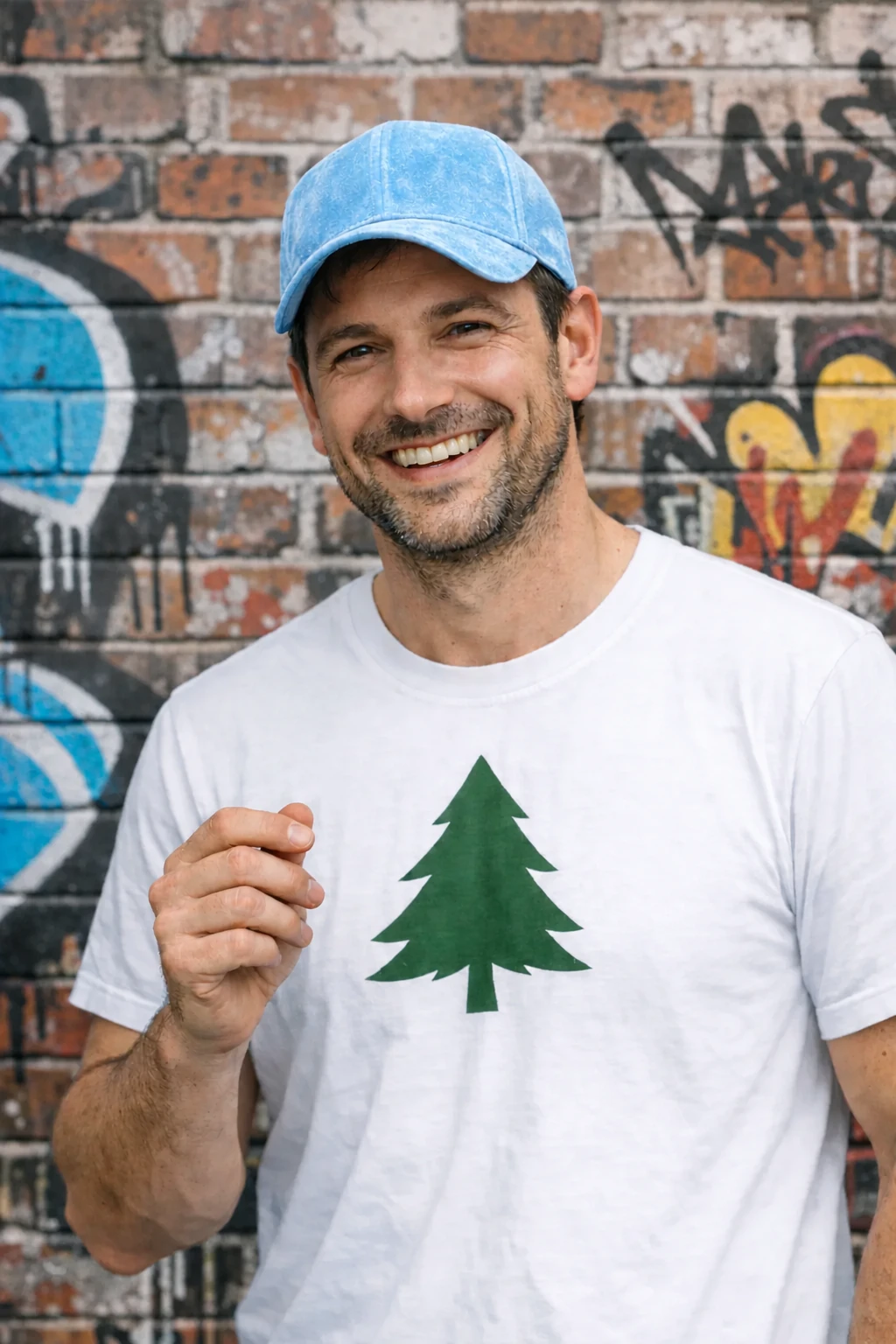
한 객체를 명시적으로 이름 붙이고 주변의 모든 것을 보존해 제거하세요. 편집이 로컬로 유지되도록 사람, 포즈, 조명, 구도를 그대로 유지하세요.
편집 설정: size="1024x1536", quality="medium".
Remove the flower from man's hand. Do not change anything else.
입력 이미지:
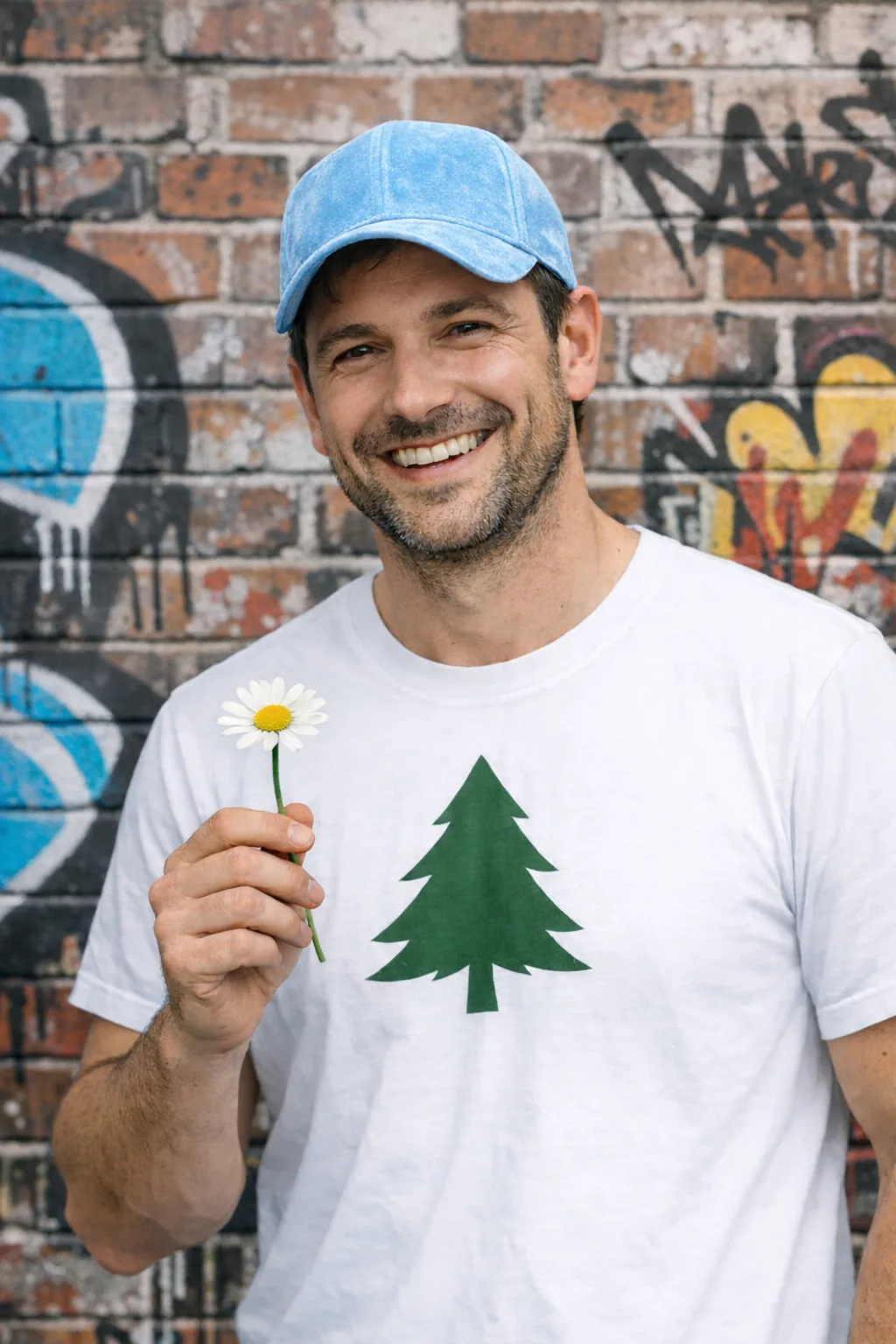
GPT Image 2.5 Flare
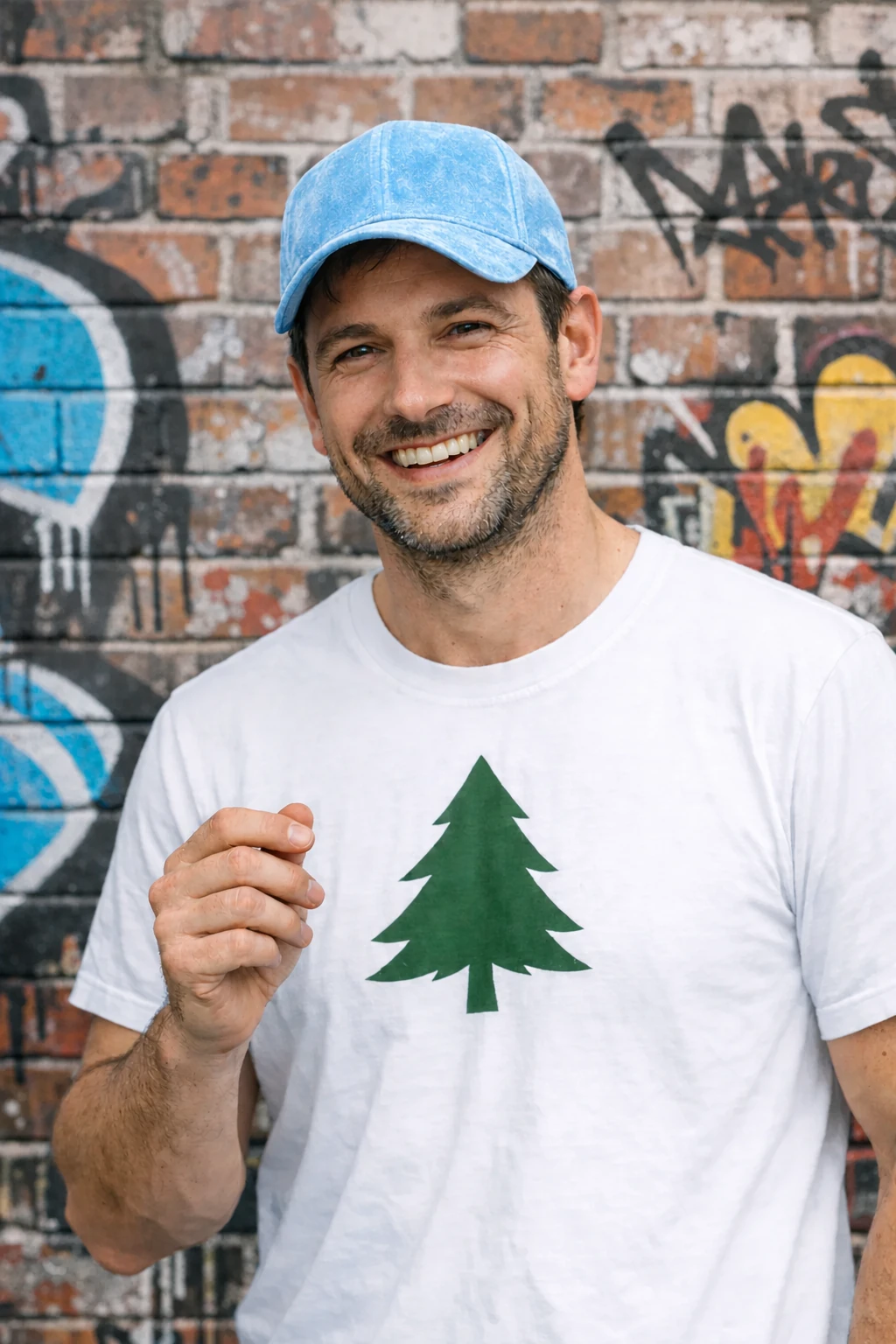
GPT Image 2.5 Sunburst
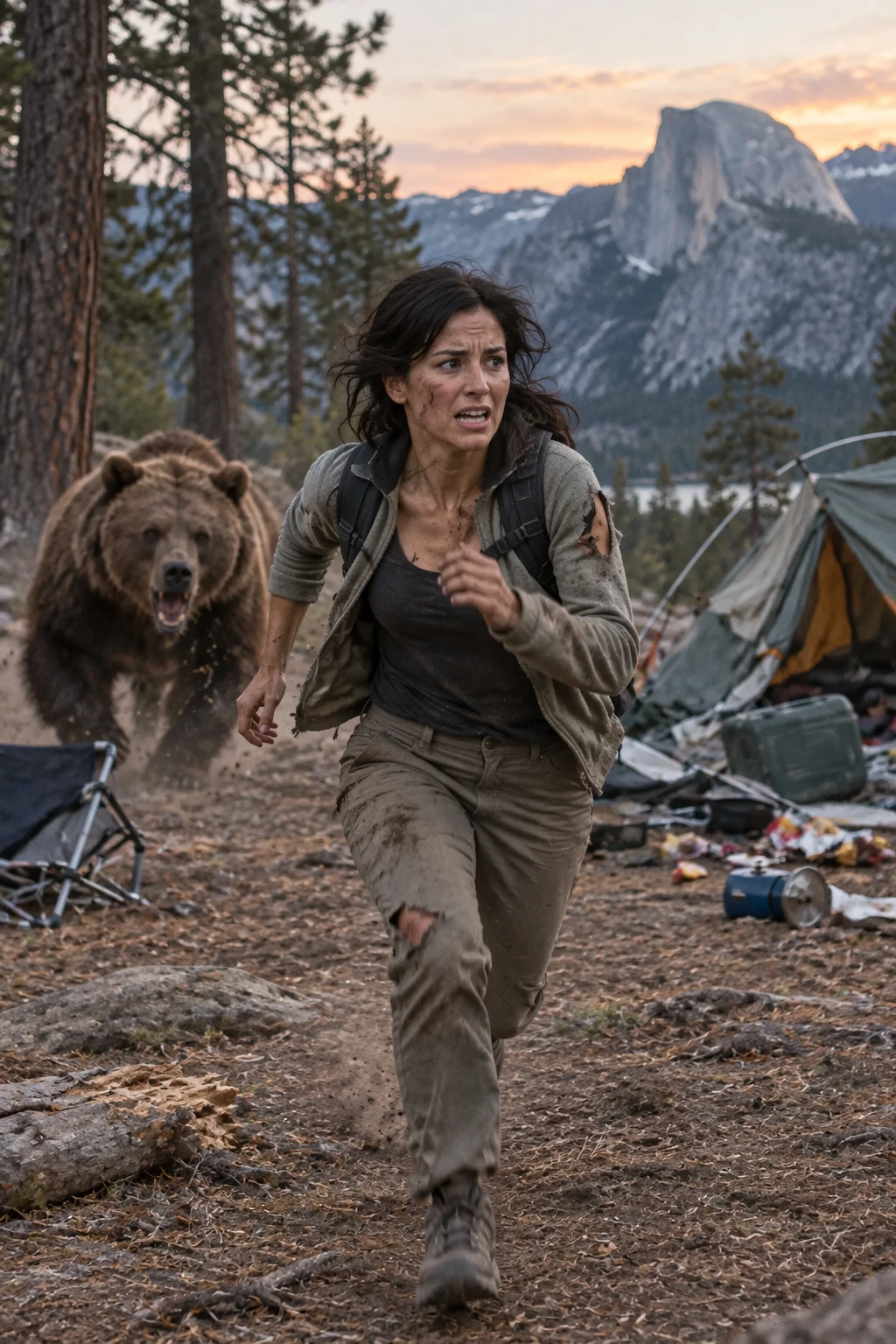
사람을 장면에 삽입
정체성을 보존하면서 사람을 새 장면에 삽입하세요. 자연스러운 조명, 그럴듯한 디테일, 신체 프레이밍, 시선, 장면과의 상호작용을 지정하세요. 변하지 않아야 할 얼굴 특징과 비율을 명시하세요. gpt-image-2에서는 input_fidelity를 생략하세요. 이미지 입력은 항상 높은 충실도로 처리됩니다.
박물관 속 여성을 입력 이미지로 사용하세요.
편집 설정: size="1024x1536", quality="medium".
Generate a highly realistic action scene where this person is running away from a large, realistic brown bear attacking a campsite. The image should look like a real photograph someone could have taken, not an overly enhanced or cinematic movie-poster image.
She is centered in the image but looking away from the camera, wearing outdoorsy camping attire, with dirt on her face and tears in her clothing. She is clearly afraid but focused on escaping, running away from the bear as it destroys the campsite behind her.
The campsite is in Yosemite National Park, with believable natural details. The time of day is dusk, with natural lighting and realistic colors. Everything should feel grounded, authentic, and unstyled, as if captured in a real moment. Avoid cinematic lighting, dramatic color grading, or stylized composition.
GPT Image 2.5 Flare
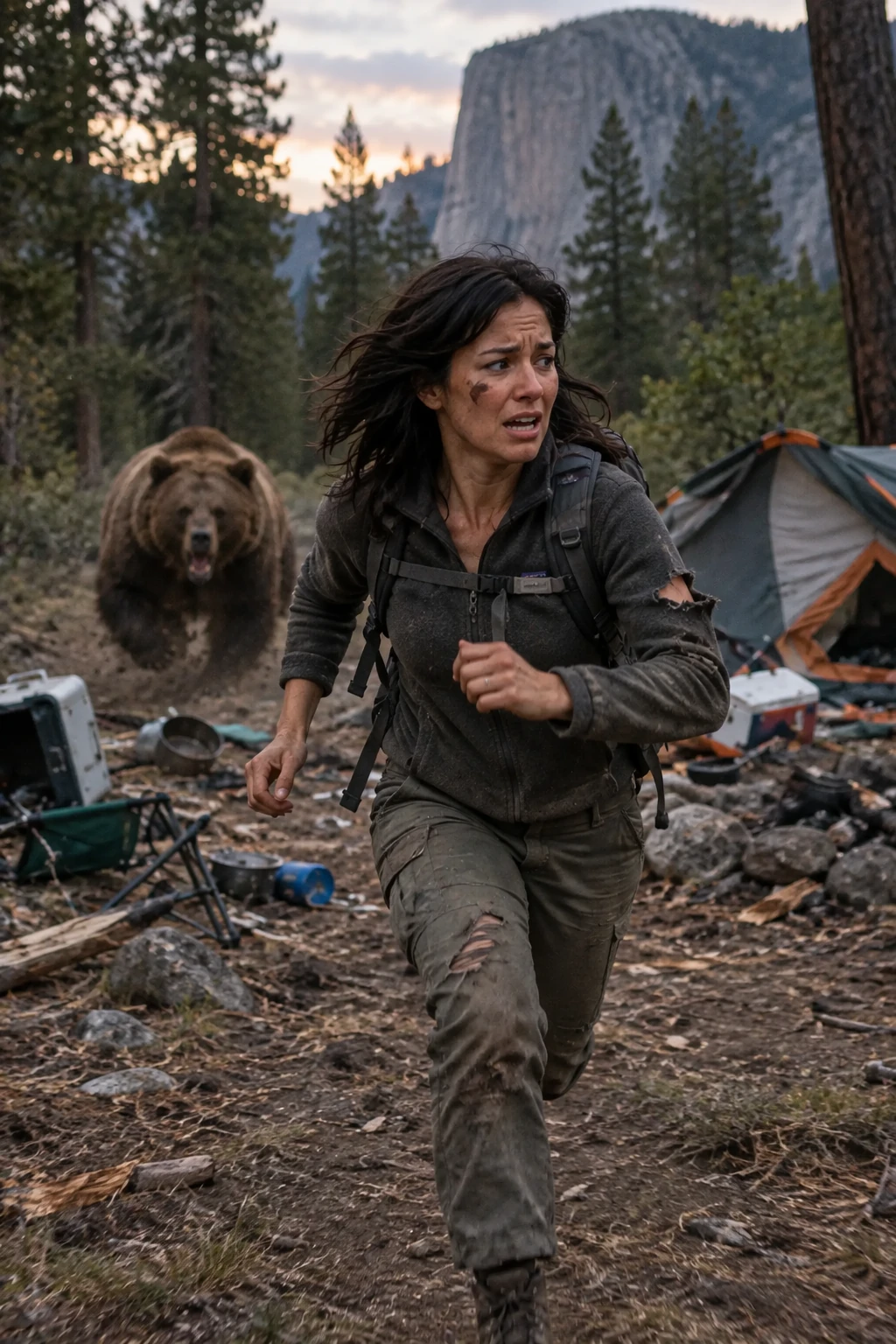
GPT Image 2.5 Sunburst
여러 턴에 걸쳐 이미지 개선
하나의 출력으로 시작해 이를 검사하고 다음 입력으로 사용하세요. 어떤 변경이 도움이 되었는지 볼 수 있도록 각 후속 요청을 좁게 유지하세요.
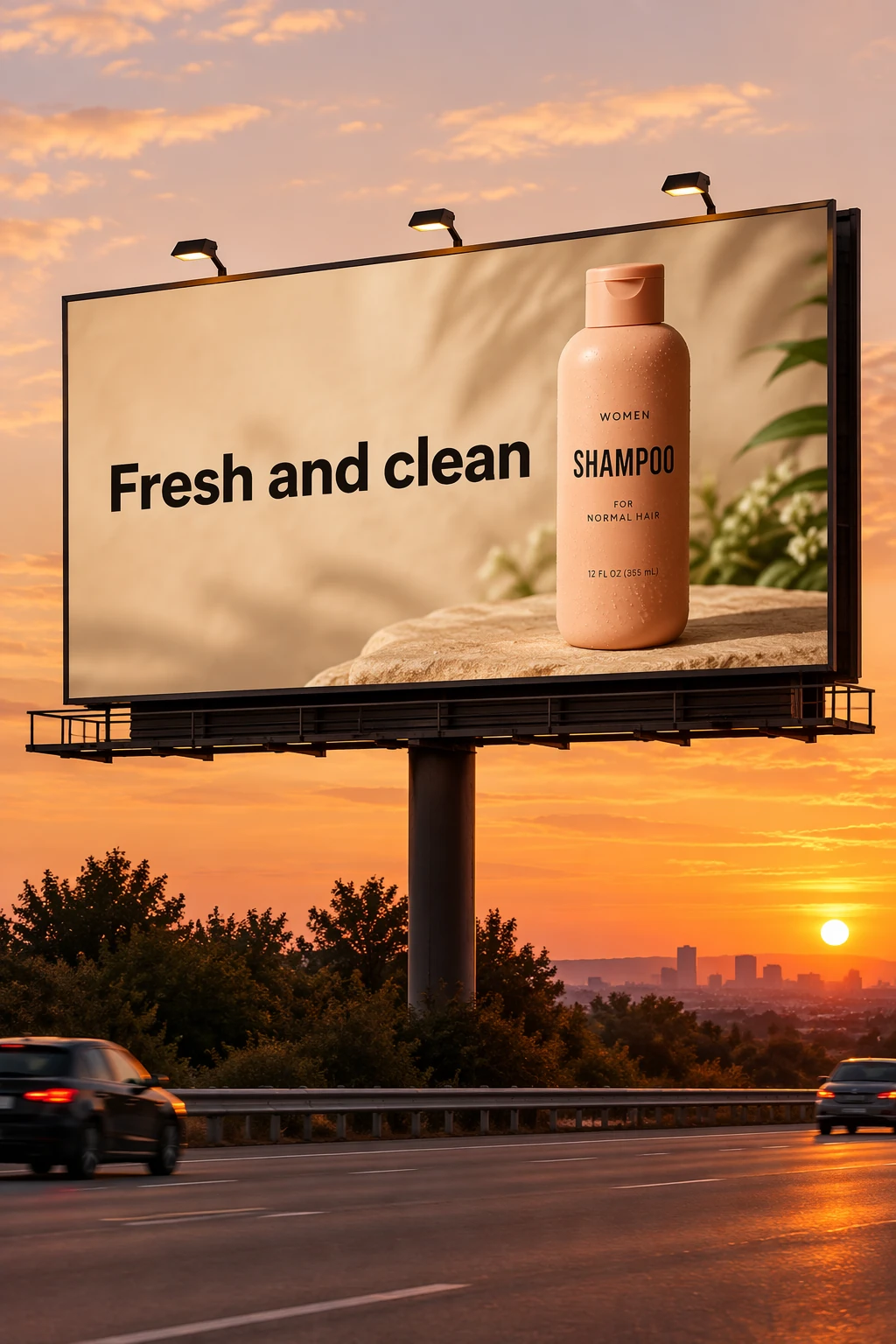
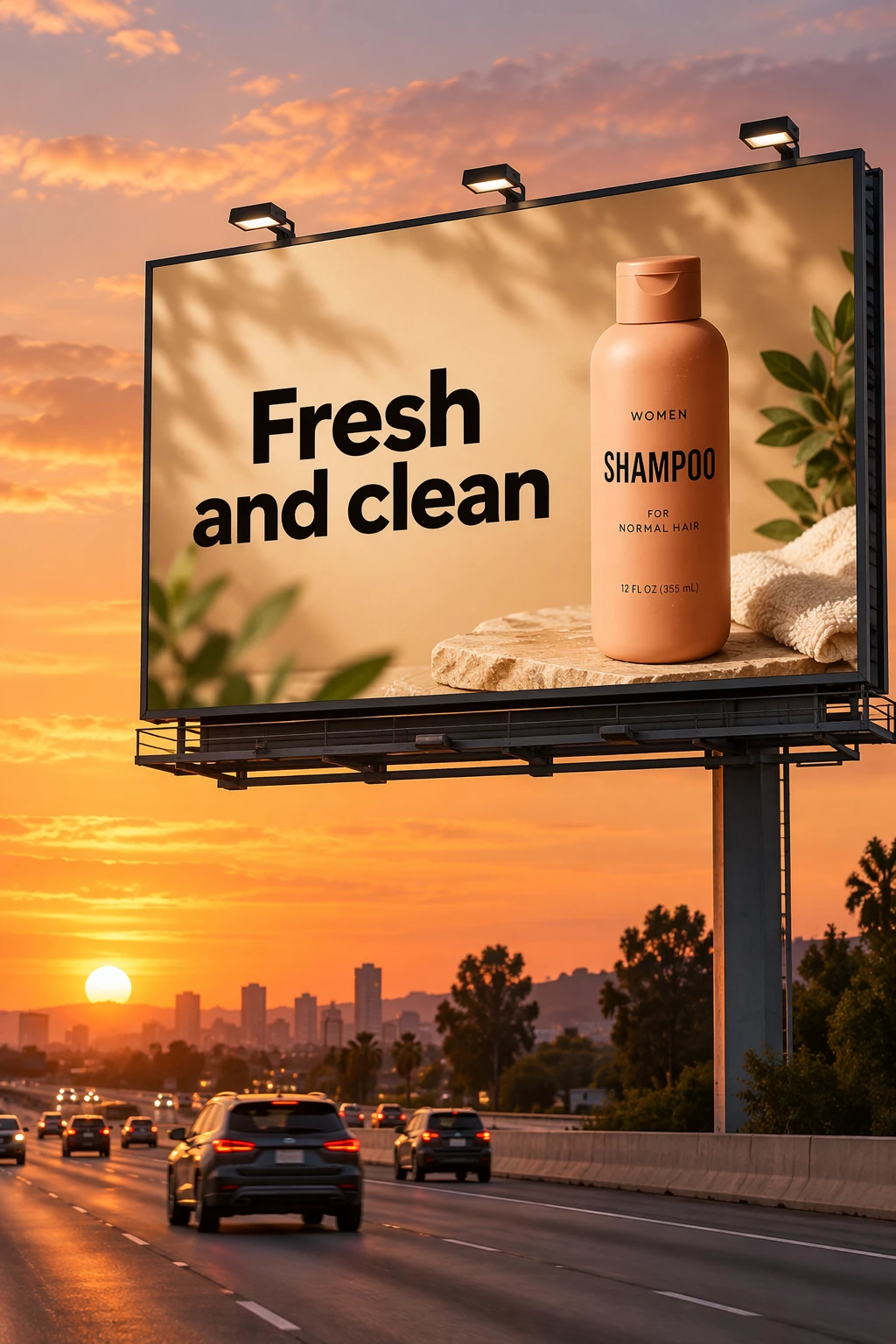
시작 이미지 만들기
투명 제품 컷아웃 만들기의 샴푸 사진을 이 빌보드 장면의 입력으로 사용하세요. 라벨 텍스트를 정확히 인용하세요.
편집 설정: size="1024x1536", quality="medium".
Create a realistic billboard mockup of the shampoo on a highway scene during sunset.
Billboard text (EXACT, verbatim, no extra characters):
"Fresh and clean"
Typography: bold sans-serif, high contrast, centered, clean kerning.
Ensure text appears once and is perfectly legible.
No watermarks, no logos.
입력 이미지:
GPT Image 2.5 Flare
GPT Image 2.5 Sunburst
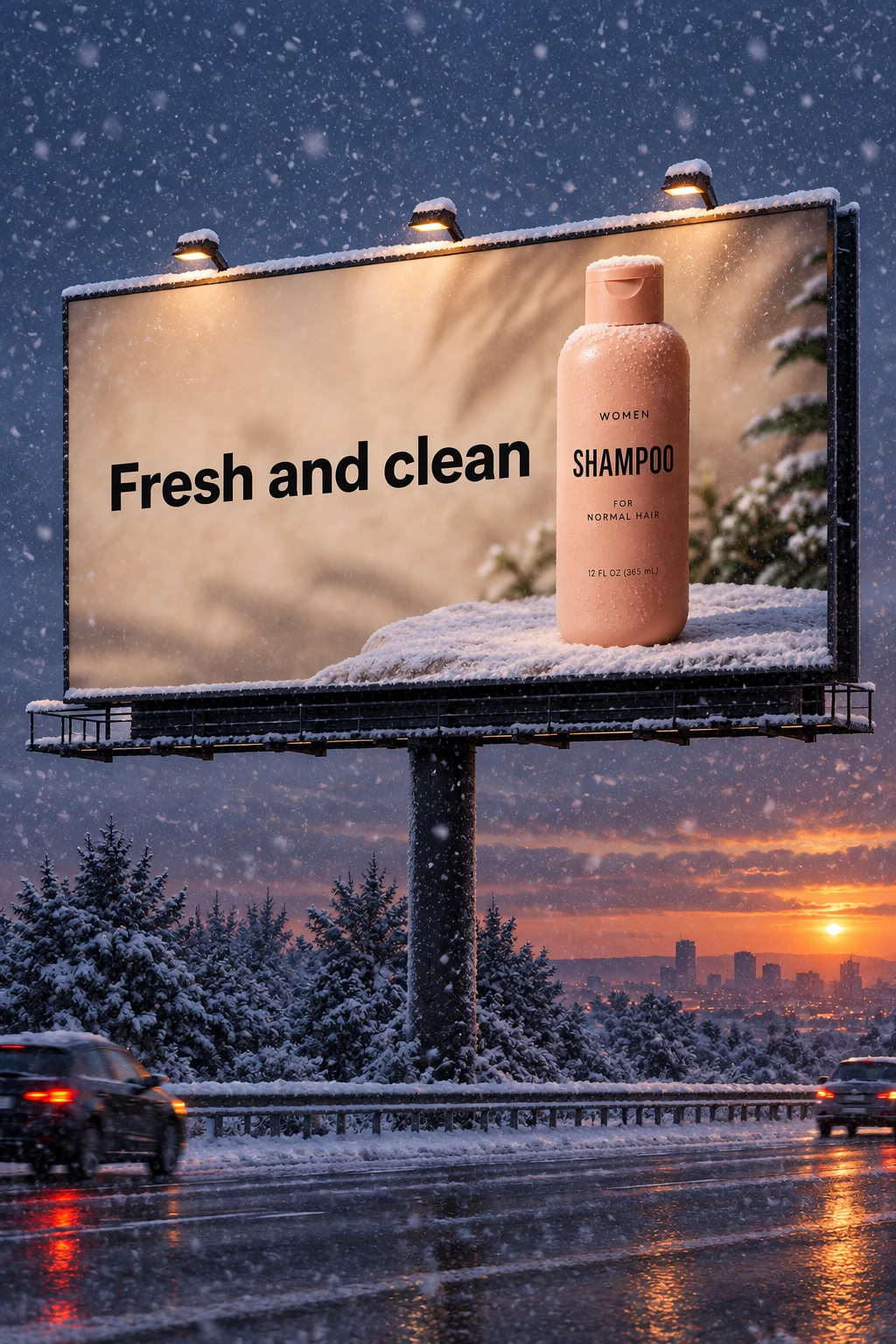
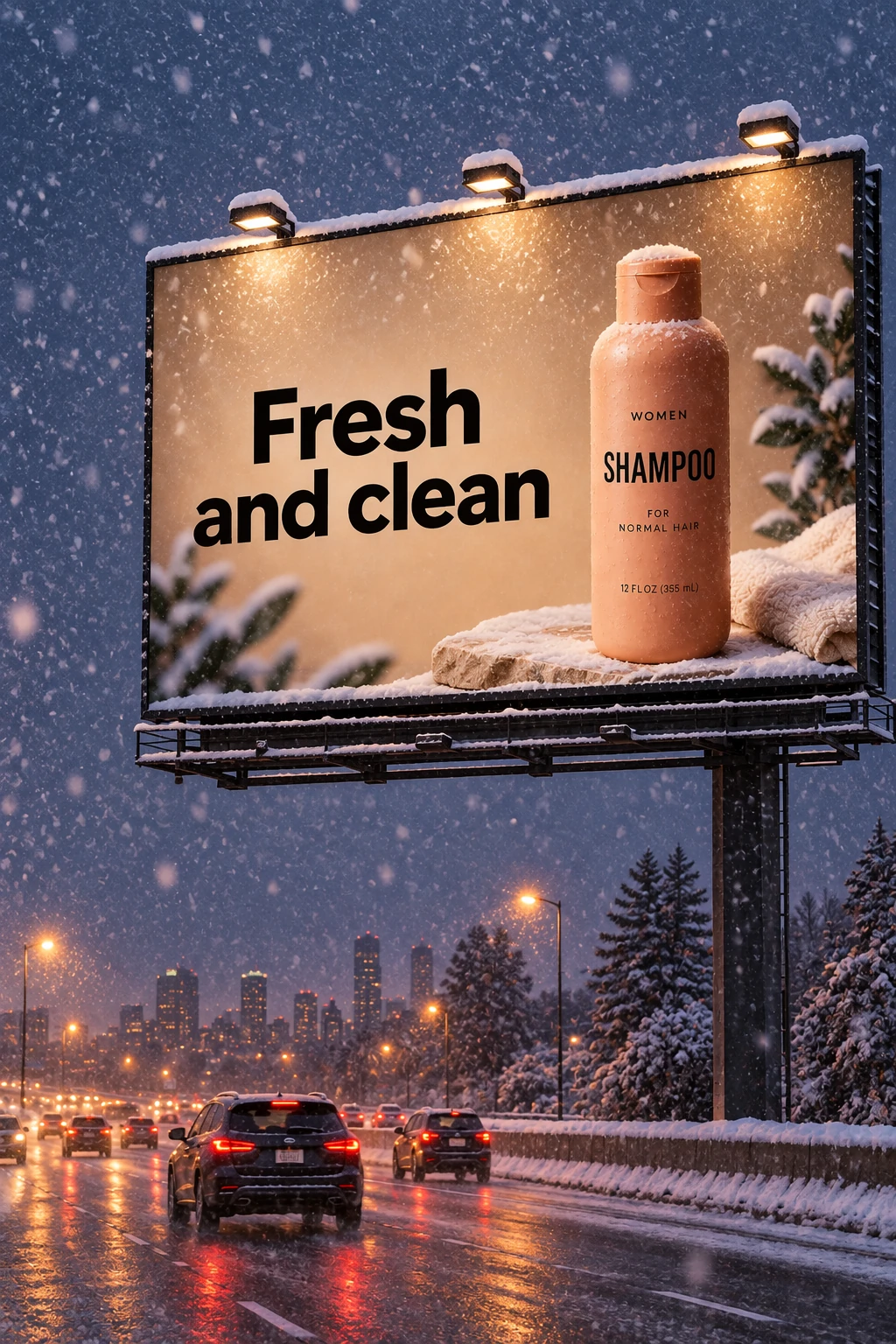
한 가지 조건 변경
이전 단계의 각 모델 빌보드 출력을 다음 편집 요청에 전달하세요. 이 짧은 후속 요청은 기존 장면을 유지하면서 날씨를 바꿉니다.
편집 설정: size="1024x1536", quality="medium".
Make it look like a winter evening with snowfall.
GPT Image 2.5 Flare
GPT Image 2.5 Sunburst
캐릭터 일관성 유지
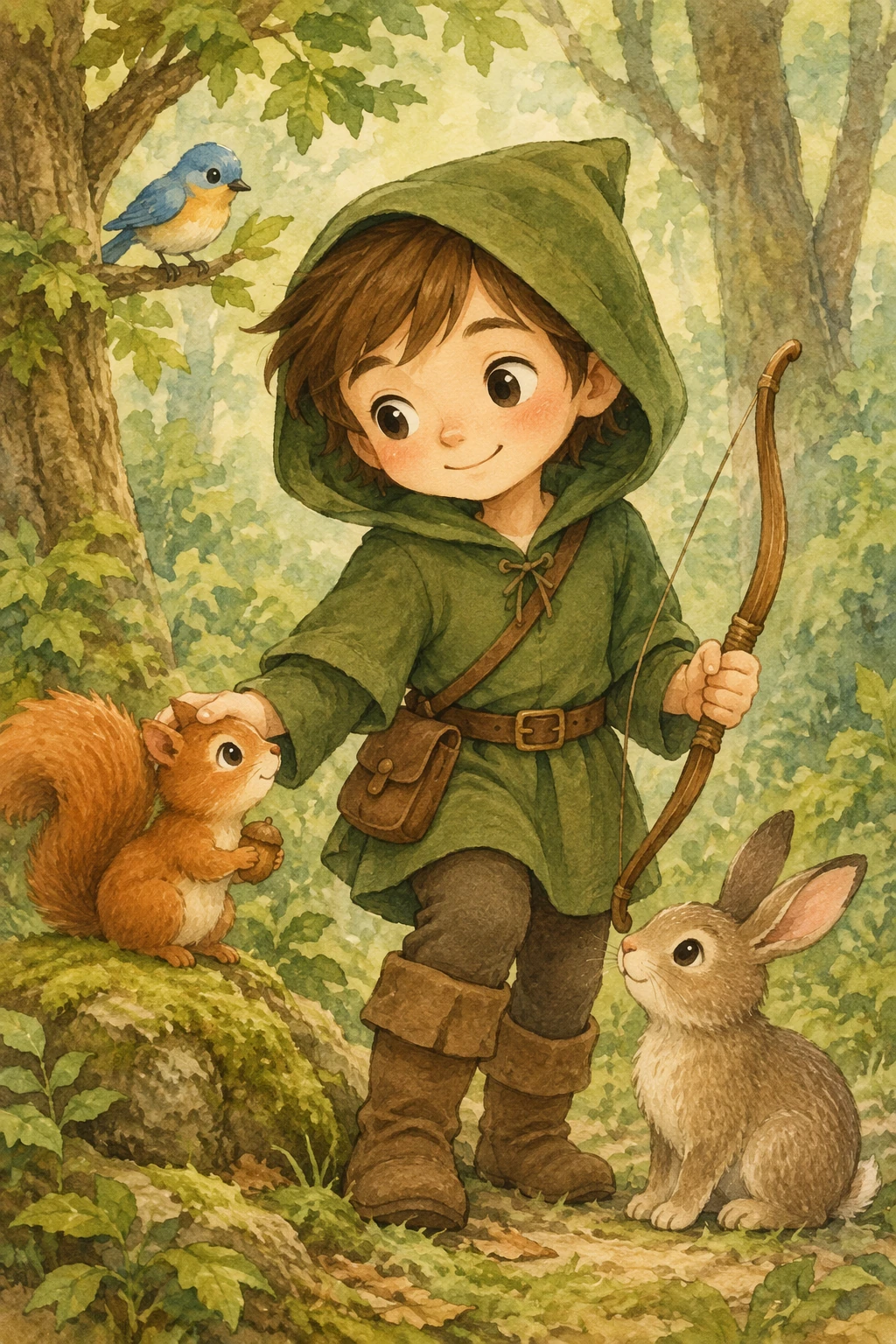
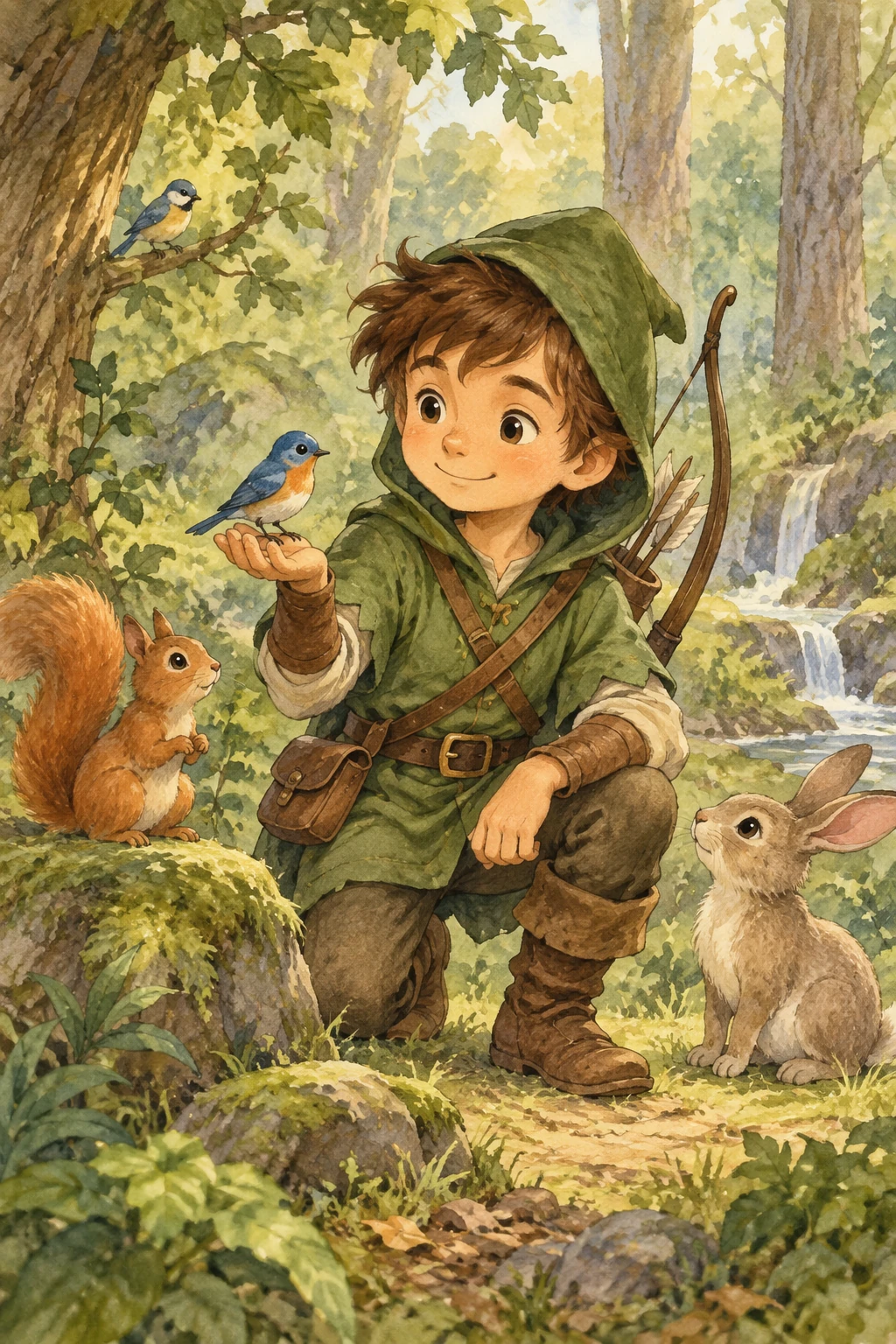
여러 삽화가 들어간 책에서는 재사용 가능한 캐릭터 참조를 만들어 장면, 포즈, 페이지 전반에 걸쳐 외모를 보존하는 데 도움을 주세요. 캐릭터의 정의적 디테일을 반복하면서 환경과 이야기를 바꾸세요.
캐릭터 설정
캐릭터의 외모, 비율, 복장, 어조를 정의하세요.
생성 설정: size="1024x1536", quality="medium".
Create a children's book illustration introducing a main character.

Character:
A young, storybook-style hero inspired by a little forest outlaw,
wearing a simple green hooded tunic, soft brown boots, and a small belt pouch.
The character has a kind expression, gentle eyes, and a brave but warm demeanor.
Carries a small wooden bow used only for helping, never harming.

Theme:
The character protects and rescues small forest animals like squirrels, birds, and rabbits.

Style:
Children's book illustration, hand-painted watercolor look,
soft outlines, warm earthy colors, whimsical and friendly.
Proportions suitable for picture books (slightly oversized head, expressive face).

Constraints:
- Original character (no copyrighted characters)
- No text
- No watermarks
- Plain forest background to clearly showcase the character
GPT Image 2.5 Flare
GPT Image 2.5 Sunburst
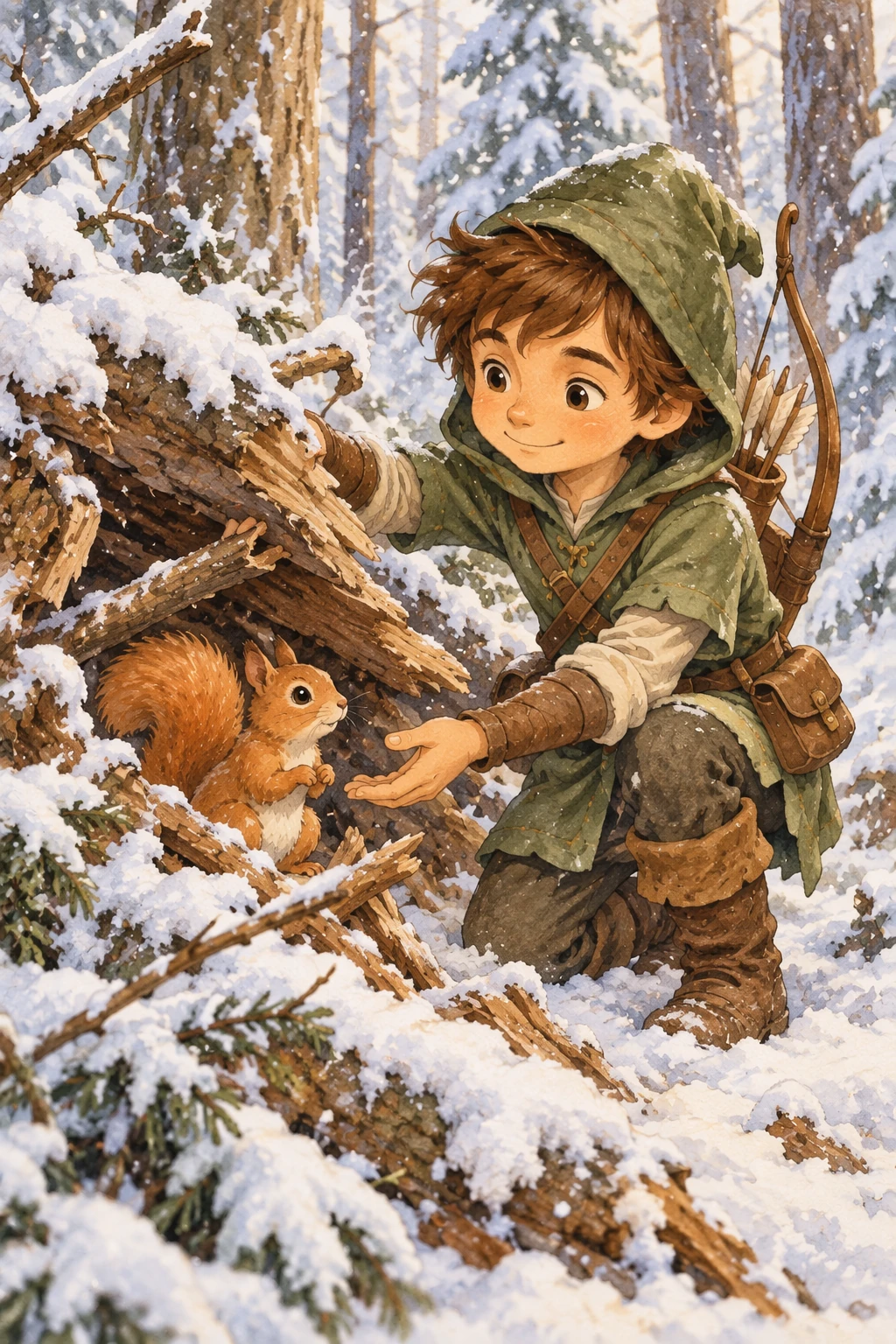
이야기 이어가기
각 모델의 생성된 캐릭터 이미지를 재사용하고 새 장면을 설명하세요. 캐릭터가 일관되게 유지되도록 외모 제약을 반복하세요.
편집 설정: size="1024x1536", quality="medium".
Continue the children's book story using the same character.

Scene:
The same young forest hero is gently helping a frightened squirrel
out of a fallen tree after a winter storm.
The character kneels beside the squirrel, offering reassurance.

Character Consistency:
- Same green hooded tunic
- Same facial features, proportions, and color palette
- Same gentle, heroic personality

Style:
Children's book watercolor illustration,
soft lighting, snowy forest environment,
warm and comforting mood.

Constraints:
- Do not redesign the character
- No text
- No watermarks
GPT Image 2.5 Flare
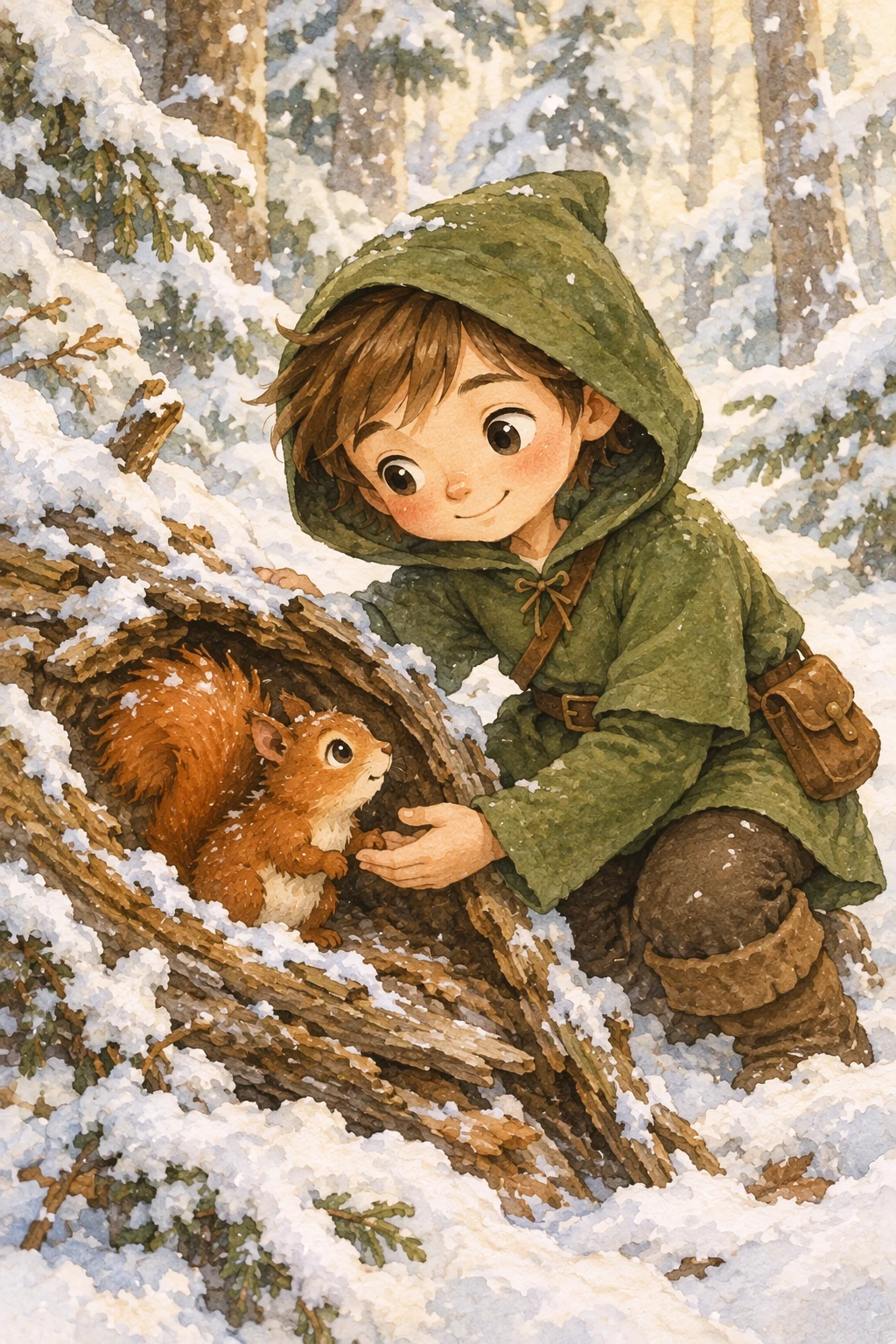
GPT Image 2.5 Sunburst
더 많은 워크플로
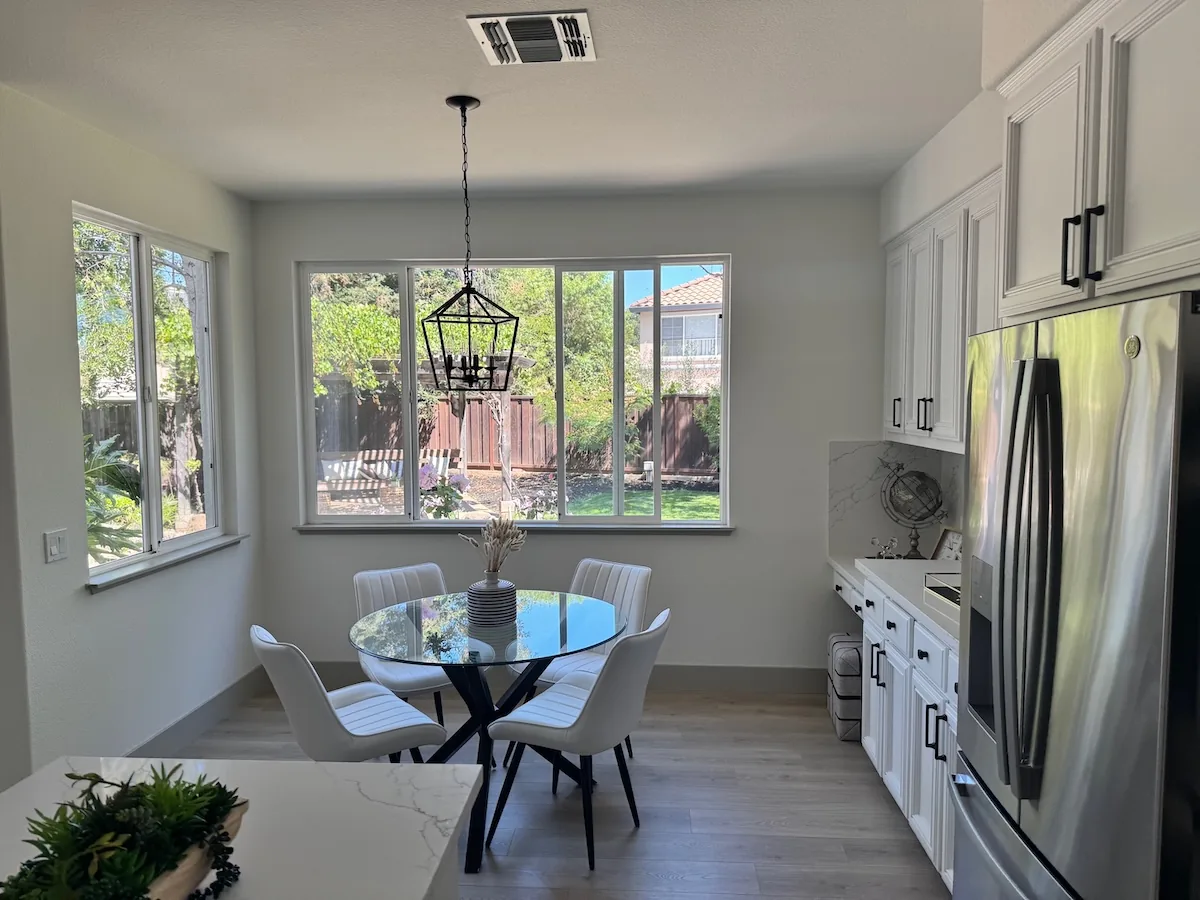
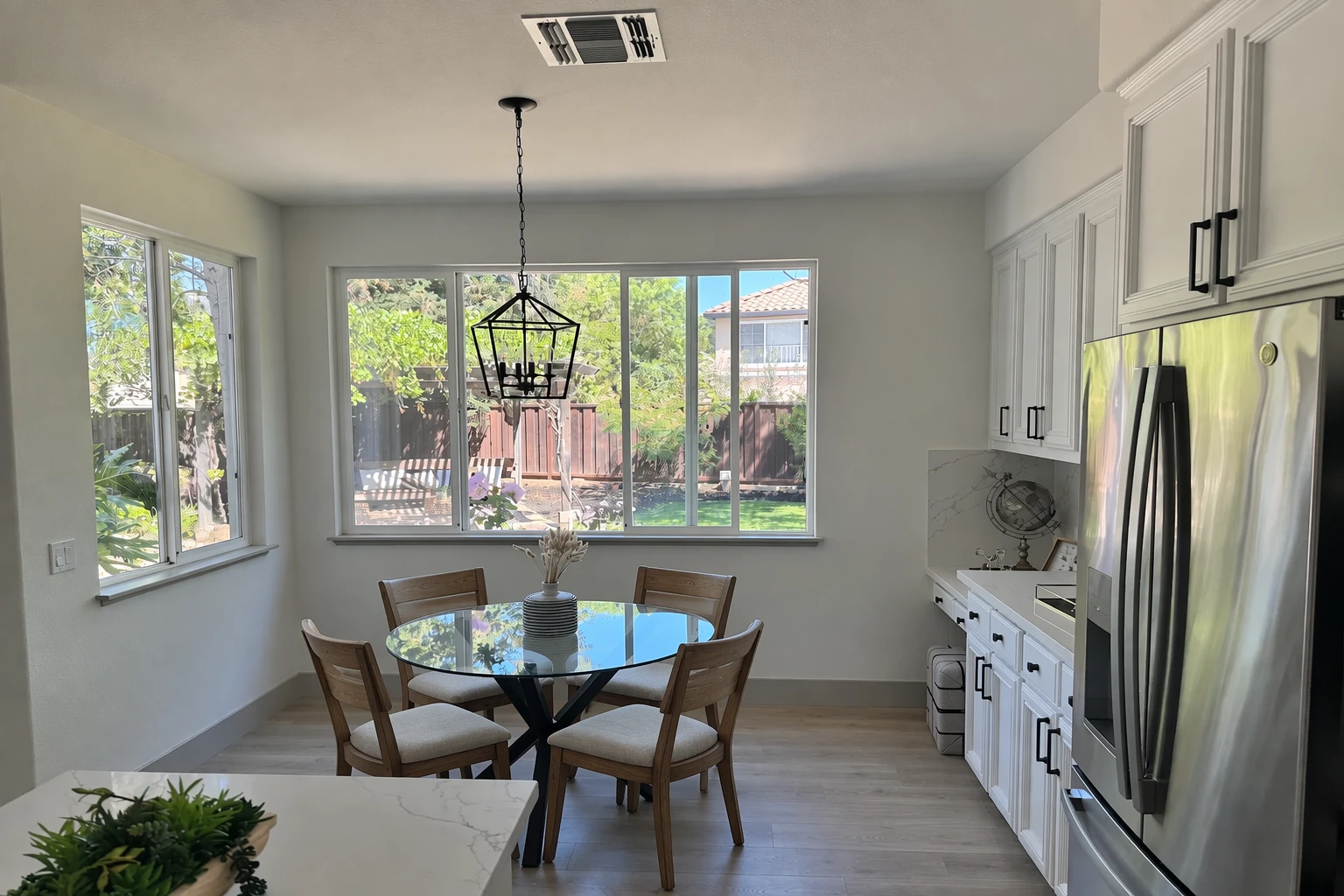
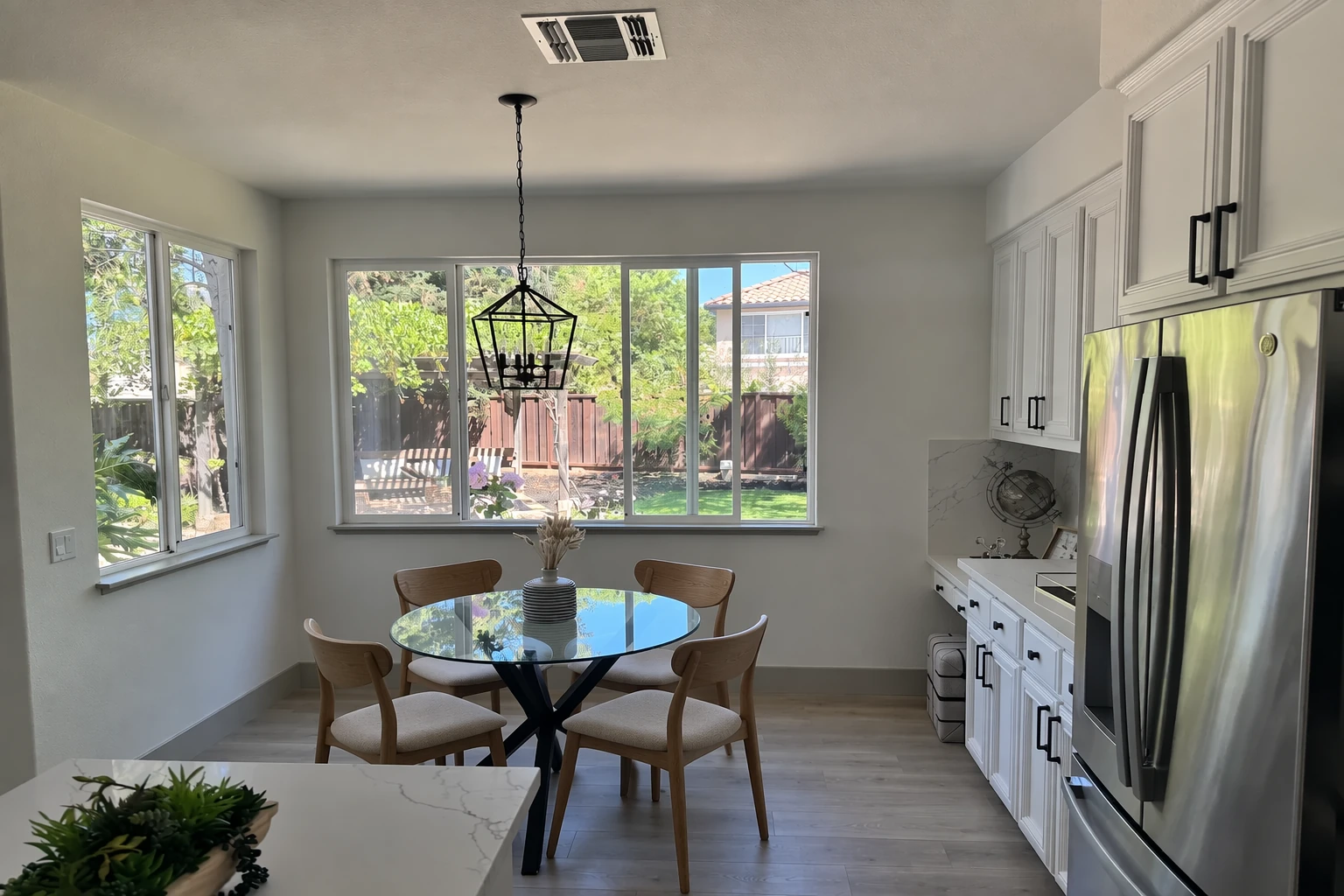
방의 가구 변경
전체 장면을 재현하지 않고 실제 공간에서 가구나 장식 변경을 시각화하세요. 목표는 수술적 사실감입니다. 카메라 각도, 조명, 그림자, 주변 컨텍스트를 보존하면서 단일 객체를 교체해 편집이 재설계가 아니라 실제 사진처럼 보이게 하세요.
편집 설정: size="1536x1024", quality="medium".
In this room photo, replace ONLY the white chairs with chairs made of wood.
Preserve camera angle, room lighting, floor shadows, and surrounding objects.
Keep all other aspects of the image unchanged.
Photorealistic contact shadows and fabric texture.
입력 이미지:
GPT Image 2.5 Flare
GPT Image 2.5 Sunburst
휴일 카드 디자인
계절 카드 컨셉은 장면, 감정적 어조, 재질, 조명, 정확한 카피를 설명하세요. 3D 팝업이나 사진 카드 처리의 경우 종이 레이어, 섬유, 접힘, 부드러운 스튜디오 조명을 지정하세요. 아래 예시는 향수 어린 곰인형 장면을 사용합니다.
생성 설정: size="1024x1536", quality="medium".
Create a Christmas holiday card illustration.

Scene:
a cozy Christmas scene with an old teddy bear sitting inside a keepsake box, slightly worn fur, soft stitching repairs, placed near a window with falling snow outside. The scene suggests the child has grown up, but the memories remain.

Mood:
Warm, nostalgic, gentle, emotional.

Style:
Premium holiday card photography, soft cinematic lighting,
realistic textures, shallow depth of field,
tasteful bokeh lights, high print-quality composition.

Constraints:
- Original artwork only
- No trademarks
- No watermarks
- No logos

Include ONLY this card text (verbatim):
"Merry Christmas — some memories never fade."
GPT Image 2.5 Flare

GPT Image 2.5 Sunburst

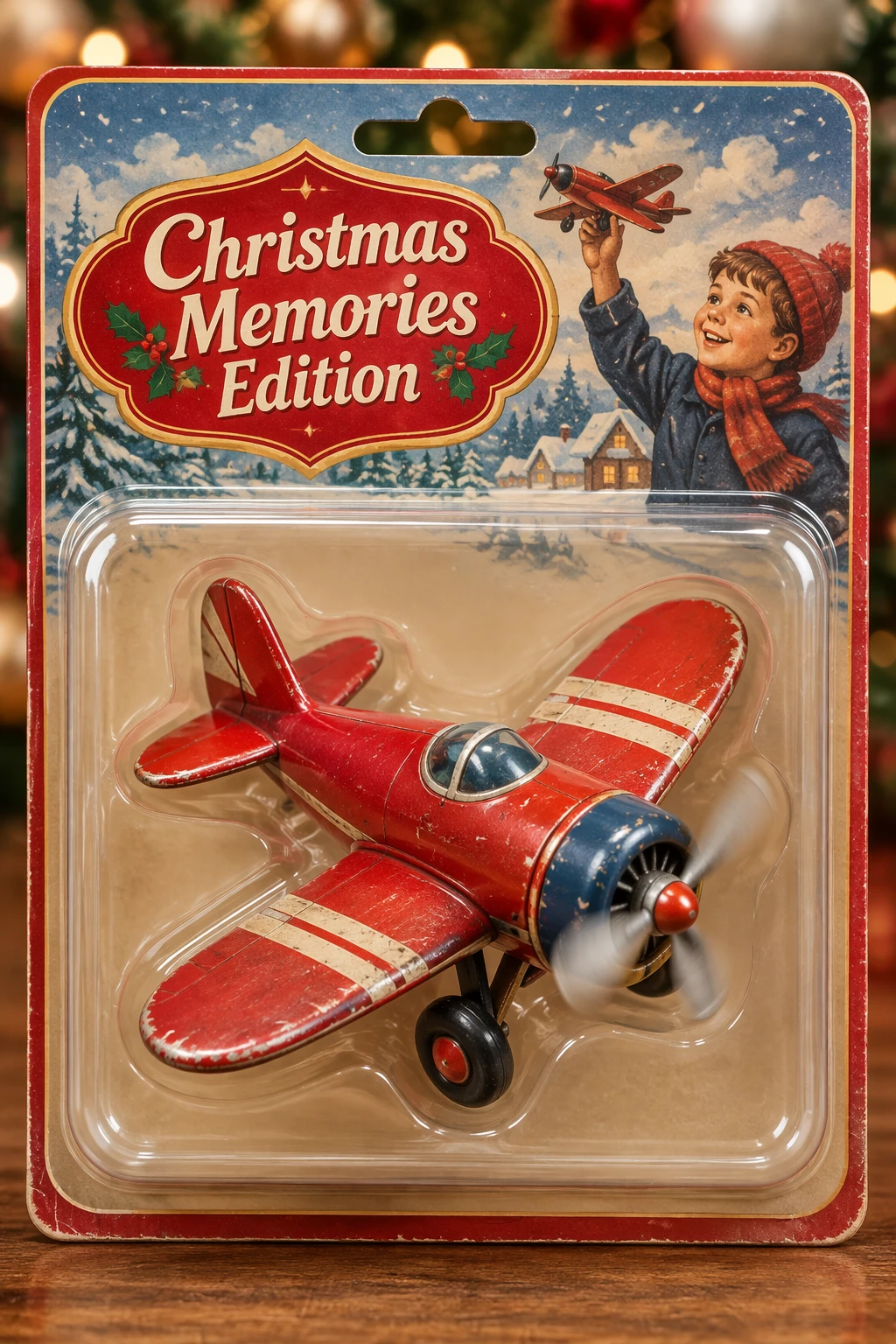
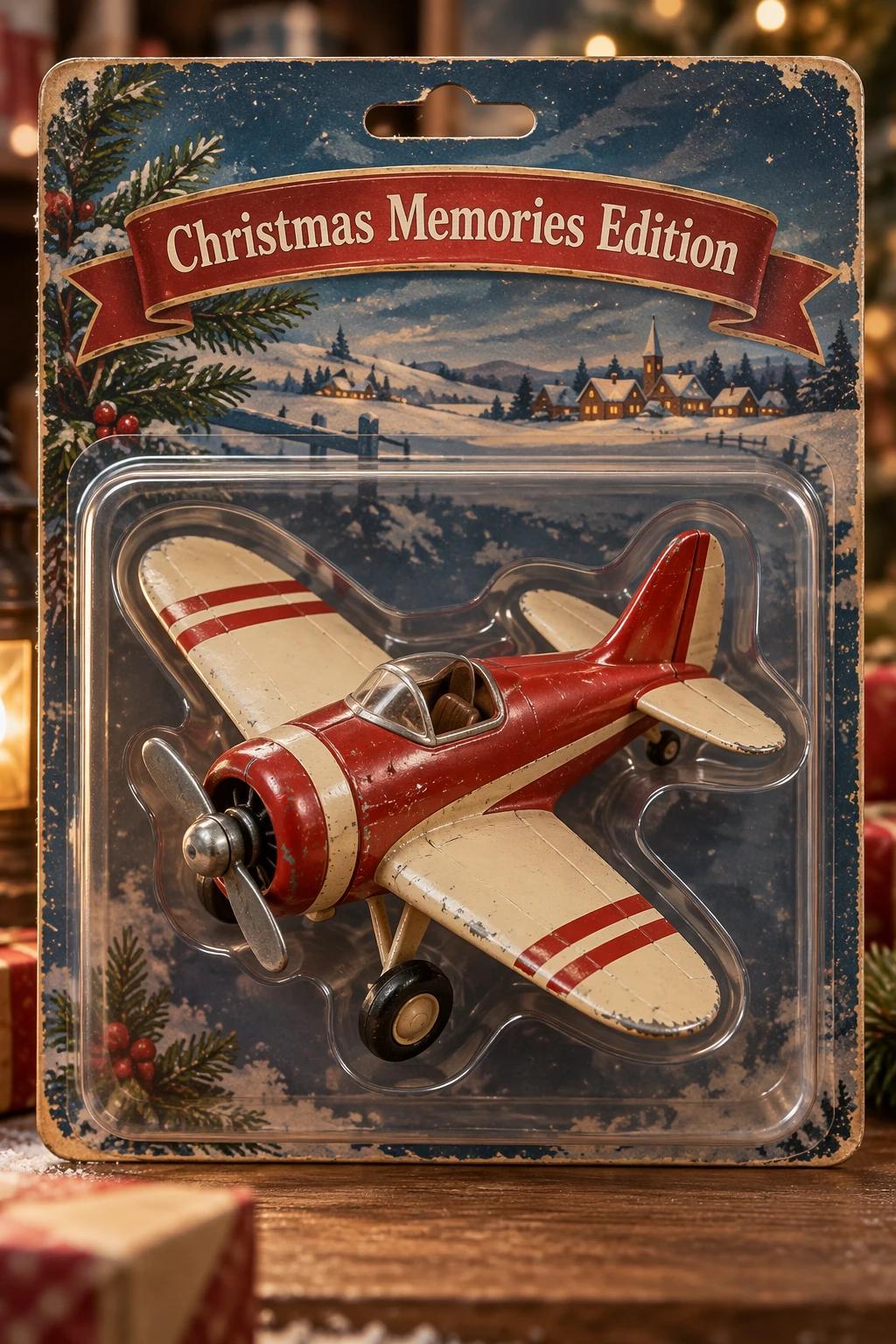
컬렉터블 상품 디자인
제품 사진 단서(재질, 포장, 인쇄 선명도)를 사용해 상품과 포장 컨셉을 탐구하세요. 디자인을 독창적이고 비침해적으로 유지하고, 여러 캐릭터나 포장 변형을 비교하세요.
생성 설정: size="1024x1536", quality="medium".
Create a collectible action figure of a vintage-style toy propeller airplane with rounded wings, a front-mounted spinning propeller, slightly worn paint edges, classic childhood proportions, designed as a nostalgic holiday collectible, in blister packaging.

Concept:
A nostalgic holiday collectible inspired by the simple toy airplanes
children used to play with during winter holidays.
Evokes warmth, imagination, and childhood wonder.

Style:
Premium toy photography, realistic plastic and painted metal textures,
studio lighting, shallow depth of field,
sharp label printing, high-end retail presentation.

Constraints:
- Original design only
- No trademarks
- No watermarks
- No logos

Include ONLY this packaging text (verbatim):
"Christmas Memories Edition"
GPT Image 2.5 Flare
GPT Image 2.5 Sunburst
완전한 예시 실행
이 실행 가능한 예시는 gpt-image-2에 고정되어 있습니다. 기준선으로 사용한 다음, 평가에 사용할 수 있는 모델과 지원되는 요청 설정을 선택하세요.
아래 예시는 네 개의 로고 변형을 생성하고 제품을 투명 배경으로 추출합니다. Python용 OpenAI SDK는 pip install openai, Ruby용은 gem install openai로 설치하세요. OPENAI_API_KEY를 설정하고 제품 사진을 input_images/shampoo.webp로 저장하세요. 실제 요청에는 API 사용 요금이 발생합니다.
전체 예시 보기
import base64
from pathlib import Path

from openai import OpenAI

client = OpenAI()


prompt = """
Create an original, non-infringing logo for a company called Field & Flour, a local bakery.
The logo should feel warm, simple, and timeless. Use clean, vector-like shapes, a strong silhouette, and balanced negative space.
Favor simplicity over detail so it reads clearly at small and large sizes. Flat design, minimal strokes, no gradients unless essential.
Fully transparent background. Deliver a single centered logo with generous padding, clean alpha edges, and no solid backdrop, scenery, checkerboard, or watermark.
"""

result = client.images.generate(
    model="gpt-image-2",
    prompt=prompt,
    size="1024x1536",
    quality="medium",
    background="transparent",
    output_format="png",
    n=4,  # Generate 4 versions of the logo
)

# Preserve the returned PNG bytes, including the alpha channel.
for index, item in enumerate(result.data, start=1):
    Path(f"logo-generation-{index}-gpt-image-2.png").write_bytes(
        base64.b64decode(item.b64_json)
    )

# Extract a product from a reference image.
prompt = """
Extract the product from the input image and isolate it on a fully transparent background.
Output: centered product, crisp silhouette, no halos/fringing.
Preserve product geometry and label legibility exactly.
Add only light polishing. Do not add a solid backdrop, checkerboard, scenery, or shadow.
Do not restyle the product; remove the background and preserve clean alpha transparency.
"""

result = client.images.edit(
    model="gpt-image-2",
    image=[
        Path("input_images/shampoo.webp"),
    ],
    prompt=prompt,
    size="1024x1536",
    quality="medium",
    background="transparent",
    output_format="png",
)

Path("extract-product-gpt-image-2.png").write_bytes(
    base64.b64decode(result.data[0].b64_json)
)
require "base64"
require "openai"
require "pathname"

client = OpenAI::Client.new
result = client.images.generate(
  model: "gpt-image-2",
  prompt: "Create an original logo for Field & Flour, a local bakery. Use warm, simple shapes on a fully transparent background, with clean alpha edges and no shadow or checkerboard.",
  size: "1024x1536", quality: :medium, background: :transparent, output_format: :png, n: 4
)
Array(result.data).each_with_index do |item, index|
  File.binwrite("logo-generation-#{index + 1}-gpt-image-2.png", Base64.strict_decode64(item.b64_json || raise("No PNG returned")))
end
result = client.images.edit(
  model: "gpt-image-2", image: OpenAI::FilePart.new(Pathname("input_images/shampoo.webp"), content_type: "image/webp"),
  prompt: "Extract the product onto a fully transparent background. Preserve its geometry and label, with clean edges and no shadow or restyling.",
  size: "1024x1536", quality: :medium, background: :transparent, output_format: :png
)
File.binwrite("extract-product-gpt-image-2.png", Base64.strict_decode64(Array(result.data).fetch(0).b64_json || raise("No PNG returned")))
추가 프롬프트와 완전한 워크플로는 원본 노트북을 참조하세요.
결과 확인
사용하기 전에 출력을 요구사항과 대조해 확인하세요:
- 필수 텍스트가 정확하고 읽기 쉬운가? 다이어그램 라벨과 관계가 올바른가?
- 정체성, 제품 형태, 라벨, 참조 디테일이 그대로 유지되는가?
- 편집이 요청한 것만 바꾸었는가?
- 투명도가 필요할 때 파일에 그려진 배경이 아니라 알파 채널이 포함되어 있는가?
프롬프트나 모델을 변경할 때 대표 입력에서 품질, 지연 시간, 비용을 비교하세요. 현재 비용은 이미지 생성 가격을 참조하세요.
GPT Image 2 참조
기존 GPT Image 2 워크플로를 위한 개요와 요청 설정.
개요
GPT Image 2는 이미지 생성과 편집을 지원하며 텍스트 렌더링, 참조 기반 편집, 유연한 출력 크기를 포함합니다. 기존 통합을 유지하려면 이 참조를 사용하세요. 프롬프팅 가이드는 구도, 텍스트, 참조 이미지, 편집 중 디테일 보존에 대한 공통 기법을 다룹니다. 삽화 예시는 GPT Image 2.5 Flare와 GPT Image 2.5 Sunburst를 사용하며 출력은 모델마다 다를 수 있습니다. 마이그레이션은 가이드의 모델 선택과 평가 워크플로를 사용하세요.
모델 매개변수
생성에는 client.images.generate를, 편집에는 client.images.edit을 사용하세요. API 설정과 요청 예시는 이미지 생성 가이드를 참조하세요.
| 매개변수 | GPT Image 2 |
|---|---|
model |
gpt-image-2 |
quality |
low, medium, high, 또는 auto |
size |
auto 또는 지원되는 해상도; 크기 제약 참조 |
input_fidelity |
생략. 이미지 입력은 항상 높은 충실도로 처리됩니다. |
output_format |
png, jpeg, 또는 webp |
background |
투명 출력의 경우 명시적으로 transparent를 설정하고 PNG 또는 WebP를 사용하세요. |
output_compression |
PNG가 아닌 JPEG 또는 WebP 출력에만 사용하세요. |
투명 배경은 gpt-image-2에서 프리뷰로 제공됩니다.
원본 프롬프트, 입력, 실행 가능한 워크플로는 고정된 GPT Image 2 노트북을 참조하세요.
GPT Image 1.5 참조
기존 GPT Image 1.5 워크플로를 위한 개요와 요청 설정.
개요
폐지된 모델. gpt-image-1.5는 2026년 12월 1일에 종료될 예정입니다. 폐지 공지를 참조하고 마이그레이션 전에 기존 워크플로를 gpt-image-2로 검증하세요.
GPT Image 1.5는 이미지 생성과 편집을 지원하며 텍스트 렌더링, 사실적 이미지, 참조 기반 편집을 포함합니다. 기존 통합을 유지하려면 이 참조를 사용하세요. 프롬프팅 가이드는 구도, 텍스트, 참조 이미지, 편집 중 디테일 보존에 대한 공통 기법을 다룹니다. 그 기법을 모델과 입력으로 테스트하세요. 출력은 모델마다 다를 수 있습니다.
모델 매개변수
생성에는 client.images.generate를, 편집에는 client.images.edit을 사용하세요. API 설정과 요청 예시는 이미지 생성 가이드를 참조하세요.
| 매개변수 | GPT Image 1.5 |
|---|---|
model |
gpt-image-1.5 |
quality |
low, medium, high, 또는 auto |
size |
1024x1024, 1024x1536, 1536x1024, 또는 auto |
output_format |
png, jpeg, 또는 webp |
output_compression |
0에서 100, JPEG 또는 WebP 출력 전용 |
background |
투명 출력을 위해 명시적으로 transparent를 설정하세요; PNG 또는 WebP 사용 |
input_fidelity |
low 또는 high; high는 입력 디테일을 보존하며 quality는 출력 생성을 제어합니다. 항상 높은 입력 충실도를 사용하는 GPT Image 2로 마이그레이션할 때는 이 매개변수를 생략하세요. |
GPT Image 1 참조
기존 GPT Image 1 워크플로를 위한 개요와 요청 설정.
개요
폐지된 모델. gpt-image-1은 2026년 10월 23일에 종료될 예정입니다. 폐지 공지를 참조하고 마이그레이션 전에 기존 워크플로를 gpt-image-2로 검증하세요.
GPT Image 1은 참조 이미지와 마스크로 이미지 생성과 편집을 지원합니다. 기존 통합을 유지하려면 이 참조를 사용하세요. 장면 설명, 디테일 보존, 편집 개선 같은 공통 기법은 프롬프팅 가이드를 참조하세요.
모델 매개변수
생성에는 client.images.generate를, 편집에는 client.images.edit을 사용하세요. API 설정과 요청 예시는 이미지 생성 가이드를 참조하세요.
| 매개변수 | GPT Image 1 |
|---|---|
model |
gpt-image-1 |
quality |
low, medium, high, 또는 auto |
size |
1024x1024, 1024x1536, 1536x1024, 또는 auto |
output_format |
png, jpeg, 또는 webp |
output_compression |
0에서 100, JPEG 또는 WebP 출력 전용 |
background |
투명 출력을 위해 명시적으로 transparent를 설정하세요; PNG 또는 WebP 사용 |
input_fidelity |
low 또는 high; high는 입력 디테일을 보존하며 quality는 출력 생성을 제어합니다. 높은 입력 충실도는 더 많은 이미지 입력 토큰을 사용합니다. 항상 높은 입력 충실도를 사용하는 GPT Image 2로 마이그레이션할 때는 이 매개변수를 생략하세요. |