
AI Connections용 Authorization
AI Connections용 Authorization
AI connection 엔드포인트를 위한 인증과 시크릿 관리를 구성하는 설정이에요.
출처: 문서
본문
개요 (Overview)
AI Connection의 Authorization 탭에서 AI 앱 엔드포인트로 보내는 요청의 인증을 구성할 수 있어요. 여기에는 Secrets Manager(시크릿 매니저) 와 Authentication(인증) 두 섹션이 있어요.
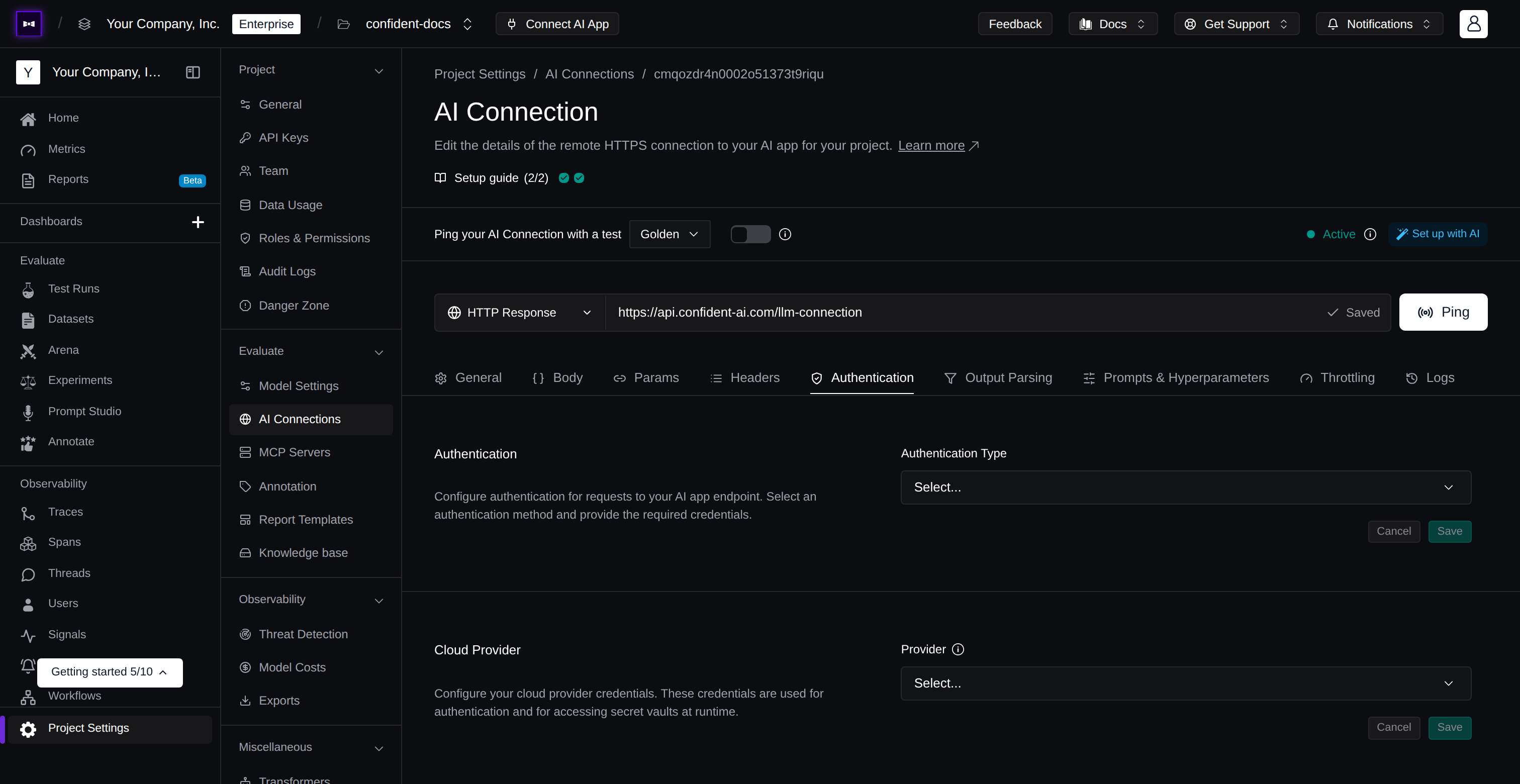
Configure authentication for your endpoint
시크릿 매니저 (Secrets Manager)
시크릿 매니저는 인증 자격 증명을 플랫폼에 직접 저장하는 대신, 런타임에 클라우드 볼트(vault)에서 안전하게 가져오게 해줘요.
시크릿 매니저를 활성화하려면:
- 시크릿 매니저 토글을 켜기
- 제공자 선택 (예: Azure Key Vault)
- Vault URL 입력 (예:
https://your-vault.vault.azure.net) - 볼트에 인증하기 위한 Tenant ID, Client ID, Client Secret 입력
셀프호스팅 배포에서는 시크릿 매니저가 항상 활성화되어 있고, 인증에 관리 ID(managed identities)를 사용하므로 시크릿 제공자 자격 증명이 필요하지 않아요.
인증 (Authentication)
드롭다운에서 인증 유형을 선택해요.
| Type | Description |
|---|---|
| None | No authentication is applied |
| Auth0 | Exchanges client credentials for a Bearer token via Auth0's OAuth2 client credentials flow |
| HMAC | Computes an HMAC-SHA256 signature of the request payload and sends it as a header |
Auth0는 다음 필드가 필요해요.
| Field | Description |
|---|---|
| Auth0 Domain | Your Auth0 tenant domain (e.g., your-tenant.auth0.com) |
| Audience | The API identifier this token is authorized to access |
| Client ID / Client ID Name | Your Auth0 application client ID, or the name of the secret in your vault if using a secrets manager |
| Client Secret / Client Secret Name | Your Auth0 application client secret, or the name of the secret in your vault if using a secrets manager |
HMAC는 다음 필드가 필요해요.
| Field | Description |
|---|---|
| Header Key | The HTTP header name where the signature is sent (e.g., X-Signature) |
| Signature Prefix | An optional prefix prepended to the signature (e.g., sha256=) |
| Secret Key / Secret Name | The signing key, or the name of the secret in your vault if using a secrets manager |
시크릿 매니저를 Auth0와 함께 사용해 클라이언트 자격 증명을 키 볼트에 보관할 수 있어요. 실제 Client ID와 Client Secret을 입력하는 대신 볼트의 시크릿 이름을 제공하면, 런타임에 가져와요.
다음 단계 (Next Steps)
Authorization을 구성하면 AI connection이 보호된 엔드포인트에 안전하게 도달할 수 있어요. 다음으로 멀티 턴 평가 처리와 결과를 트레이스에 연결하는 법을 배워 보세요.
Multi-Turn State
멀티 턴 시뮬레이션 동안 턴을 가로질러 정보를 유지해요.
Linking Traces
테스트 케이스와 턴을 그 트레이스에 연결해 완전한 관측성을 확보해요.